
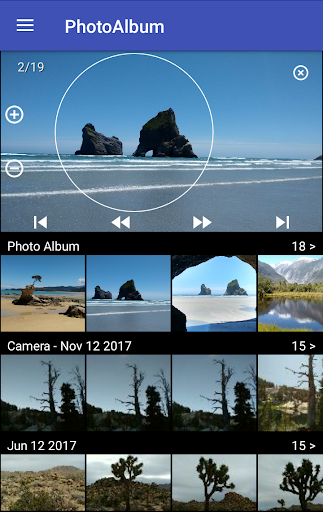
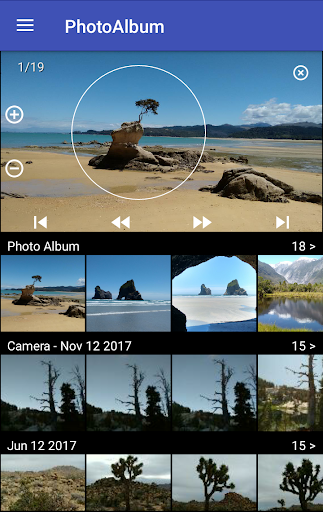

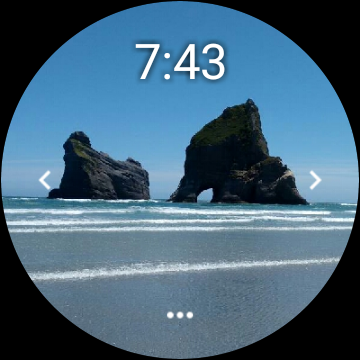
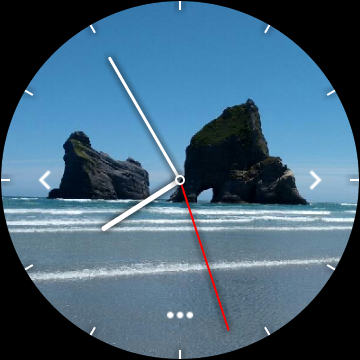
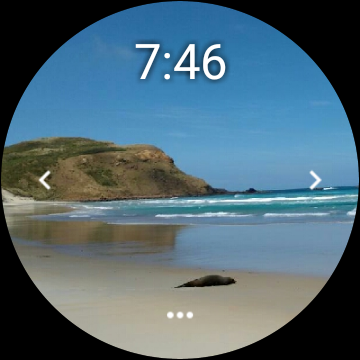
Photo Album Watch Face is a unique photography app that allows users to personalize their smartwatch faces with favorite pictures from their phone. This app supports both Wear OS devices and other smartwatches, providing flexibility across different platforms.
The core functionality includes automatic picture cycling on the watch face and manual navigation through swiping left or right. Users can download new images via the companion mobile app, ensuring their watch face stays updated with meaningful content. This creates an emotional connection between users and their devices while offering practical utility.
This app stands out with its intuitive features designed for convenience and personalization. The automatic image rotation feature keeps the watch face dynamic, while the manual swipe option offers user control. These features are particularly useful during workouts or other activities when phone access is limited.
Another key feature is the seamless integration between the mobile app and the smartwatch. Users can easily transfer new photos to their watch using the dedicated 'Photo Album Watch Face' app. The ability to use the watch face offline adds practical value, making it accessible anytime, anywhere.
User-friendly interface
Offline functionality
Automatic updates
Customizable options
Cross-platform support
Limited editing tools
Requires companion app
Basic design options
Watch battery drain
Occasional sync issues

AI portrait generator and polaroid AI selfie, fun AI generated AI photo creator!
 4.30
4.30
Photo editor: face & body editor, beauty cam, filters and quality enhancer.
4.00
Over 800 film simulation recipes for Fujifilm. Black Friday Offer!
4.2
Raw Image Viewer. Gallery with support of raw images (.cr3, .cr2, .nef, .raf).
2.00
Add a dreamy vibe to your selfies and videos with soft style filters
4.2
Smart, light, and fast photo and video gallery
4.30
Easily view, share, delete photos with Gallery.
4.70
Solocator stamps photos you take with GPS location, Compass Direction, Date/Time
3.80
Discover How to Plan any Sun, Moon and Milky Way Photo You Imagine in Seconds
4.70
Create funny photos and videos with the popular Time Warp Scan filter.
4.90
A must-have app for landscape photographers
4.60
Easily create custom gifts, cards, photo books & more on the Shutterfly app!
4.60
Photo editor & gallery. Crop pictures & edit photos offline, no wifi!
4.50
What celebrity do you look like? Celebs will find your celebrity match!
4.10
Gallery Slideshow is slideshow maker app for slideshow from your gallery photos.
3.90
USB Storage Access for Photos, Videos, Music and Documents
3.80
Hair color changer, AI haircut app, fun hair editor and buzz cut filter for all!
3.80
Professional video recording application with manual controls for filmmakers!
2.80
Snap photos remotely using your Garmin watch as the camera trigger
4.2


User Reveiws