

Photoroom AI Photo Editor

4.70

Information

Category:

Photography

Price:

Free

Rank:

17

Rating:

4.70

Overview

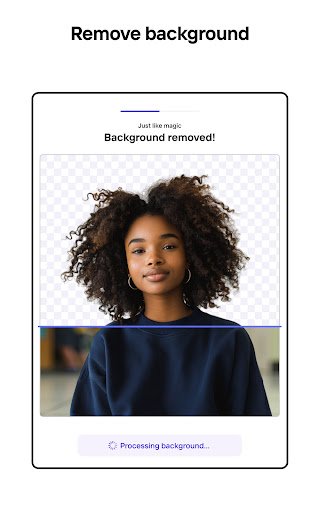
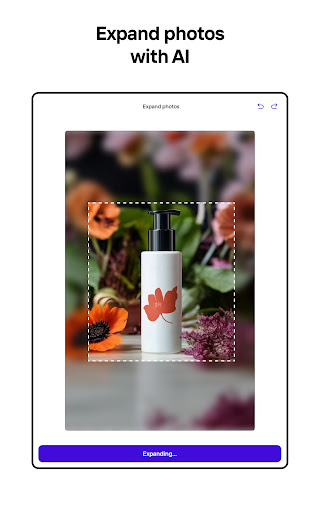
Photoroom AI Photo Editor is a powerful mobile application designed for effortless photo editing and professional design creation. The app utilizes advanced AI technology to help users remove and replace backgrounds, erase unwanted objects, and enhance images with precision. Its intuitive interface allows even beginners to create stunning visuals without any prior design experience.

The application is particularly beneficial for e-commerce sellers, content creators, and social media managers who need to produce high-quality images for various platforms. With features like batch editing, brand kit creation, and collaboration tools, Photoroom ensures consistent branding and saves valuable time. Whether you're looking to create product listings, engaging social media posts, or professional marketing materials, this app provides all the necessary tools in one place.

Photoroom stands out by offering AI-powered templates, real-time collaboration, and optimization for multiple platforms including Instagram, Facebook, and Amazon. This makes it an essential tool for anyone aiming to elevate their visual content strategy while maintaining efficiency and professionalism.

Features

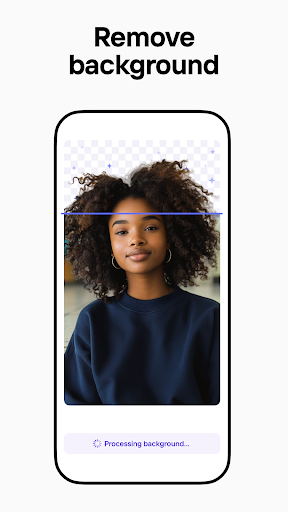
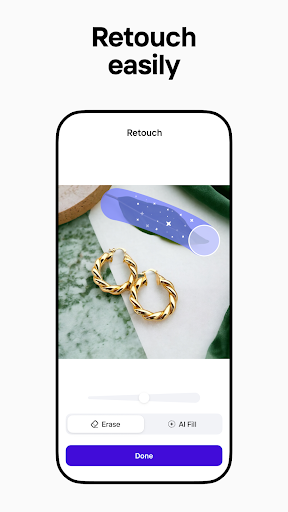
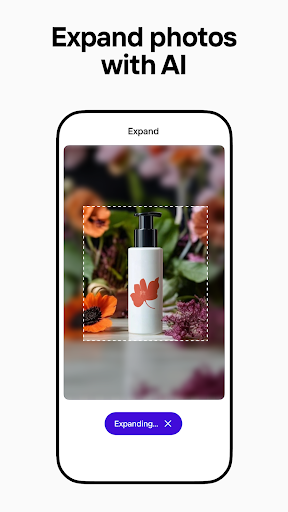
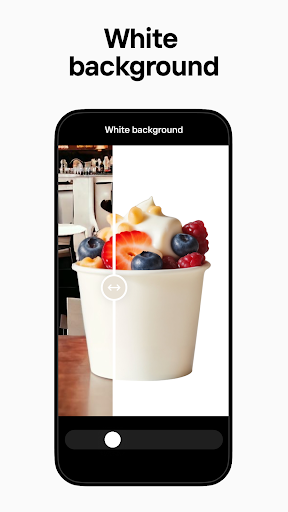
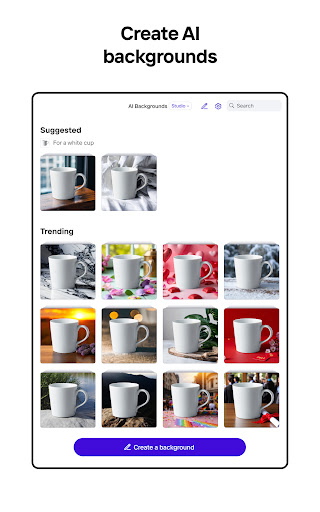
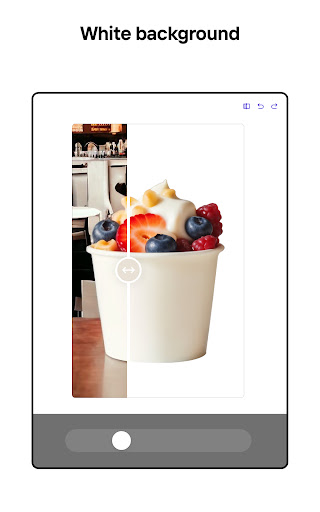
Photoroom AI Photo Editor boasts an impressive array of features that cater to both amateur and professional users. One of its standout capabilities is the AI-powered background removal and replacement tool, which allows users to quickly erase distractions and create polished, ad-ready images. This feature is complemented by the smart eraser tool that cleans up details and removes imperfections with ease.

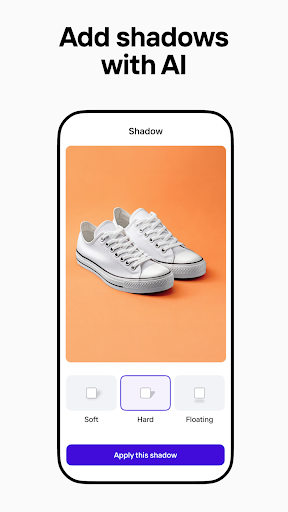
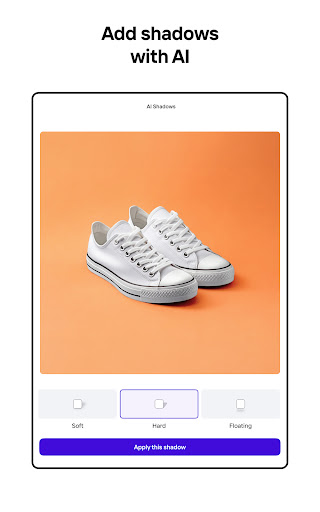
In addition to background editing, the app offers enhanced photo editing functionalities such as lighting adjustment, shadow enhancement, and sharpness control. These tools ensure that every image maintains professional quality. The Product Beautifier feature transforms ordinary product photos into lifelike visuals by placing items in staged scenes or on virtual models, making it perfect for e-commerce applications.

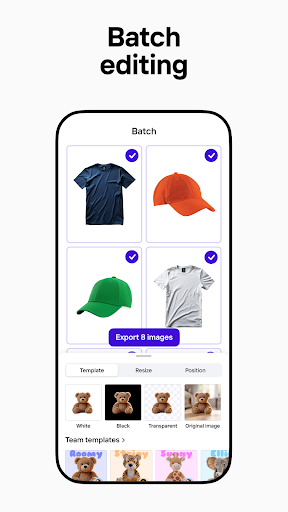
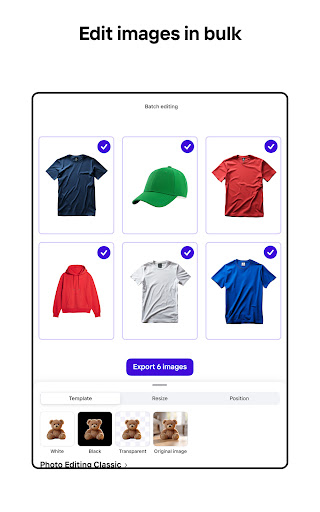
For teams and businesses, Photoroom provides collaborative features that allow multiple users to work on designs simultaneously. The brand kit feature keeps logos, colors, and fonts organized for consistent use across projects. Moreover, the app supports batch editing, enabling users to apply changes to multiple images at once, thus significantly improving workflow efficiency for large projects.

Real-Time Capture & Preview

Real-time capture and preview functionality in photography applications like Photoroom AI Photo Editor is essential for ensuring that users can see the results of their edits immediately as they make them. This feature allows photographers and content creators to adjust settings such as lighting exposure shadows and sharpness while observing the changes in real time thus achieving the desired professional-quality images without guesswork. In Photoroom's case this capability is enhanced by its AI-powered tools which not only facilitate instant background removal and replacement but also enable users to erase unwanted objects or distractions from their photos seamlessly. The immediacy of seeing these alterations reflected on-screen empowers users to fine-tune every aspect of their image composition with precision. For e-commerce sellers who need product photos that stand out or social media managers aiming to produce engaging posts across platforms this real-time feedback loop significantly boosts productivity and creativity. It eliminates the need for trial-and-error editing cycles saving valuable time especially when working with batch edits where consistency across multiple images is crucial. Furthermore having an accurate representation during the editing process ensures that final outputs will meet expectations whether itu2019s for Instagram Facebook YouTube Amazon Depop Vinted Shopify or any other platform requiring optimized visuals. By providing a seamless experience through its intuitive interface coupled with powerful AI technology Photoroom enables both novices and professionals alike to elevate their brand aesthetics effortlessly making high-quality visual content creation accessible to everyone.

AI Beauty & Enhancement Naturalness

The concept of AI beauty and enhancement naturalness within photo editing applications refers to the ability of artificial intelligence algorithms to improve images while maintaining a realistic appearance avoiding over-processed looks that may detract from authenticity. In Photoroom AI Photo Editor this translates into features designed not just to enhance photos but do so in a way that feels genuine preserving original textures and details even after significant modifications such as background replacements or object removals. Leveraging advanced machine learning models Photoroom offers tools like smart erasers product beautifiers virtual model placements among others all tailored towards creating polished yet believable outcomes. For instance when showcasing clothing items on lifelike virtual models generated by AI these representations retain fabric textures body contours and lighting effects consistent with reality thereby enhancing credibility rather than undermining it. Similarly adjustments made via enhanced photo editing functionalitiesu2014such as tweaking lighting conditions shadows or sharpnessu2014are executed subtly enough to avoid noticeable artifacts ensuring viewers perceive edited images as naturally occurring scenes rather than digitally altered ones. This approach proves particularly beneficial for businesses relying heavily on visual appeal; e-commerce sellers benefit immensely since customers trust products presented authentically leading potentially higher conversion rates whereas content creators tasked with producing regular fresh material find themselves equipped with means to maintain high standards without sacrificing genuineness. Moreover given todayu2019s discerning audiences capable of spotting unnatural enhancements easily prioritizing 'naturalness' becomes imperative not merely optional. Thus by focusing on delivering enhancements grounded firmly in realism Photoroom positions itself uniquely catering effectively towards modern demands spanning various sectors including retail marketing personal branding etc.

Props

User-friendly interface

Advanced AI tools

Batch editing support

Real-time collaboration

Multi-platform optimization

Cons

Premium features locked

Subscription required

Limited free exports

Occasional bugs

Learning curve for new users

Features and Functions

What is this app and what can I use it for?

Photoroom is an AI photo editor for creating pro-quality images with easy background removal and editing tools.

How do I download and install this app on my device?

Download Photoroom from Google Play Store and install it by following the on-screen instructions.

How do I get started after opening the app for the first time?

After opening Photoroom, tap 'Get Started' and follow the guided tutorial to familiarize yourself with key features.

What are the main features and capabilities of this app?

Key features include AI background removal, object eraser, photo enhancement, batch editing, and brand kit creation.

How can I customize my experience and adjust preferences?

Customize your experience by adjusting settings, creating a brand kit, and selecting preferred templates within the app.

How do I save or bookmark my favorite content for later access?

Save favorite content by exporting edited images to your device or cloud storage directly from the app menu.

How can I share content with friends or on social media?

Share content by tapping the share icon, then selecting your preferred social media platform or messaging app.

How do I access detailed information and explore more content?

Access detailed info by exploring the app's help section or visiting the official website for comprehensive guides.

What permissions does this app need and how do I manage them?

The app needs camera and storage permissions; manage these in your device settings under app permissions.

How do I check for updates and keep the app running smoothly?

Check for updates in the Google Play Store and enable auto-update in settings to keep Photoroom running smoothly.
Show more

User Reveiws

{{ comment.reviewer_name }}
{{ comment.review_date_formatted}}
{{ comment.review_content }}
{{ tab.name }}
{{ comment.reviewer_name }}
{{ comment.review_date_formatted}}
{{ comment.review_content }}
No reviews with this rating