
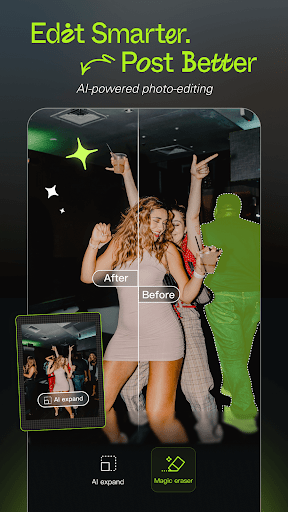
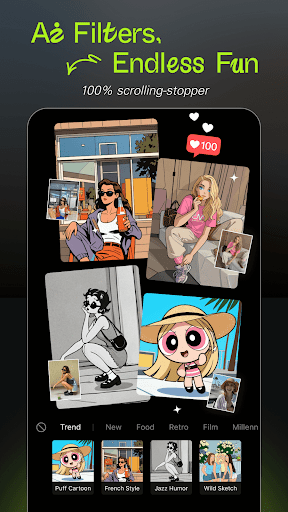
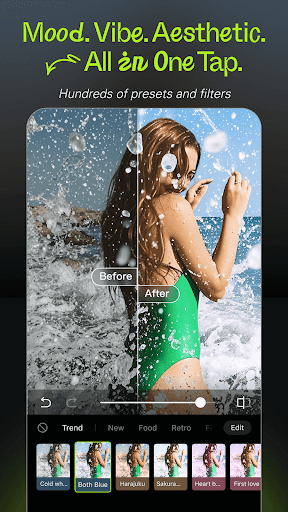


Hypic is an advanced AI-powered photo editing application that transforms ordinary photos into stunning works of art. With its cutting-edge features, users can effortlessly enhance their images through AI-driven tools such as background removal, avatar generation, and cartoon effects. The app also offers a wide range of stylish filters and aesthetic presets, including retro film styles and soft glow effects, allowing users to customize their photos to match any mood or theme.
In addition to its creative capabilities, Hypic provides smart retouching tools for natural facial enhancements and precise adjustments. Its intuitive templates make it easy to create visually appealing content for social media platforms like Instagram, TikTok, and Pinterest. Whether you're a casual editor or a professional creator, Hypic simplifies the editing process while delivering high-quality results, making it an ideal choice for anyone looking to elevate their photography game.
Hypic stands out with its diverse set of AI-powered features designed to streamline photo editing. One of its core strengths is the ability to instantly transform photos into artwork using AI algorithms. Users can remove backgrounds, generate personalized avatars, and apply cartoon effects with just a single tap. These features are powered by advanced machine learning models that ensure precision and creativity in every edit.
The app also includes a rich library of aesthetic filters and effects tailored to current trends. From retro-inspired film presets to clean, polished aesthetics, Hypic's filters cater to various styles and preferences. Additionally, its smart retouching tools allow users to adjust facial features naturally, ensuring edits look seamless and professional. With batch editing, collage creation, and AI-generated art, Hypic consolidates multiple functionalities into one user-friendly platform, saving time without compromising quality.
AI-powered editing
Stylish filter options
Smart retouching tools
User-friendly interface
Versatile templates
Limited free features
Subscription required
Occasional bugs
High system requirements
Learning curve

Effortlessly organize, view and share your photos & videos with Gallery app!
 4.40
4.40
Shooting photos and records video easily and efficient with professional Camera
4.30
Create funny photos and videos with the popular Time Warp Scan filter.
4.90
HD Photo gallery and photo manager to edit, hide private photos, videos & albums
4.0
Create collages easily! Nice pic collage maker & background eraser for Instagram
4.50
Professional quality photo edits with the new Snapseed.
4.00
Enhance, retouch & create your story - Share the moment with Photoshop Express.
4.60
Snap photos remotely using your Garmin watch as the camera trigger
4.5
Your Family Calendar + Photos. Manage your Skylight Calendar and Skylight Frame.
4.40
Gallery show photo, video, slideshow, is perfect 3D effect private photo albums.
4.80
Photo prints, cards, & gifts at Walgreens. Easy ordering & fast local pickup !
4.80
The original Rarevision VHS look seen everywhere!
4.70
Easily create custom gifts, cards, photo books & more on the Shutterfly app!
4.60
HD Camera Pro with HD Video shooting, Panorama, Photo editor , Beauty Camera.
4.50
Photo editor & gallery. Crop pictures & edit photos offline, no wifi!
4.50
A reflected light meter with spot metering and incident light metering.
4.40
Future baby face generator: AI kids generator, kid face! What my baby look like?
4.40
Hair color changer, AI haircut app, fun hair editor and buzz cut filter for all!
3.80
Pet Camera
3.70


User Reveiws