ProShot

4.20

Information

Category:

Photography

Price:

$ 7.99

Rank:

3

Rating:

4.20

Overview

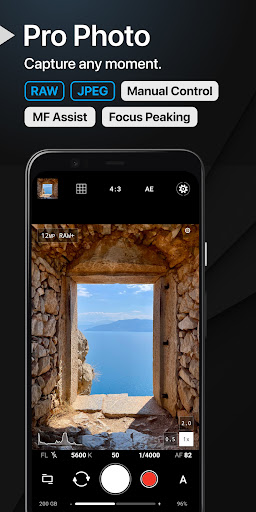
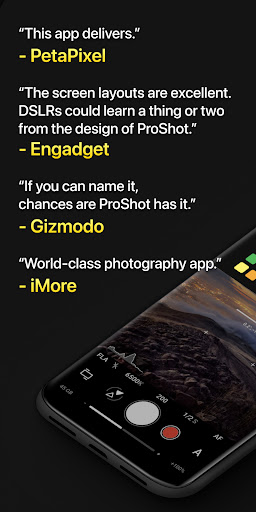
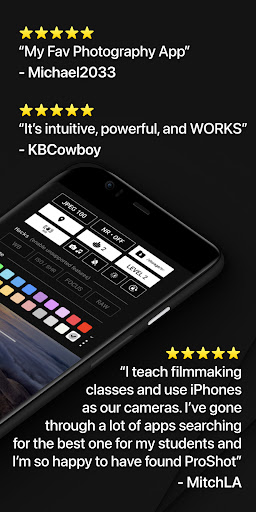
ProShot is a professional-grade photography and filmmaking application designed for Android users who demand full control over their mobile photography experience. This app offers an extensive suite of manual controls akin to those found on DSLR cameras, including ISO, shutter speed, white balance, and exposure settings. Its intuitive interface features unique Dual Dial controls and specialized modes such as Light Painting and Bulb mode, enabling photographers to capture stunning images under various conditions.

In addition to its robust photo capabilities, ProShot supports advanced video recording options up to 8K resolution with customizable frame rates and color profiles. The app also emphasizes user privacy by ensuring no personal data is collected or transmitted. Suitable for both amateur enthusiasts and seasoned professionals, ProShot transforms your Android device into a powerful tool for capturing high-quality photos and videos without the need for bulky equipment.

Features

ProShot stands out with its comprehensive feature set tailored for serious photographers. The app leverages the camera2 API to deliver DSLR-like functionalities, including Auto, Program, Manual, and Custom shooting modes. Users can fine-tune every aspect of their shots with precise adjustments to ISO, shutter speed, focus, and white balance. Additionally, ProShot supports RAW (DNG), JPEG, and HEIC formats, providing flexibility in post-processing and storage options.

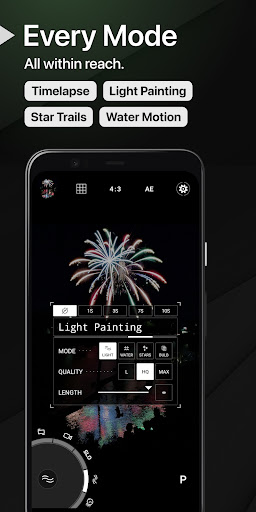
Beyond standard photography features, ProShot includes creative tools like Light Painting modes for capturing water and star trails, Timelapse functionality, and a histogram with multiple display modes. Video capabilities are equally impressive, offering up to 8K recording with LOG and FLAT color profiles for enhanced dynamic range. External microphone support, real-time audio monitoring, and simultaneous audio playback further enhance the videography experience, making ProShot a versatile choice for multimedia content creation.

Real-Time Capture & Preview

Real-time capture and preview functionality is essential for ensuring that photographers can accurately frame and adjust their shots before capturing the final image. In ProShot this feature leverages the full capabilities of the camera2 API to provide users with a live view of their subject matter allowing them to make real-time adjustments to exposure focus and other critical settings. This immediate feedback loop empowers photographers to fine-tune their compositions and camera settings ensuring that they achieve the desired outcome without any guesswork. The importance of this feature cannot be overstated as it bridges the gap between traditional DSLR photography and mobile photography by offering a level of control and precision previously unavailable on mobile devices. ProShot enhances this experience further by integrating advanced functionalities such as manual controls for shutter speed ISO and white balance which are all adjustable in real time within the app's interface. Users can also take advantage of unique features like the Dual Dial system for swift navigation through settings and specialized modes including Light Painting and Bulb mode which expand creative possibilities. With these tools at their disposal photographers can explore complex techniques such as long exposure photography or capturing star trails with confidence knowing that they have precise control over every aspect of their shot. The value proposition here is clear ProShot transforms an Android device into a powerful photographic tool capable of producing professional-grade images while maintaining the convenience and portability of a smartphone.

AI Beauty & Enhancement Naturalness

While ProShot focuses primarily on delivering professional-grade manual controls and photographic capabilities it also incorporates sophisticated AI-driven beauty and enhancement features designed to elevate the quality of images naturally. These enhancements are not about applying heavy filters or artificial effects but rather about subtly improving the inherent qualities of a photograph to make it more visually appealing without compromising its authenticity. The AI beauty and enhancement features in ProShot work by intelligently analyzing the content of each photo and making targeted adjustments to elements such as skin tones lighting and sharpness. This ensures that portraits look vibrant and lifelike while landscapes appear more dynamic and detailed. Importantly these enhancements maintain the natural aesthetics of the original image avoiding the over-processed look that can detract from a photograph's impact. For instance when shooting portraits the AI might smooth out minor imperfections in skin texture while preserving important details like freckles or facial hair ensuring that subjects retain their unique characteristics. Similarly when capturing landscapes the AI could enhance colors and contrast to bring out the richness of nature without introducing unnatural artifacts. The emphasis on naturalness sets ProShot apart from other photography apps that rely heavily on preset filters or aggressive editing techniques. By prioritizing subtlety and authenticity ProShot caters to both amateur photographers looking to improve their casual snapshots and professionals seeking a reliable tool for refining their work. Ultimately these AI-powered enhancements contribute to a more satisfying user experience by enabling anyone to produce high-quality visually stunning images regardless of their skill level.

Props

Full manual camera controls

Supports RAW and 8K video

Privacy-focused design

Unique Light Painting modes

Customizable interface

Cons

Steep learning curve

High system requirements

Limited free features

No automatic scene detection

Complex settings for beginners

Features and Functions

What is this app and what can I use it for?

A professional photography app offering DSLR-like controls for Android devices

How do I download and install this app on my device?

Search 'ProShot' on Google Play Store and tap Install to download

How do I get started after opening the app for the first time?

Follow the on-screen tutorial to understand main features and settings

What are the main features and capabilities of this app?

Manual controls, RAW support, 8K video, Light Painting, Timelapse functionality

How can I customize my experience and adjust preferences?

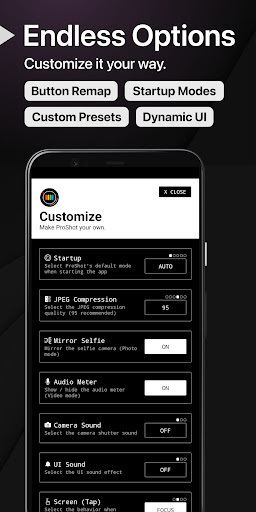
Use the Customization panel to adjust startup mode, button mappings, and preferences

How do I save or bookmark my favorite content for later access?

Save favorite settings as Custom modes for quick access later

How can I share content with friends or on social media?

Share photos directly through the integrated camera roll or social media platforms

How do I access detailed information and explore more content?

Access detailed information via the Help section or official website

What permissions does this app need and how do I manage them?

App requires camera and storage permissions; manage in device settings

How do I check for updates and keep the app running smoothly?

Check Google Play Store regularly for updates and enable auto-update in settings
Show more

User Reveiws

{{ comment.reviewer_name }}
{{ comment.review_date_formatted}}
{{ comment.review_content }}
{{ tab.name }}
{{ comment.reviewer_name }}
{{ comment.review_date_formatted}}
{{ comment.review_content }}
No reviews with this rating

















