Getcontact

3.80

Information

Category:

Communication

Price:

Free

Rank:

8

Rating:

3.80

Overview

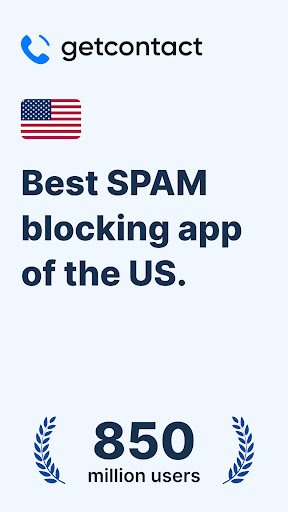
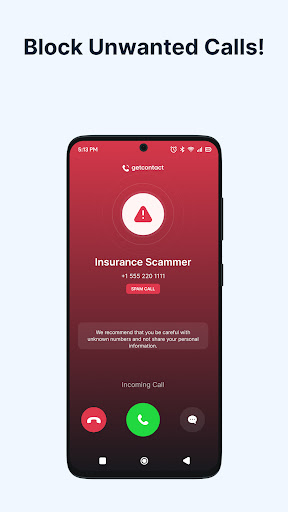
Getcontact is a comprehensive communication protection app designed to safeguard users from unwanted calls and messages. With advanced AI-driven spam detection, the app identifies unknown callers in real-time and blocks fraudulent attempts before they reach you. Available on mobile platforms, it serves as an essential tool for maintaining privacy and security in daily communications.

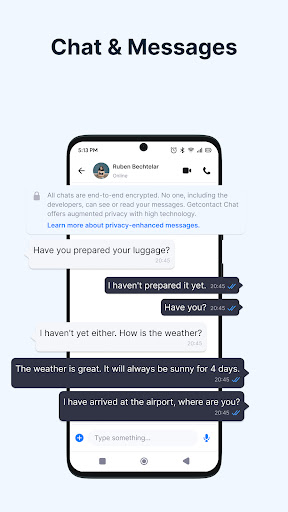
Beyond call blocking, Getcontact offers additional features like secure chats and calls with end-to-end encryption, ensuring private interactions. The app also provides a second number feature for added privacy, particularly useful for work or online transactions. By leveraging user feedback, Getcontact continuously enhances its protection capabilities, making it a valuable asset for millions of users worldwide.

Features

Getcontact stands out with its robust feature set tailored for modern communication needs. The app's AI-powered caller ID instantly detects and blocks spam calls, protecting users from telemarketers and fraud attempts. Its real-time spam detection system is constantly improved through community feedback, creating a smarter defense mechanism against scams.

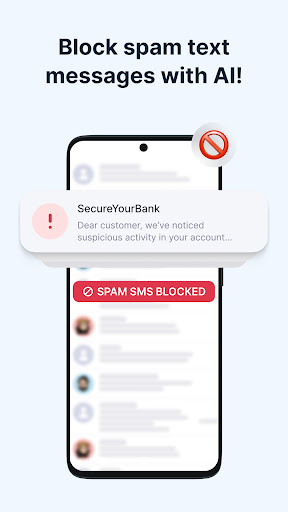
In addition to call protection, Getcontact ensures secure messaging by filtering out spam, phishing attempts, and promotional texts when set as the default SMS app. The app also includes a Call Assistant feature that screens unknown numbers and provides insights into incoming calls. For enhanced privacy, users can make secure calls and chats, enjoying encrypted one-on-one or group conversations. Furthermore, the second number feature allows users to maintain separate identities for different purposes, adding another layer of personal data protection.

Real-time messaging speed & reliability

Real-time messaging speed and reliability are crucial factors in ensuring seamless communication experiences for users. In today's fast-paced digital world, the ability to send and receive messages instantly can significantly enhance personal and professional interactions. Getcontact addresses this need by providing a robust platform that prioritizes swift and dependable message delivery. The app employs advanced technologies such as AI-driven spam detection to filter out unwanted communications while ensuring legitimate messages reach their recipients without delay. This dual approach not only enhances the speed of message transmission but also maintains the integrity of the communication channel by blocking fraudulent attempts and scam messages before they can cause harm. For users, this means peace of mind knowing that their important communications will be delivered promptly and securely. Whether it's staying connected with loved ones or managing critical business conversations, Getcontact's commitment to real-time messaging ensures that users can rely on the app for their daily communication needs. Additionally, the app's capability to serve as a default SMS app further strengthens its role in maintaining a clean and secure messaging environment. By allowing users to automatically filter out spam phishing attempts and promotional texts, Getcontact not only speeds up the messaging process but also contributes to a safer overall mobile experience. This comprehensive approach to messaging positions Getcontact as a reliable tool for modern communication where speed and security are paramount.

Media sharing support

Media sharing support is an essential feature in contemporary communication apps enabling users to exchange various forms of digital content seamlessly. Getcontact recognizes the importance of this functionality by offering comprehensive media sharing capabilities that cater to diverse user needs. Whether it's photos videos or documents the app ensures that users can share media files effortlessly within their chats. This feature is particularly beneficial in both personal and professional contexts where visual aids and file exchanges often complement text-based conversations. Getcontact's end-to-end encrypted chats and calls provide a secure environment for media sharing protecting sensitive information from unauthorized access during transmission. Moreover the integration of a second number feature adds another layer of privacy allowing users to share media without exposing their personal contact details. This is especially useful for work-related communications or online transactions where discretion is required. The app's compatibility with different media formats further enhances its versatility making it a practical choice for users who frequently engage in multimedia exchanges. By incorporating these advanced media sharing features Getcontact not only meets the basic expectations of modern communicators but also sets a higher standard for secure and efficient content exchange. As a result users can enjoy a richer communication experience knowing that their media sharing activities are supported by robust security measures and flexible privacy options.

Props

Advanced spam detection

Secure messaging options

End-to-end encryption

Second number availability

Community-driven protection

Cons

Limited Call Assistant region

Premium subscription required

Feature restrictions in some countries

Dependent on Google Play

Privacy concerns over data

Features and Functions

What is this app and what can I use it for?

Getcontact protects from unwanted calls and messages using AI-driven spam detection.

How do I download and install this app on my device?

Download Getcontact from Google Play Store and follow installation prompts.

How do I get started after opening the app for the first time?

Open Getcontact, grant necessary permissions, and set preferences for optimal use.

What are the main features and capabilities of this app?

Key features include spam blocking, secure chats, and second number functionality.

How can I customize my experience and adjust preferences?

Customize experience through settings, adjusting notification and privacy preferences.

How do I save or bookmark my favorite content for later access?

Save favorite contacts directly in-app or use the second number feature for privacy.

How can I share content with friends or on social media?

Share content securely via Getcontact's encrypted chat and messaging options.

How do I access detailed information and explore more content?

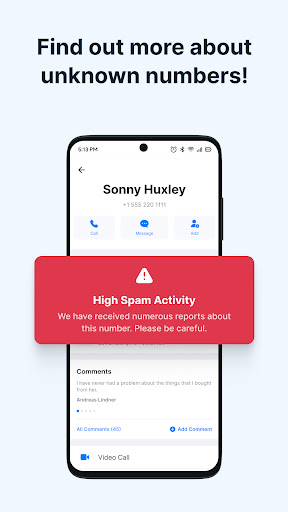
Access detailed info through Getcontact's caller ID and community-driven insights.

What permissions does this app need and how do I manage them?

Manage permissions in device settings, allowing access for core functionalities.

How do I check for updates and keep the app running smoothly?

Check updates via Google Play settings to keep Getcontact running smoothly.
Show more

User Reveiws

{{ comment.reviewer_name }}
{{ comment.review_date_formatted}}
{{ comment.review_content }}
{{ tab.name }}
{{ comment.reviewer_name }}
{{ comment.review_date_formatted}}
{{ comment.review_content }}
No reviews with this rating