


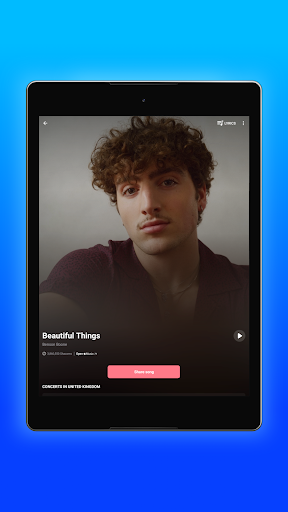


Shazam is a powerful music identification app designed for Android Wear users. The core functionality allows you to instantly recognize songs playing around you, even while wearing headphones. With over 2 billion installs globally, this app goes beyond simple song recognition by offering features like time-synced lyrics, concert discovery, and integration with major music streaming platforms such as Apple Music and Spotify.
What sets Shazam apart is its versatility across different environments. You can identify music directly from your notification bar or through the convenient Shazam Widget on your home screen. The app works seamlessly offline and includes Auto Shazam for continuous background listening. Whether you're discovering new music through personalized recommendations or sharing identified tracks with friends on social media, Shazam delivers a comprehensive music experience tailored for wearable devices.
Shazam stands out with its robust feature set designed specifically for Android Wear. The app's instant song recognition technology works across various scenarios, including identifying music in other apps like Instagram and YouTube. Its offline functionality ensures you can Shazam songs anywhere, anytime, without network constraints.
The application provides multiple ways to interact with identified music. Users can access time-synced lyrics, watch music videos through integrated platforms, and explore detailed artist information. The Wear OS version maintains all essential features while optimizing them for wearable devices. Additional capabilities include viewing song popularity through Shazam counts, exploring similar tracks, and receiving personalized music recommendations based on your listening history.
Advanced features like Auto Shazam enable continuous background listening, while location-based services help discover local concerts and events. The app also supports cross-platform integration, allowing direct access to streaming services and seamless sharing options across social media platforms.
Instant song recognition
Offline functionality
Cross-platform integration
Time-synced lyrics
Personalized recommendations
Limited wear-specific features
Requires streaming services
Ads in free version
Battery consumption
Location permissions

Walking app for weight loss: walk & step tracker, pedometer, indoor treadmill
 4.60
4.60
Watch the sharpness of the sky on your wrist..
3.70
an Analog Watch Face for winter season with freeze winter background for Wear OS
4.2
Elegant animated Christmas tree with multiple customization options
4.20
Hyperlocal rain alerts by MyRadar using patent-pending technology, radar & more
4.80
Find EV charging stations
4.30
The Chevron App allows you to pay for fuel from the comfort of your car!
4.80
The most customizable hybrid watch face. For Wear OS 5.0, API 34+ and later
4.70
Retro digital watch face with customizable colors and a unique lighting effect
4.60
Gym Log & Workout Tracker | Fitness Journal, Training & Weight Lifting Planner
4.90
Easy Voice Recorder is your everyday companion to record important moments.
4.70
Real-time results, stats, schedules and player profiles for all leagues
4.60
Ideal for surviving in the wasteland left after nuclear fallout
4.50
Current temperature, weather hourly, weather radar by the weather forecast app
4.40
The ultimate destination for kids ages 3-8 to explore the Marvel Universe!
4.30
A customizable Christmas watch face for Wear OS with a countdown.
4.20
Let's celebrate Thanksgiving - Wear Os watch face
4.20
Professional weather radar and more
3.90
Simple Analog-Digital Watchface For Wear OS 3.0 and Up Smartwatches
4.0


User Reveiws