
Authenticator App

4.10

Information

Category:

Productivity

Price:

Free

Rank:

40

Rating:

4.10

Overview

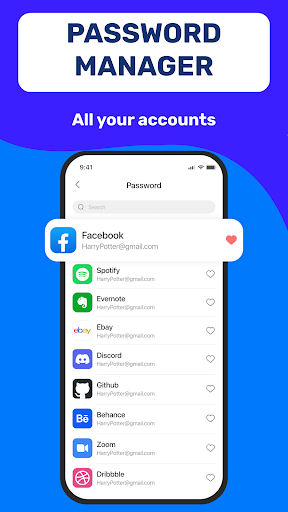
Authenticator App 2FA - Password Manager is a comprehensive productivity tool designed to enhance both security and convenience in managing digital accounts. This application integrates two-factor authentication (2FA) with advanced password management capabilities, ensuring users can protect their online presence while streamlining login processes.

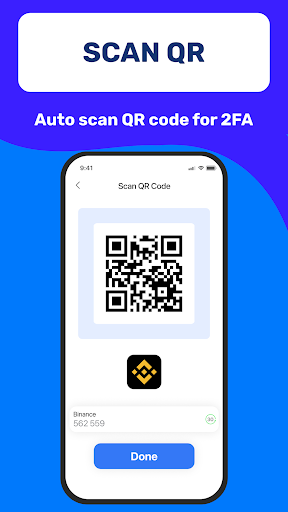
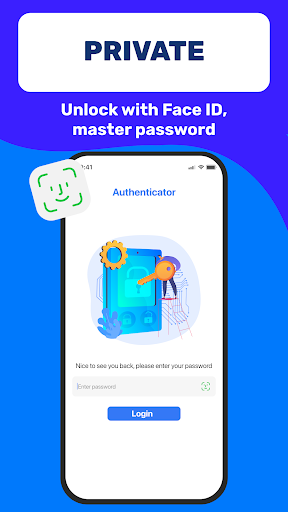
The app's standout feature is its ability to scan QR codes for 2FA, making account logins not only faster but significantly more secure. With integrated backup and sync functionalities, users can seamlessly transition between devices without losing critical data. The inclusion of a master password and biometric authentication options like Touch ID adds an extra layer of protection against unauthorized access.

For professionals and everyday users alike, this app provides an optimal solution for maintaining robust cybersecurity hygiene while improving workflow efficiency through features like automatic form filling and secure storage for sensitive information.

Features

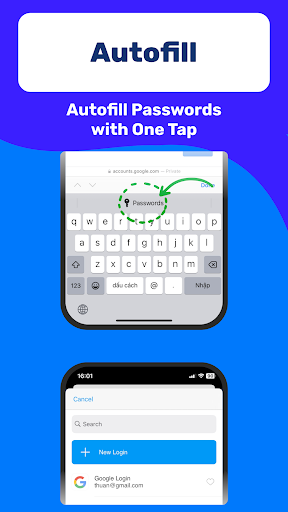
Authenticator App 2FA - Password Manager distinguishes itself through a suite of innovative features tailored for enhanced productivity and security. One of its primary advantages is the integrated Password Manager with Autofill functionality, which securely stores credentials and automatically populates login forms across websites, saving valuable time and minimizing input errors.

A key innovation is the Scan QR 2FA feature, which simplifies the multi-factor authentication process while maintaining high-security standards. The application also supports comprehensive data management through its Import and Export capabilities, enabling smooth transitions from other authenticator apps and facilitating cross-device data migration.

Additional notable features include Dark Mode for comfortable low-light usage, secure storage for credit card information and vital identification documents, and cloud-based data backup to prevent information loss. These carefully designed functionalities work together to create a unified solution that addresses multiple aspects of digital account management and personal information security.

Core task management

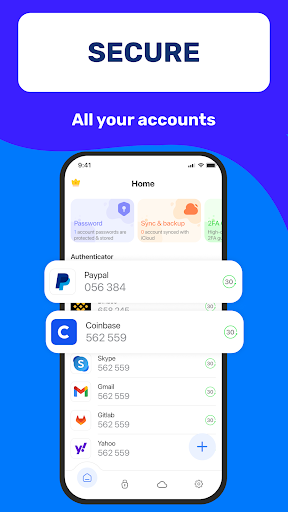
Task management in Authenticator App 2FA - Password Manager is a comprehensive system designed to help users efficiently organize and oversee their account security tasks. The core of this feature lies in its ability to streamline multifactor authentication processes while integrating essential password management functions. When users enable the Scan QR 2FA functionality, they are not only simplifying the login process but also enhancing their account security by generating time-based one-time passwords. This ensures that each login session is unique and secure, significantly reducing the risk of unauthorized access. The application's Backup & Sync feature plays a crucial role in task management by maintaining data integrity across devices. This means users can seamlessly transition between devices without losing critical authentication data or account information. Furthermore, the integrated Password Manager with Autofill capabilities transforms how users interact with websites and applications. By securely storing credentials and automatically populating login fields, the app minimizes human error during the authentication process while saving valuable time. The Master Password and Touch ID unlock feature adds another layer of task management by enabling quick yet secure access to the application itself. This biometric authentication method ensures that only authorized users can view or manage sensitive account information. Additionally, the Import feature from various Authenticator apps demonstrates the application's commitment to providing flexible task management solutions. Users switching from other authentication platforms can easily migrate their existing accounts and settings, maintaining continuity in their security protocols. The combination of these features creates a robust task management ecosystem within the Authenticator App 2FA - Password Manager. From securing multiple accounts through advanced authentication methods to managing complex password portfolios, the application empowers users to maintain control over their digital identities. The inclusion of specialized features such as Credit Card Note and Vital Identification storage further extends the scope of task management beyond traditional authentication requirements. These elements work together to create a comprehensive solution for modern digital security needs.

Cross-device synchronization reliability

Cross-device synchronization reliability in Authenticator App 2FA - Password Manager represents a significant advancement in how users manage their authentication data across multiple devices. This feature addresses the growing need for seamless data transfer and consistency in today's mobile-centric world. The application achieves exceptional synchronization reliability through its sophisticated Backup & Sync mechanism, which operates on a cloud-based infrastructure. This ensures that all authentication tokens, password entries, and sensitive notes are consistently updated across devices in real-time. When users activate the Scan QR 2FA feature on one device, the generated authentication codes become immediately available on their other registered devices. This synchronization capability is particularly crucial for professionals who frequently switch between workstations or mobile devices throughout their day. The reliability of this cross-device communication is further enhanced by the application's robust conflict resolution algorithms. These algorithms ensure that when multiple changes occur simultaneously across different devices, the most recent and accurate data always takes precedence. The Password Manager component benefits significantly from this synchronization reliability, as it maintains consistent autofill capabilities across all user devices. Whether accessing accounts from a desktop browser or a mobile application, users experience uniform functionality and data availability. The implementation of Cloud Data Storage adds another dimension to synchronization reliability by providing a secure backup solution. In the event of device loss or damage, users can quickly restore their entire authentication profile on a new device without any data loss. The application's Import and Export Data feature complements this synchronization framework by allowing users to manually verify and transfer their authentication portfolio when needed. This dual approach to data management ensures maximum flexibility while maintaining synchronization integrity. Furthermore, the integration of Dark Mode settings across devices demonstrates the application's attention to detail in maintaining consistent user experience parameters. All these synchronization features work together to create a reliable ecosystem where users can confidently manage their authentication requirements regardless of their current device. The combination of automatic cloud synchronization, manual data transfer options, and real-time updates establishes Authenticator App 2FA - Password Manager as a leader in cross-device authentication management.

Props

Enhanced Security

Easy Data Migration

Time-Saving Autofill

Secure Cloud Backup

User-Friendly Interface

Cons

Premium Feature Costs

Occasional Sync Delays

Limited Free Storage

Device Compatibility Issues

Learning Curve for Setup

Features and Functions

What is this app and what can I use it for?

A secure 2FA and password management app for account protection

How do I download and install this app on my device?

Search Authenticator App on Google Play Store and tap Install

How do I get started after opening the app for the first time?

Set up 2FA and master password during initial launch

What are the main features and capabilities of this app?

Includes 2FA scanning password manager and cloud backup

How can I customize my experience and adjust preferences?

Adjust security settings in the app preferences menu

How do I save or bookmark my favorite content for later access?

Use the built-in bookmarking system for saved entries

How can I share content with friends or on social media?

Share credentials via secure encrypted links only

How do I access detailed information and explore more content?

Access detailed info through the account management section

What permissions does this app need and how do I manage them?

Requires basic device permissions for full functionality

How do I check for updates and keep the app running smoothly?

Enable automatic updates in Google Play Store settings
Show more

User Reveiws

{{ comment.reviewer_name }}
{{ comment.review_date_formatted}}
{{ comment.review_content }}
{{ tab.name }}
{{ comment.reviewer_name }}
{{ comment.review_date_formatted}}
{{ comment.review_content }}
No reviews with this rating












