
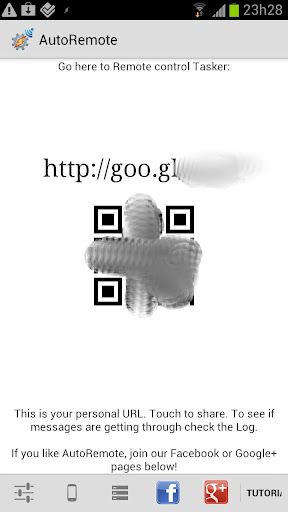
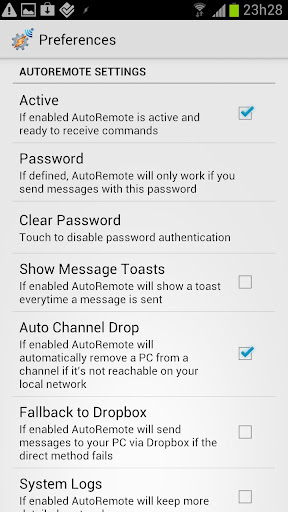
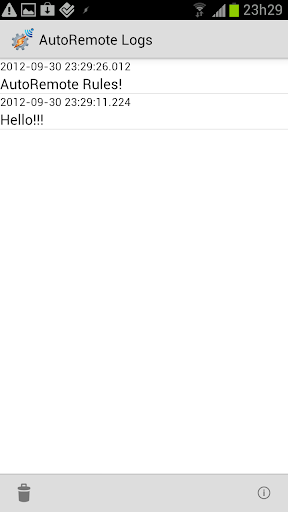
AutoRemote is a powerful productivity tool that allows users to remotely control their devices, including phones, PCs, and web services. With its seamless integration with Tasker and standalone apps, it enables users to send push notifications and execute commands across platforms. Whether you want to manage your Android device from a PC or control your PC from afar, AutoRemote provides an unprecedented level of flexibility and control.
The app supports bi-directional messaging between devices, making it possible to request information like your phone's location and view it on another device. Additionally, AutoRemote offers advanced matching options and a flexible command system, allowing for highly customizable remote operations. From simple tasks like sending reminders to complex automations involving multiple devices, AutoRemote empowers users to create personalized workflows that enhance productivity.
AutoRemote stands out with its extensive feature set tailored for power users and automation enthusiasts. One of its core capabilities is the ability to send and receive messages from virtually anywhere - be it a web browser, desktop application, or even other Android devices. This functionality is supported by integration with popular services like IFTTT, Zapier, and Chrome, enabling users to trigger actions based on various events.
The app's true strength lies in its deep integration with Tasker, where users can create sophisticated profiles that react to incoming messages. These profiles can perform a wide range of actions, from simple notifications to complex multi-step workflows. The flexible command system allows for precise message matching and execution, while the device-to-device messaging capability facilitates seamless communication between all your devices. Whether you need to share links between devices or automate daily tasks, AutoRemote provides the tools to make it happen efficiently.
User-friendly interface
Extensive customization options
Cross-platform compatibility
Powerful automation capabilities
Reliable push notification system
Steep learning curve
Requires Tasker for full functionality
Limited use cases for casual users
Occasional connection issues
Premium features require purchase

Experience real multitasking on your Android!
 4.00
4.00
Auto-shutoff Alarm with Sunrise, Sunset & Fixed Options.
3.50
Automates browsing any website and notifies you of important changes or events
4.30
App lock - lock apps with fingerprint, password, pin or pattern, protect privacy
4.70
Functional QR scanner and barcode reader that requires little storage space.
4.60
Access, manage and transfer files on Android, PC, Mac, NAS and cloud storages.
4.30
* block pre-roll ads, pop-up and forced redirect ads * Samsung certification app
4.00
Simple notepad & memo. Take notes, to-do list, shopping list with reminders.
4.80
Seamlessly read, manage, and organize all your PDF files solution in one place
4.40
Native client for Forgejo and Gitea
5.00
Great calculator for Android named one of USA TODAY's "25 Essential Apps".
4.90
Absolutely the best CNC machinist speed and feed calculator around. fswizard.com
4.60
All document reader, all in one file viewer read PDF, DOCX, XLS, PPT, TXT files.
4.60
Subscribe to Webcal & .ics calendars and keep them up-to-date!
4.50
Intelligent AI Assistant
4.10
The ultimate file manager for rooted devices. The original and still the best.
4.00
Take control of your clipboard with Clipper!
3.90
AI Video AI Image Private LLM AI Browser Llama Gemma Ollama Connect LLM Studio
4.5
The upgraded version of Name Wheel with AI and the power to add your own wheels.
4.1


User Reveiws