JSON & XML Tool (Premium)

4.40

Information

Category:

Productivity

Price:

$ 1.49

Rank:

56

Rating:

4.40

Overview

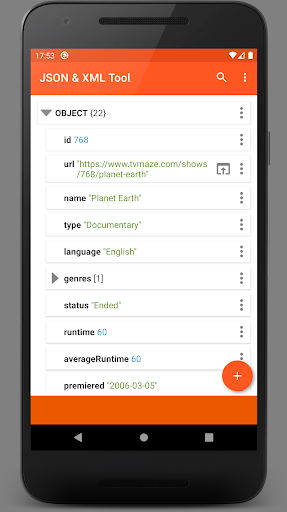
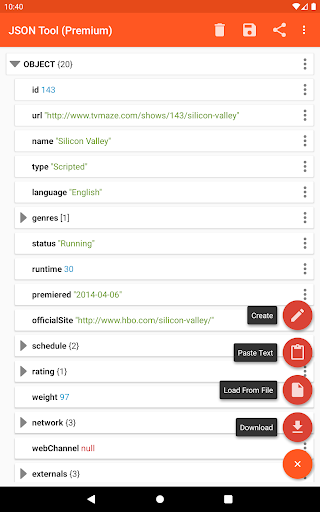
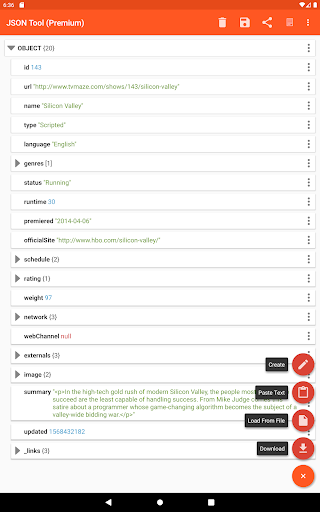
JSON & XML Tool Premium is a powerful productivity app designed for effortless creation, editing, and conversion of JSON and XML files. The app's standout feature is its simple hierarchical view that makes file manipulation intuitive and efficient. Whether you're developing game addons or handling data transformation tasks, this tool provides the necessary functionality to work with structured data formats seamlessly.

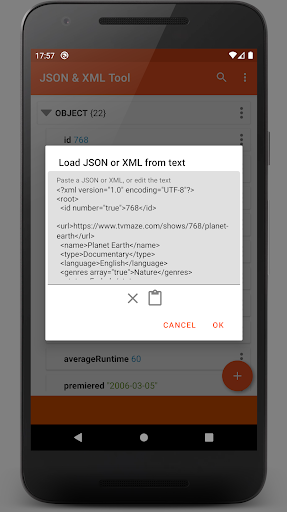
The app integrates advanced capabilities like JMESPath query support for element extraction and transformation, PDF export options, and formatted text output. Its use of Android's Storage Access Framework (SAF) ensures secure file handling without requiring traditional storage permissions in most use cases. With support for both light and dark themes, JSON & XML Tool Premium offers a versatile solution for developers and power users who need reliable structured data management on their mobile devices.

Features

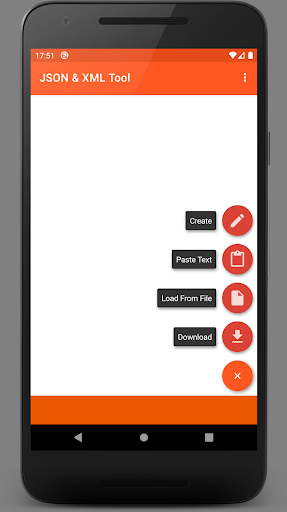
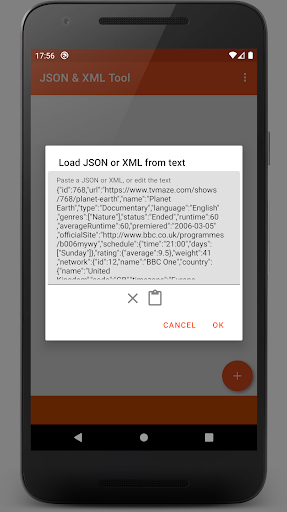
One of the core strengths of JSON & XML Tool Premium lies in its comprehensive file handling capabilities. Users can load files through multiple methods including internal SAF-based picker, external file pickers, direct URL downloads, or even by receiving content from other apps via ACTION_SEND intents. This flexibility ensures you can access your JSON/XML files regardless of their location.

The editing features are equally impressive, providing full control over node elements. You can rename, modify values, change value types, duplicate, and reorganize array elements with ease. Advanced functionality includes JMESPath query processing for complex data manipulation and PDF export for documentation purposes. The app also supports modern Android features like direct sharing of parsed content and automatic registration as JSON/XML file handler upon installation.

Core task management

Task management in the JSON & XML Tool Premium app is centered around the efficient handling and manipulation of JSON and XML files, which are essential for various productivity tasks. The importance of this function lies in its ability to streamline workflows related to data structuring, editing, and conversion, making it a powerful tool for developers, data analysts, and other professionals who work with structured data formats. The app provides an intuitive hierarchical view that simplifies navigation through complex file structures, allowing users to easily locate and modify specific elements within their files. This functionality is further enhanced by features such as renaming node elements, modifying values, and switching between different value types like Boolean, Number, and String. Additionally, users can add, duplicate, or remove node elements, move them within arrays, and save their changes either as a new file or overwrite the existing one. These capabilities ensure that users can manage their tasks effectively, whether they involve creating game addons, converting file types, or performing detailed data manipulations. The user benefits from this robust task management system by experiencing increased efficiency and accuracy in their work. By providing tools for both basic and advanced file operations, the app empowers users to complete their tasks more quickly and with fewer errors. Moreover, the integration of SAF (Storage Access Framework) ensures seamless access to files without unnecessary permission requests, enhancing the overall user experience. In summary, the core task management features of the JSON & XML Tool Premium app deliver significant value by enabling users to handle JSON and XML files with precision and ease, thus boosting their productivity and allowing them to focus on more critical aspects of their projects.

Cross-device synchronization reliability

Cross-device synchronization reliability is a crucial aspect of the JSON & XML Tool Premium app, ensuring that users can seamlessly access and work on their JSON and XML files across multiple devices without any loss of data or functionality. This feature is particularly important in today's mobile work environment, where professionals often switch between smartphones, tablets, and computers throughout their day. The app achieves reliable synchronization through its use of the Storage Access Framework (SAF), which facilitates consistent and secure access to files stored in various locations. By leveraging SAF, the app minimizes the need for explicit storage permissions, thereby reducing potential security risks and enhancing user trust. When a file is loaded using the internal file picker, the app ensures that all changes are accurately reflected across devices, provided they have access to the same storage location. Furthermore, the app supports loading files via external file pickers and URLs, accommodating diverse user preferences and scenarios. To maintain synchronization reliability, the app implements mechanisms to handle conflicts and ensure data integrity. For instance, when a file is modified on one device, the changes are promptly saved and updated across all linked devices, preventing version discrepancies. Users also benefit from additional features such as dark theme support, text sharing to external applications, and preview functionalities, which collectively enhance the cross-device experience. The ability to export files as PDF documents and extract elements using JMESPath further extends the app's utility, allowing users to perform comprehensive file operations regardless of their current device. Overall, the cross-device synchronization reliability of the JSON & XML Tool Premium app significantly enhances user productivity by providing a consistent and dependable environment for managing JSON and XML files. This ensures that users can focus on their tasks without worrying about data inconsistencies or accessibility issues, ultimately leading to a more efficient and stress-free workflow.

Props

Intuitive hierarchical view

Extensive file handling options

Powerful editing capabilities

Secure SAF-based storage

Versatile data conversion tools

Cons

Premium version only

Requires technical knowledge

No cloud sync feature

Limited beginner guidance

Occasional permission requests

Features and Functions

What is this app and what can I use it for?

A premium JSON/XML editor for creating and modifying structured data files

How do I download and install this app on my device?

Search for JSON & XML Tool Premium on Google Play Store and tap Install

How do I get started after opening the app for the first time?

Use the internal file picker to load your first JSON or XML file

What are the main features and capabilities of this app?

Editing JSON/XML files with hierarchical view and data conversion tools

How can I customize my experience and adjust preferences?

Switch between light and dark themes in settings menu

How do I save or bookmark my favorite content for later access?

Save edited files locally or export as PDF document

How can I share content with friends or on social media?

Use Android's share function to send JSON/XML content

How do I access detailed information and explore more content?

View detailed information through hierarchical node structure

What permissions does this app need and how do I manage them?

Requests storage access when using external file pickers

How do I check for updates and keep the app running smoothly?

Enable automatic updates in Google Play Store settings
Show more

User Reveiws

{{ comment.reviewer_name }}
{{ comment.review_date_formatted}}
{{ comment.review_content }}
{{ tab.name }}
{{ comment.reviewer_name }}
{{ comment.review_date_formatted}}
{{ comment.review_content }}
No reviews with this rating