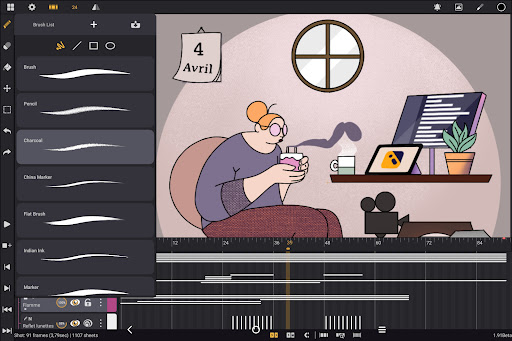

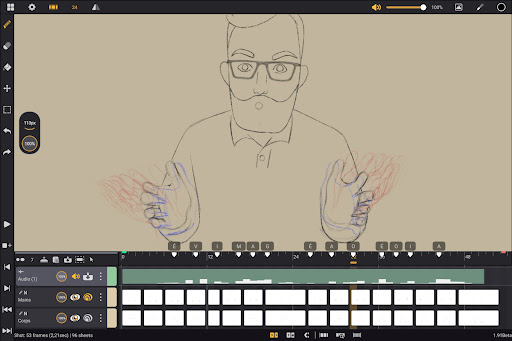
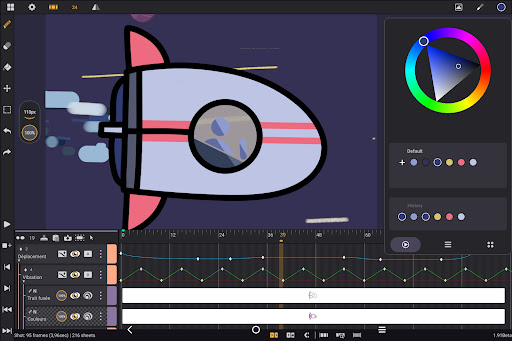
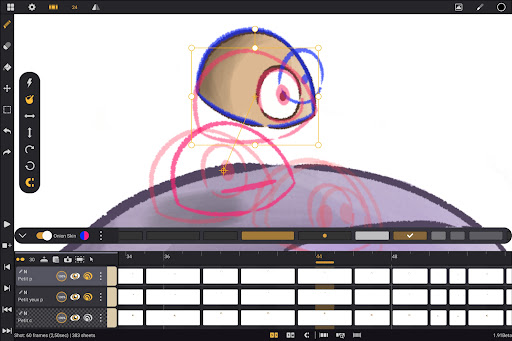
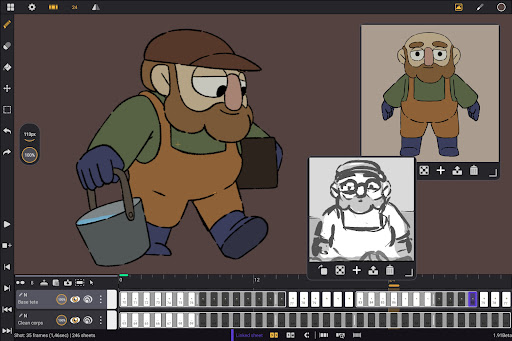
Callipeg is a professional-grade 2D hand-drawn animation application tailored for both seasoned animators and beginners. It transforms Android tablets into portable animation studios by offering essential tools like adjustable frame rates, unlimited layer support, and comprehensive drawing instruments. The app supports canvas sizes up to 4K and provides features such as onion skinning, customizable workspaces, and flexible import/export options.
Designed with usability in mind, Callipeg allows users to organize shots efficiently through drag-and-drop functionality, color tags, and filters. Its intuitive interface caters to both right- and left-handed users, while the inclusion of supportive learning resources ensures that creators can maximize their potential. Whether producing feature-quality animations or simple sketches, Callipeg delivers a seamless experience.
The app's value lies in its accessibility and affordability, offering a one-time purchase model without subscriptions. With constant updates and trusted usage among professionals, Callipeg empowers artists to create high-quality animations on the go, making it an ideal choice for modern animators.
Callipeg stands out with its robust set of features designed to meet professional animation standards. One of its core strengths is the studio-like organization system, enabling users to manage shots, scenes, and folders effortlessly. The integrated search function and color tagging streamline asset management, ensuring projects remain organized even at scale.
The app offers unparalleled creative control with adjustable frame rates ranging from 12 to 60 frames per second and a large canvas size supporting up to 4K resolution. Unlimited layer support—including drawing, video, transformation, audio, and group layers—provides flexibility for complex projects. Additionally, comprehensive drawing tools with customizable brushes enhance artistic expression.
Callipeg also excels in workflow optimization. Features like onion skinning, gesture-based playback, and customizable workspace layouts improve efficiency. Furthermore, its compatibility with industry-standard file formats ensures smooth collaboration across platforms, solidifying its position as a versatile tool for animators.
Professional-grade tools
No subscription fees
Intuitive interface
Regular updates
Wide format support
Limited stylus compatibility
Steep learning curve
Few advanced effects
Occasional bugs
Heavy storage use

Design your dream room with AI. Get decor ideas & plan home interiors
 3.90
3.90
Draw anime & manga drawing, art with templates to create stunning picture!
4.50
Remove Background, Magic Eraser, Photo Enhancer, Story Templates, Collage Maker
4.30
Logo Generator powered by AI: Create stunning logos effortlessly!
4.70
AI Art Generator transforms your words into AI generated art & paintings.
3.70
Image resizer to resize, crop, rotate, flip, change dpi photo or picture in bulk
4.60
Create Logos, Tattoos, AI Art & more with our AI Photo Generator & Design Editor
4.20
Just trace a projected picture on paper and color! Draw & Paint with AR drawing
4.40
Explore future self face age filter & remove background image for a unique look.
3.50
Your AI soulmate — meaningful chats, and unique emotional moments
4.70
Minecraft & Roblox Clothes
4.70
Castle is social media for creating and playing games!
4.60
Draw glowing spinners, relax, and spin your creative art
4.60
Create color palette from Image, RGB & RYB Color wheel harmonies, Color Scheme
4.50
Everything you need to create hand drawn animation, anywhere you go!
4.40
AI generated images & photos, turn your words into drawing, painting & pictures.
4.30
Trace, draw, and create art with AR - from memes to masterpieces!
4.30
Create cute cat emojis & PFPs! Fun, custom avatars for cat lovers.
3.70
Pose and morph realistic male and female models! 3D poser app
3.00


User Reveiws