Night Clock +

4.70

Information

Category:

Productivity

Price:

$ 5.99

Rank:

54

Rating:

4.70

Overview

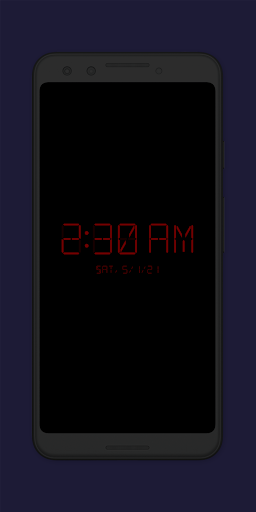
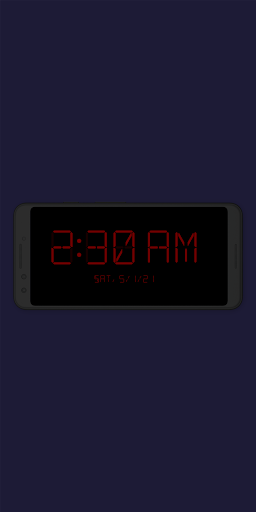
Night Clock + is a versatile digital clock app designed to serve as both a bedside night clock and a daylight mode display. The app transforms any unused device into an elegant timepiece, suitable for both day and night use. Its supporter version offers all features without limitations, making it a reliable choice for users seeking a comprehensive clock solution.

The app provides practical functionality such as a built-in flashlight for nighttime convenience and customizable settings that allow users to tailor the clock's appearance and behavior. Whether you need a dependable night clock or a stylish digital display, Night Clock + delivers a seamless experience with its user-friendly interface and robust feature set.

Features

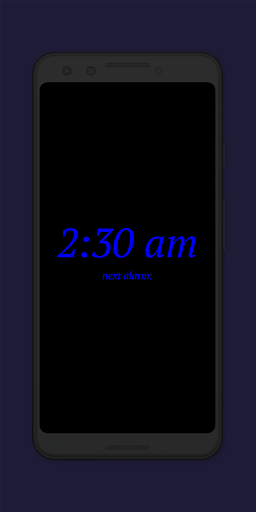
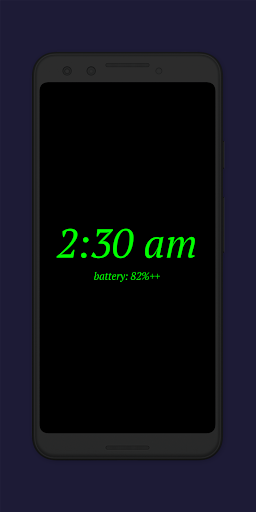
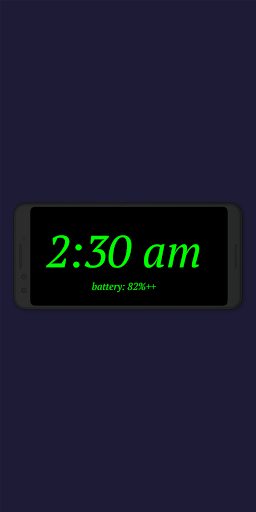
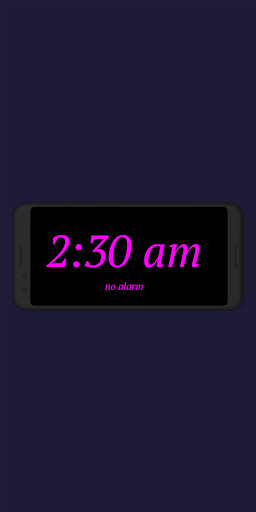
Night Clock + boasts an impressive array of features that enhance its functionality and user experience. Users can choose from four different font types and adjust the font color, brightness level, and display size of the clock elements. This level of customization ensures that the clock fits personal preferences and environmental needs.

In addition to its customizable interface, the app offers advanced features like displaying the next alarm time set in the Android system and integrating a flashlight directly on the night clock screen. The automatic night clock start function activates when a power cord is connected or at a preset time, while the daylight mode adjusts brightness automatically. These features make Night Clock + a powerful tool for managing time effectively.

Core task management

Task management in the context of a digital clock application like Night Clock+ refers to how effectively the app handles its primary functions and additional features to enhance user productivity. The core task here is not just displaying time but doing so in a manner that adapts to both day and night environments, providing convenience and utility beyond a standard clock. Night Clock+ excels in this area by offering automatic transitions between daylight and night modes, ensuring optimal visibility and comfort for users at all times. This functionality is crucial as it allows an old or unused device to be repurposed into a stylish and practical digital clock, suitable for any setting. The app's ability to automatically start when a power cord is connected adds another layer of convenience, making it an ideal bedside companion. Additionally, features such as showing the next alarm time set in the Android system and integrating a flashlight directly on the night clock screen demonstrate a comprehensive approach to task management. These elements collectively ensure that users have quick access to essential information and tools without needing to switch between multiple apps or devices. By consolidating these functionalities, Night Clock+ significantly enhances the user experience, allowing individuals to focus on their daily activities with minimal distractions.

Cross-device synchronization reliability

Cross-device synchronization reliability is vital for applications that serve as personal assistants across different platforms and devices. In the case of Night Clock+, while it primarily functions as a standalone digital clock, its ability to integrate seamlessly with the Android system and maintain consistent performance is noteworthy. The app ensures reliable synchronization by leveraging system permissions to draw above other apps and control the camera flash, which are critical for its core functionalities. For instance, the permission to draw above other apps enables the automatic start of the night clock feature when a power cord is connected, ensuring that users have a dependable nighttime display without manual intervention. Similarly, accessing the camera flash allows for an integrated flashlight function, enhancing nighttime usability. Furthermore, the app offers advanced customization options, such as adjustable font types, colors, brightness levels, and display sizes, which remain consistent across sessions. This consistency is key to maintaining user preferences and settings, even if the app is used intermittently or on different devices. Another significant aspect is the app's capability to show the total night clock display time within the settings, providing transparency and reliability in tracking usage. Overall, Night Clock+ delivers a robust cross-device experience by focusing on seamless integration with the Android ecosystem, ensuring that users enjoy a reliable and personalized digital clock experience regardless of their device setup.

Props

User-friendly interface

Highly customizable settings

Integrated flashlight functionality

Automatic night clock activation

Daylight mode with adjustable brightness

Cons

Limited to Android devices

Some features may be redundant

Requires specific permissions

No iOS version available

Premium version may deter some users

Features and Functions

What is this app and what can I use it for?

A digital bedside clock app with customizable settings

How do I download and install this app on my device?

Search 'Night Clock +' on Google Play Store and tap install

How do I get started after opening the app for the first time?

Select preferred settings like font type and brightness level

What are the main features and capabilities of this app?

Customizable clock display, flashlight, automatic start options

How can I customize my experience and adjust preferences?

Adjust font color, size, brightness via app settings menu

How do I save or bookmark my favorite content for later access?

Not applicable as it's a clock app without bookmarking feature

How can I share content with friends or on social media?

Share app link from Google Play Store via social media or messaging apps

How do I access detailed information and explore more content?

Access detailed info in app settings and explore customization options

What permissions does this app need and how do I manage them?

Needs permission to draw over apps and use camera for flashlight

How do I check for updates and keep the app running smoothly?

Check for updates in Google Play Store app under My apps & games
Show more

User Reveiws

{{ comment.reviewer_name }}
{{ comment.review_date_formatted}}
{{ comment.review_content }}
{{ tab.name }}
{{ comment.reviewer_name }}
{{ comment.review_date_formatted}}
{{ comment.review_content }}
No reviews with this rating