
RealCalc Plus

4.90

Information

Category:

Productivity

Price:

$ 3.99

Rank:

27

Rating:

4.90

Overview

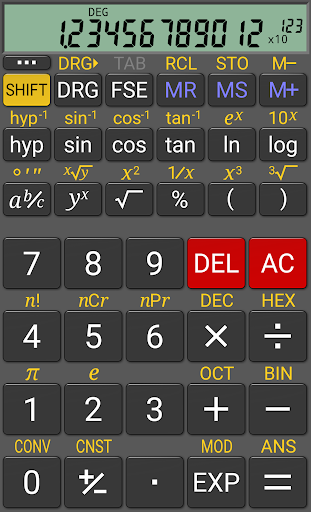
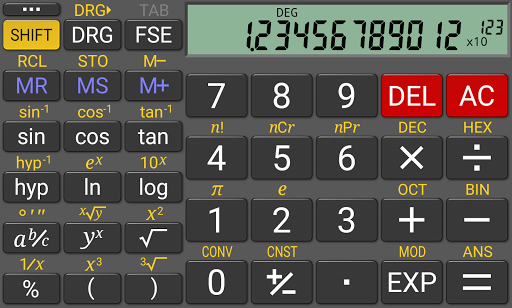
RealCalc Plus is the advanced version of RealCalc, a leading scientific calculator on Android. It mirrors the functionality of a real hand-held calculator, offering users an authentic experience with its comprehensive set of features.

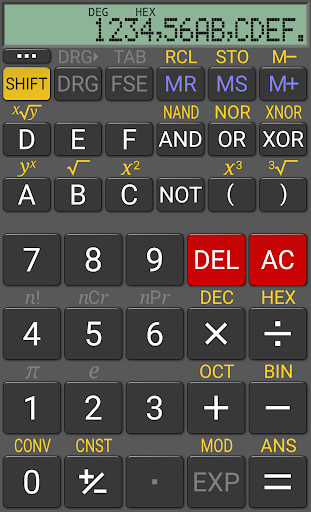
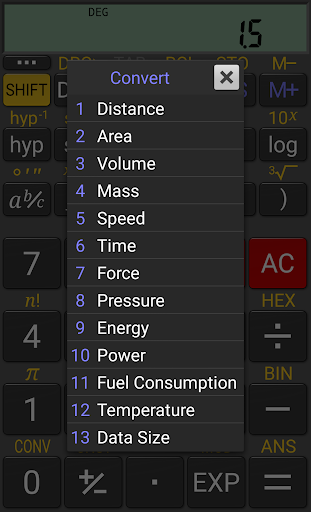
This includes standard scientific functions, fractions, degrees/minutes/seconds calculations, and history tracking. Additionally, it provides customizable unit conversions, constants, and supports binary, octal, and hexadecimal operations. With multiple display styles and formats, RealCalc Plus caters to diverse user preferences, making it an essential tool for students, professionals, and anyone in need of precise calculations.

Features

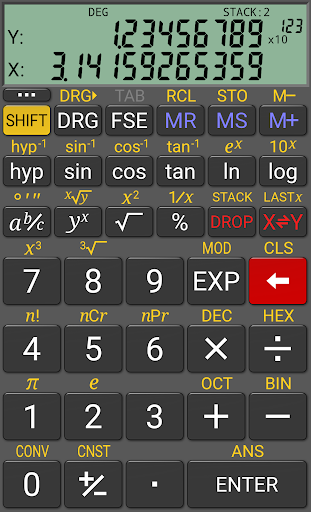
RealCalc Plus stands out with its versatile features designed to enhance calculation accuracy and efficiency. The app supports both traditional algebraic and RPN (Reverse Polish Notation) operations, catering to different calculation styles.

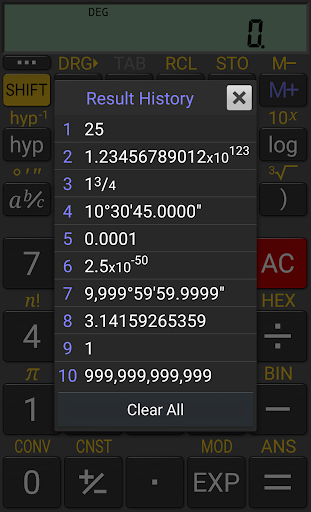
It offers fraction calculations, conversion to/from decimal, degrees/minutes/seconds handling, and an extended 12-digit display with 32-digit internal precision. Users can customize unit conversions and constants, access result history, utilize 10 memories, and choose from various scientific, engineering, and fixed-point display modes. Its support for external keyboards and multi-window functionality further boosts productivity, ensuring seamless operation across different scenarios.

Core task management

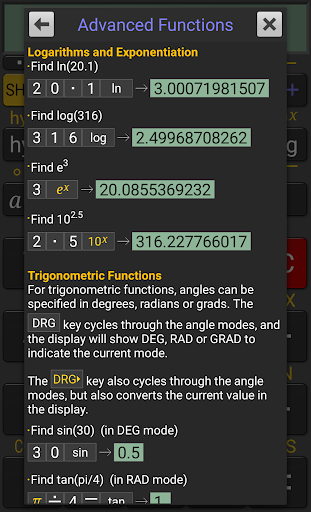
In the context of a scientific calculator app like RealCalc Plus core task management refers to the app's ability to handle various mathematical operations and calculations efficiently and accurately This functionality is crucial as it directly impacts the user's ability to perform complex computations without errors RealCalc Plus excels in this area by offering both traditional algebraic and RPN operational modes catering to different user preferences The app supports fraction calculations conversion to and from decimal degrees minutes seconds calculations and conversions and includes trigonometric functions in degrees radians or grads These features ensure that users can tackle a wide range of mathematical problems with precision Additionally the calculator provides 12 digit display with extended internal precision of 32 digits guaranteeing accurate results even for highly detailed calculations With support for binary octal and hexadecimal calculations and customizable unit conversions and constants RealCalc Plus demonstrates comprehensive task management capabilities By including multiple display modes such as scientific engineering and fixed point formats and allowing users to customize digit grouping and decimal points the app ensures that calculations are presented clearly and suit individual preferences The inclusion of result history and 10 memories further enhances task management by enabling users to review past calculations and store important values Overall RealCalc Plus delivers robust and versatile task management making it an invaluable tool for students professionals and anyone requiring reliable mathematical computations on their mobile device

Cross-device synchronization reliability

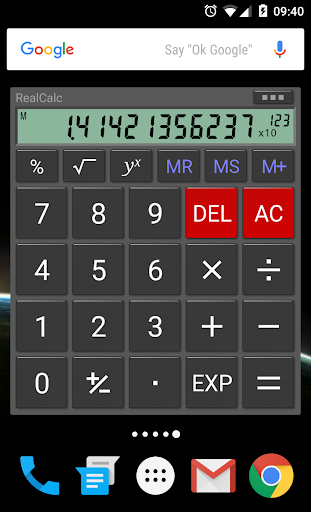
Cross device synchronization reliability refers to an application's ability to maintain consistent and up to date information across multiple devices ensuring that users have access to their data regardless of the device they are using While RealCalc Plus does not explicitly advertise cloud based synchronization features it offers other functionalities that contribute to a reliable and consistent user experience across different usage scenarios For instance the app includes a homescreen widget now with RPN support which allows users to perform quick calculations without needing to open the full application This feature while not traditional cross device sync enhances accessibility and convenience on a single device The app also supports multi window mode with drag and drop functionality and external keyboard support which although primarily designed for power users on Android tablets improves the overall flexibility and integration with different device configurations Furthermore RealCalc Plus offers landscape mode and configurable display settings such as 7 segment dot matrix or standard font displays These features ensure that the app adapts well to various screen orientations and sizes providing a consistent user experience across phones and tablets Although RealCalc Plus may not provide direct synchronization between devices its comprehensive feature set including customizable unit conversions constants and three distinct RPN styles ensures that once configured the app delivers a personalized and reliable calculation experience on whichever Android device the user prefers As a result users can rely on RealCalc Plus to deliver accurate and customized calculations consistently across their Android ecosystem

Props

User-friendly interface

Highly customizable

Supports RPN mode

Comprehensive help included

Multi-window support

Cons

Paid version only

No graphing capabilities

Limited design options

Advanced features may overwhelm beginners

Occasional compatibility issues

Features and Functions

What is this app and what can I use it for?

A scientific calculator app for complex math tasks

How do I download and install this app on my device?

Visit Google Play Store, search RealCalc Plus, tap Install

How do I get started after opening the app for the first time?

Open app, review help section, start calculating

What are the main features and capabilities of this app?

Scientific functions, RPN, unit conversions, constants

How can I customize my experience and adjust preferences?

Adjust settings for display style, digit grouping

How do I save or bookmark my favorite content for later access?

Use memory functions to store values temporarily

How can I share content with friends or on social media?

Copy results to clipboard, paste into messages or posts

How do I access detailed information and explore more content?

Tap function buttons for detailed options and modes

What permissions does this app need and how do I manage them?

Needs storage and network permissions for updates

How do I check for updates and keep the app running smoothly?

Enable auto-updates in Google Play Store settings
Show more

User Reveiws

{{ comment.reviewer_name }}
{{ comment.review_date_formatted}}
{{ comment.review_content }}
{{ tab.name }}
{{ comment.reviewer_name }}
{{ comment.review_date_formatted}}
{{ comment.review_content }}
No reviews with this rating











