
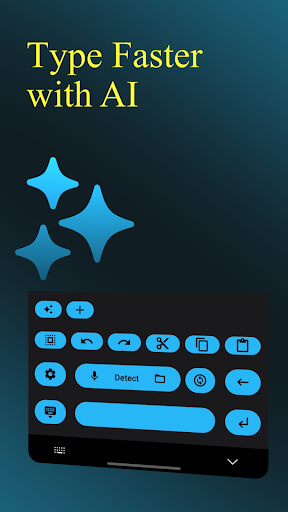
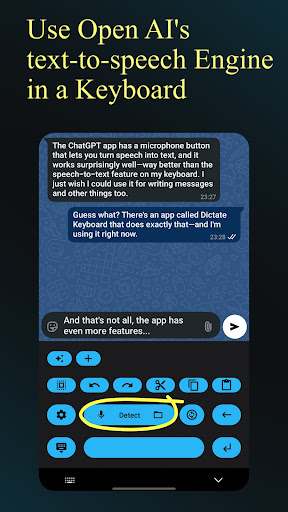


Dictate Keyboard is a revolutionary productivity tool designed to streamline text input through advanced speech recognition technology. This powerful keyboard app converts spoken language into accurate text, supporting all common national languages. Its AI-driven transcription engine not only recognizes words but also intelligently adds punctuation, making it ideal for professional communication and content creation.
The application goes beyond basic dictation by offering features like custom rewording instructions, auto-formatting of spoken commands, and seamless integration with various transcription models. Users can switch between different recognition modes, record audio through phone or Bluetooth microphones, and even transcribe existing media files. The app's versatility makes it particularly valuable for business professionals, content creators, and anyone seeking efficient text input solutions.
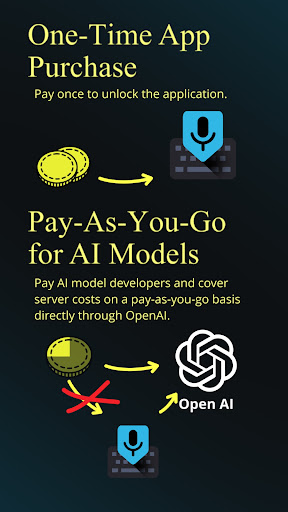
What sets Dictate apart is its comprehensive customization options, including system prompt settings that guide speech recognition behavior, multiple theme choices, and flexible API configurations. While the app requires an initial setup with OpenAI or Groq API keys, this one-time configuration enables access to enterprise-grade transcription capabilities at minimal cost, typically just a few cents per month.
Dictate Keyboard distinguishes itself through an impressive array of productivity-enhancing features. The core functionality revolves around its sophisticated speech-to-text engine powered by Whisper and other advanced models. This engine doesn't merely transcribe words but understands context, automatically adding appropriate punctuation and formatting elements such as paragraphs and lists based on verbal cues.
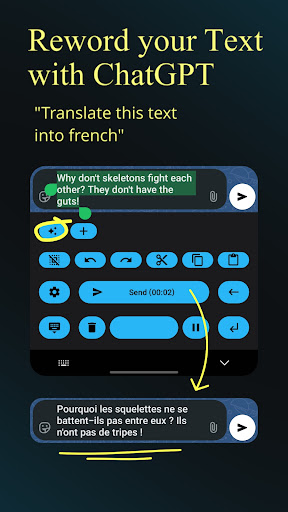
The application supports multiple transcription models and providers, allowing users to choose between OpenAI, Groq, or their own servers for processing. Advanced users can leverage GPT-5 integration for complex rewording tasks, including translation, summarization, and style adaptation. The app maintains exceptional accuracy even when transcribing specialized content like song lyrics or technical terminology.
Additional productivity features include seamless emoji insertion, number recognition, and quick keyboard switching. The interface offers both dark and light modes plus custom theme options, while haptic feedback provides tactile response during use. Notably, the app's open-source nature ensures transparency and allows for community-driven improvements, with source code readily available on GitHub for inspection and contribution.
Advanced speech recognition
Multi-language support
Automatic punctuation
Customizable themes
Open-source transparency
Requires API setup
Incurs small fees
Complex for beginners
Limited offline use
Dependent on network

A Revolutionary All-in-One Artificial Intelligence Tools
 3.80
3.80
8 custom complications. Custom Time Fonts. Beautiful color schemes. A++ Design.
5.00
Remotely view listen control and record cameras.
3.70
Find and delete junk files & block unwanted notifications & manage files
3.70
Subscribe to Webcal & .ics calendars and keep them up-to-date!
4.50
* block pre-roll ads, pop-up and forced redirect ads * Samsung certification app
4.00
A beautiful digital clock with autostart and many other functions
4.70
A Pixel Art watchface inspired by other iconic 90s designs for Wear OS devices!
4.40
Daily processing of PDF documents.
4.40
Mind Map and brainstorm, note taking and idea collection
4.80
Understand anything with a personalized AI research assistant
4.80
Absolutely the best CNC machinist speed and feed calculator around. fswizard.com
4.60
App Lock with fingerprint, password: Lock apps & hide photos with lock screens
4.60
All document reader, all in one file viewer read PDF, DOCX, XLS, PPT, TXT files.
4.60
Secure your apps with lock screens, use custom themes and different features.
4.40
All in One PDF Reader: Manage, Read and Edit your Documents
4.20
Make apps & sites with natural language prompts
4.10
The ultimate file manager for rooted devices. The original and still the best.
4.00
Easiest event planning, volunteer signups & parent teacher conference scheduling
2.20


User Reveiws