
Photo Recovery, All Restore

4.20

Information

Category:

Tools

Price:

Free

Rank:

26

Rating:

4.20

Overview

Photo Recovery, All Restore is a comprehensive data recovery tool designed to help users retrieve lost or deleted files with ease. This app specializes in recovering photos, videos, and documents that may have been accidentally erased from your device.

The application's standout feature is its ability to restore files in their original quality, ensuring that precious memories and important work-related content are retrieved without any loss in resolution or detail. Whether you're a photographer needing to recover high-resolution images or a professional seeking lost business documents, this app provides the tools necessary for effective data retrieval.

With an intuitive interface and advanced scanning technology, Photo Recovery, All Restore ensures that even files deleted long ago can be recovered quickly and securely. The app supports multiple file formats including JPG, PNG, MP4, PDF, DOCX, and ZIP, making it a versatile solution for various data recovery needs.

Features

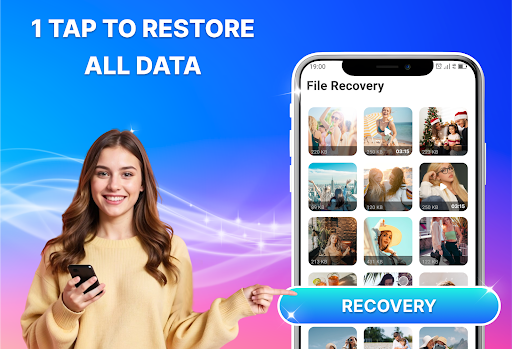
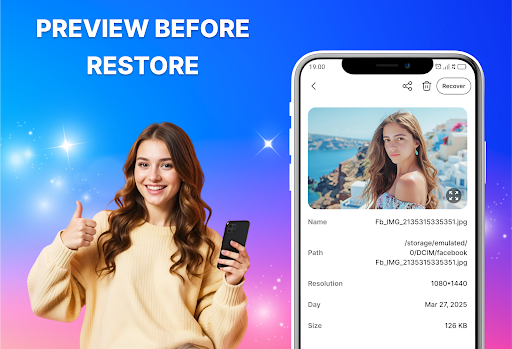
Photo Recovery, All Restore offers a robust set of features tailored to meet diverse data recovery requirements. One of its primary capabilities is the restoration of deleted photos and videos, preserving the original quality and resolution of media files.

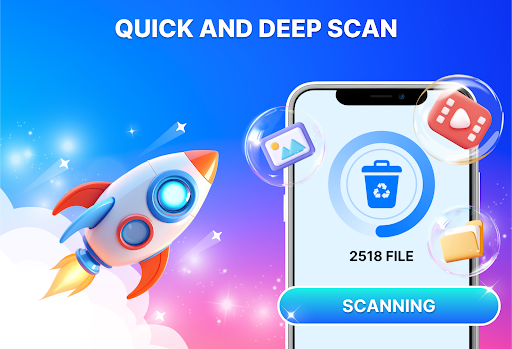
In addition to media recovery, the app provides an all-in-one solution for retrieving various file types such as documents, music, and compressed files. Its Deep Scan functionality thoroughly examines the device's storage to locate files that standard recovery methods might miss, ensuring comprehensive data retrieval.

The app's user-friendly design prioritizes ease of use without compromising on performance. It includes safety measures to protect user privacy during the recovery process, while supporting a wide range of file formats. These features collectively make Photo Recovery, All Restore a reliable choice for anyone looking to recover lost data efficiently and securely.

Core function accuracy & effectiveness

The core function of Photo Recovery, All Restore centers on its ability to accurately and effectively recover lost or deleted files, including photos, videos, and documents. This functionality is crucial for users who have accidentally erased important data or lost files due to unforeseen circumstances such as device malfunction or accidental deletion. The app employs advanced scanning technology that meticulously searches every part of the device's storage to locate recoverable files. It supports a wide range of file formats, ensuring that whether it's cherished family photos in JPG or PNG format, important work documents in PDF or DOCX, or multimedia files like MP4 videos, all can be restored with professional-grade precision. The effectiveness of this recovery process lies not only in its ability to retrieve files but also in maintaining their original quality and integrity. Users benefit from this feature by gaining peace of mind knowing that their valuable data is not permanently lost. The assurance that they can easily get back their deleted memories or critical work files adds significant value to the user experience. Moreover, the speed at which the app operates ensures minimal waiting time, allowing users to quickly regain access to their important files. This combination of accuracy, efficiency, and broad format support makes Photo Recovery, All Restore an indispensable tool for anyone looking to safeguard their digital content against accidental loss.

Interface simplicity & intuitiveness

Photo Recovery, All Restore excels in providing an interface that is both simple and intuitive, making the complex task of file recovery accessible to users of all technical backgrounds. The importance of an easy-to-use interface cannot be overstated, especially when dealing with potentially stressful situations like data loss. Upon launching the app, users are greeted with a clean layout that guides them through the recovery process step-by-step. Key features such as photo recovery, video restoration, and deep scan capabilities are prominently displayed, ensuring that users can quickly identify and utilize the tools they need. The app's design emphasizes clarity and ease of navigation, employing familiar icons and straightforward language to minimize confusion. For instance, initiating a scan requires just a single tap, after which the app autonomously searches for recoverable files, presenting the results in an organized manner that allows for easy selection and restoration. This intuitive approach extends to more advanced features as well; options like Deep Scan Mode are readily accessible yet unobtrusive, catering to power users without overwhelming casual ones. By prioritizing user experience through thoughtful design choices, Photo Recovery, All Restore ensures that even those unfamiliar with data recovery concepts can confidently navigate the app. This simplicity not only reduces the learning curve but also enhances overall satisfaction by empowering users to efficiently recover their lost files without frustration or unnecessary complexity.

Props

User-friendly interface

Fast file recovery

High-quality restoration

Multiple format support

Secure data retrieval

Cons

Limited free version

Occasional scan errors

Premium subscription required

Ads in free version

Large app size

Features and Functions

What is this app and what can I use it for?

A tool to recover deleted photos, videos, and documents easily.

How do I download and install this app on my device?

Visit Google Play Store, search for the app, and tap Install.

How do I get started after opening the app for the first time?

Launch the app, grant necessary permissions, and follow on-screen instructions.

What are the main features and capabilities of this app?

Recovers photos, videos, docs; deep scan; multiple format support.

How can I customize my experience and adjust preferences?

Adjust settings via the app menu to customize your recovery preferences.

How do I save or bookmark my favorite content for later access?

Use the app's save feature to store recovered files in a designated folder.

How can I share content with friends or on social media?

Share files directly through the app using social media or messaging apps.

How do I access detailed information and explore more content?

Access detailed info by selecting specific files within the app's results.

What permissions does this app need and how do I manage them?

The app needs storage access; manage permissions in device settings.

How do I check for updates and keep the app running smoothly?

Enable auto-updates in Google Play Store or manually check for updates.
Show more

User Reveiws

{{ comment.reviewer_name }}
{{ comment.review_date_formatted}}
{{ comment.review_content }}
{{ tab.name }}
{{ comment.reviewer_name }}
{{ comment.review_date_formatted}}
{{ comment.review_content }}
No reviews with this rating