


Claude by Anthropic

4.60

Information

Category:

Productivity

Price:

Free

Rank:

57

Rating:

4.60

Overview

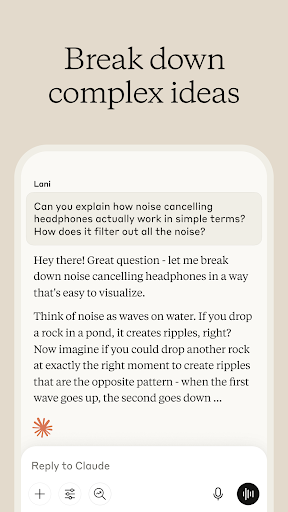
Claude by Anthropic is an advanced AI productivity tool designed to enhance your problem-solving capabilities. This versatile application serves as a collaborative partner for writing, research, coding, and complex problem analysis. With specialized features like AI writing assistance, data research support, and visual content analysis, Claude empowers users to tackle projects beyond their current expertise.

The application's strength lies in its ability to adapt to various professional needs. Whether you're developing polished content, analyzing research data, or debugging code, Claude provides step-by-step guidance and expert-level support. Its integration with multiple platforms and support for over 100 languages makes it an invaluable tool for both individual professionals and teams working across different domains.

Features

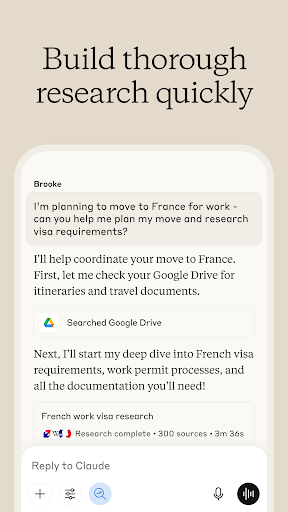
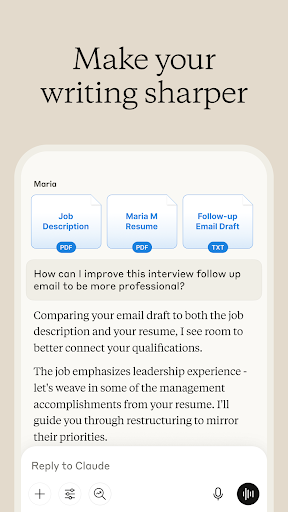
Claude distinguishes itself through its comprehensive feature set tailored for productivity enhancement. The AI writing assistant helps transform rough ideas into refined content through iterative collaboration, ensuring proper tone, structure, and clarity across various document types. Its research capabilities extend beyond simple information gathering, offering deep analysis and accurate citations from multiple sources including Google Drive and web resources.

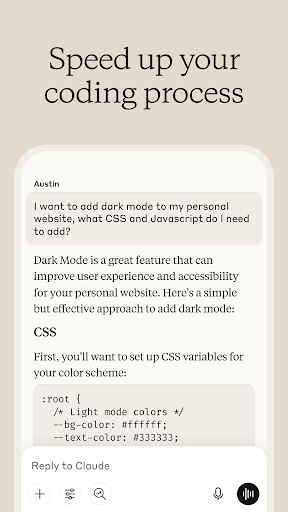
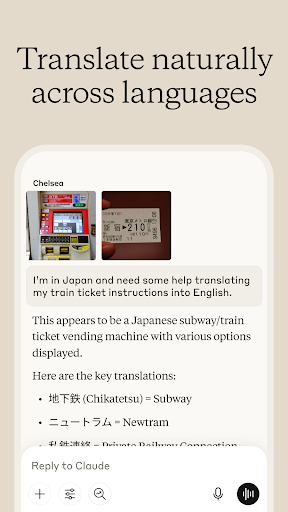
For developers, Claude functions as an intelligent coding companion that not only debugs but also explains programming concepts across numerous languages. The application's visual analysis tools enable users to extract text from images, interpret charts, and evaluate technical diagrams. Additionally, the voice dictation feature allows hands-free brainstorming and idea development, making it particularly useful for mobile professionals who need to capture thoughts on the go.

Core task management

Task management in productivity applications refers to the ability to organize, track, and manage tasks efficiently, ensuring that users can prioritize their work and meet deadlines without unnecessary stress. For Claude by Anthropic, core task management is deeply integrated into its functionality, allowing users to plan projects, structure ideas, and develop flowcharts collaboratively. The AI assists in breaking down complex tasks into manageable steps, providing step-by-step reasoning for intricate problems such as complex math equations or strategic planning. This ensures that each part of a project is given adequate attention and resources, enhancing overall productivity. Users benefit from this feature by experiencing streamlined workflows where every task is clearly defined and progress is easily monitored. Moreover, the collaborative nature of Claude allows multiple users to contribute to task management simultaneously, making it ideal for team environments. With capabilities like meeting notes analysis to extract key insights and iterative content building for reports and marketing materials, Claude elevates traditional task management by incorporating advanced AI-driven tools that adapt to various professional needs. This results in enhanced efficiency, better time management, and ultimately, successful project completion.

Cross-device synchronization reliability

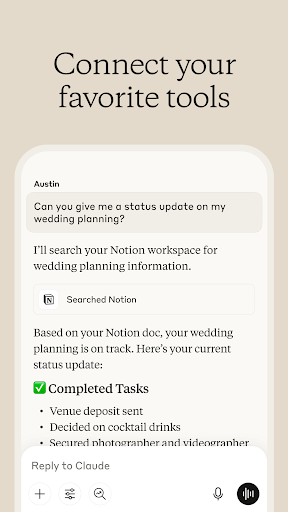
Cross-device synchronization reliability is crucial for productivity tools as it ensures that all user data is consistently updated and accessible across different devices, providing a seamless experience regardless of the platform being used. Claude by Anthropic excels in this area by offering robust synchronization features that keep all your work up-to-date whether you're using a smartphone, tablet, or computer. This means that any document you start on your phone during a commute can be continued on your desktop at home without missing a beat. The reliability of this synchronization is powered by advanced cloud technologies that ensure data integrity and availability. Users gain peace of mind knowing that their important documents, research findings, and coding projects are always synchronized and backed up securely. Furthermore, Claude's ability to integrate with various services such as Google Drive, Gmail, and Calendar enhances its cross-device capabilities by centralizing information from multiple sources into one accessible location. This comprehensive approach not only saves time but also reduces the risk of errors associated with manual updates. By prioritizing synchronization reliability, Claude ensures that users can focus on their tasks without worrying about technical inconsistencies, thus maintaining high levels of productivity and collaboration across all their devices.

Props

Advanced AI capabilities

Multi-language support

Versatile functionality

Collaborative approach

Reliable accuracy

Cons

Premium features locked

Steep learning curve

Occasional slowdowns

Limited free usage

Complex interface

Features and Functions

What is this app and what can I use it for?

Claude is an AI problem solver for writing, research, coding, and analysis.

How do I download and install this app on my device?

Download Claude directly from Google Play Store on your Android device.

How do I get started after opening the app for the first time?

Follow the setup wizard and complete initial configuration for personalized experience.

What are the main features and capabilities of this app?

Key features include writing assistance, research support, and coding help.

How can I customize my experience and adjust preferences?

Adjust preferences through settings menu to customize your workflow.

How do I save or bookmark my favorite content for later access?

Use bookmark feature to save important content for future reference.

How can I share content with friends or on social media?

Share insights directly via integrated social media and messaging options.

How do I access detailed information and explore more content?

Explore detailed documentation and tutorials in help section.

What permissions does this app need and how do I manage them?

App requires basic permissions for storage and network access.

How do I check for updates and keep the app running smoothly?

Enable automatic updates in Google Play Store for latest version.
Show more

User Reveiws

{{ comment.reviewer_name }}
{{ comment.review_date_formatted}}
{{ comment.review_content }}
{{ tab.name }}
{{ comment.reviewer_name }}
{{ comment.review_date_formatted}}
{{ comment.review_content }}
No reviews with this rating














