AutoNotification Unlock Key

4.00

Information

Category:

Productivity

Price:

$ 2.49

Rank:

51

Rating:

4.00

Overview

AutoNotification Unlock Key is a productivity-enhancing application that unlocks the full potential of AutoNotification. By purchasing this key, users gain access to advanced features within AutoNotification, which is a separate app available on Google Play. This unlock key empowers users to automate notifications and manage them with greater flexibility, thus streamlining their digital communication and optimizing workflow.

The application allows for an enhanced notification system where users can create custom filters, actions, and responses. Whether you're looking to prioritize important alerts or minimize distractions from less critical notifications, AutoNotification Unlock Key provides the tools necessary to tailor your smartphone's notification behavior to match your personal or professional lifestyle.

Features

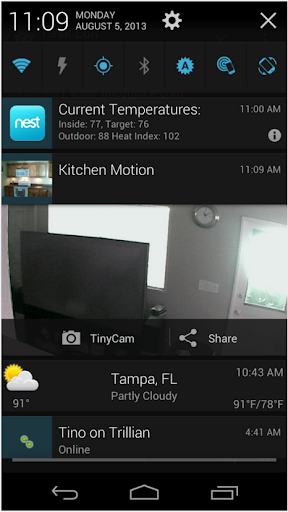
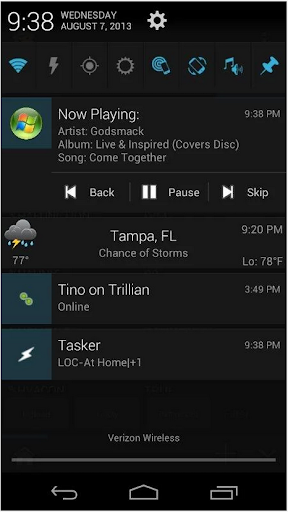
With AutoNotification Unlock Key, users can expect a plethora of sophisticated features designed to enhance notification management. The unlock key enables full control over notifications with capabilities such as sending SMS or emails directly from notifications, triggering events based on notification content, and even reading notifications aloud via text-to-speech.

Additionally, the app integrates seamlessly with Tasker, allowing for complex automation scenarios. Users can set up personalized notification actions based on context, time, or location. This level of customization ensures that each user's experience is unique and catered to their specific needs, making it an indispensable tool for anyone looking to boost their productivity through smart device management.

Core task management

Task management in productivity applications refers to the ability to create organize and track tasks efficiently ensuring users can maintain productivity and meet deadlines. AutoNotification Unlock Key enhances this core functionality by unlocking the full potential of the main AutoNotification application. This allows users to manage notifications as tasks providing advanced features that streamline notification handling. With the unlocked version users gain access to comprehensive task management tools such as the ability to set up complex notification rules prioritize alerts and integrate with other productivity apps. The benefits for users are significant as they can now transform their notification system into a powerful task management solution. Notifications can be treated as actionable items allowing users to respond quickly or defer actions based on their current workload. This level of control ensures that important information is never missed and that users can focus on high-priority tasks without being overwhelmed by less critical alerts. The application's sophisticated rule-based system enables users to customize how notifications are processed creating an environment where tasks are automatically sorted and presented based on predefined criteria. Overall the unlock key significantly boosts productivity by offering users more control over their notification workflow turning what could be a distraction into a streamlined task management process.

Cross-device synchronization reliability

Cross-device synchronization is crucial for users who operate multiple devices and need their data to be consistently updated across all platforms. For AutoNotification Unlock Key synchronization reliability means ensuring that notification settings and rules configured on one device are accurately reflected on all others. This feature is particularly valuable for power users who rely on a seamless transition between their phone tablet and computer. The unlock key provides enhanced synchronization capabilities by enabling real-time updates of notification preferences across devices. When a user modifies a setting or creates a new notification rule these changes are immediately propagated to other linked devices maintaining consistency in the user's notification management strategy. This reliable synchronization ensures that users won't miss important notifications regardless of which device they are using at any given time. Furthermore the robust synchronization framework minimizes conflicts and errors during the update process guaranteeing that the user's carefully crafted notification rules remain intact and functional. Users benefit from this reliable cross-device experience as it allows them to manage their digital life more effectively without worrying about discrepancies between devices. Whether at home work or on the go they can trust that their notification system will perform as expected delivering timely and relevant alerts no matter where they are or which device they choose to use.

Props

Unlocks full functionality

Enhances notification control

Seamless Tasker integration

Customizable notification actions

Streamlines digital communication

Cons

Separate app required

No standalone use

Premium cost

Complex for beginners

Limited to Android

Features and Functions

What is this app and what can I use it for?

Unlocks full AutoNotification features for enhanced productivity.

How do I download and install this app on my device?

Search 'AutoNotification Unlock Key' on Google Play, tap Install, and open after download.

How do I get started after opening the app for the first time?

Purchase and install the unlock key, then access new features in AutoNotification settings.

What are the main features and capabilities of this app?

Offers advanced notification controls, custom actions, and Tasker integration.

How can I customize my experience and adjust preferences?

Adjust preferences in AutoNotification settings post-installation of the unlock key.

How do I save or bookmark my favorite content for later access?

Save favorites by setting up custom notification rules in the app settings.

How can I share content with friends or on social media?

Share content via integrated notification action buttons or Tasker tasks.

How do I access detailed information and explore more content?

Explore detailed options in AutoNotification settings after unlocking all features.

What permissions does this app need and how do I manage them?

App needs standard permissions; manage in Android settings under Apps.

How do I check for updates and keep the app running smoothly?

Check updates in Google Play Store and ensure regular syncing for smooth operation.
Show more

User Reveiws

{{ comment.reviewer_name }}
{{ comment.review_date_formatted}}
{{ comment.review_content }}
{{ tab.name }}
{{ comment.reviewer_name }}
{{ comment.review_date_formatted}}
{{ comment.review_content }}
No reviews with this rating