
Root Explorer

4.00

Information

Category:

Productivity

Price:

$ 4.99

Rank:

31

Rating:

4.00

Overview

Root Explorer stands as the premier file manager tailored for root users, granting unrestricted access to Android's entire file system, including the often inaccessible data folder. This powerful tool empowers users with advanced capabilities such as multi-tab browsing, cloud storage integration, and comprehensive file manipulation options.

The app is designed to cater to both casual and power users who require granular control over their device's file structure. Whether you need to modify system files or manage regular documents, Root Explorer provides an intuitive interface that simplifies complex tasks. Its versatility makes it indispensable for anyone seeking to maximize their productivity on Android devices.

Features

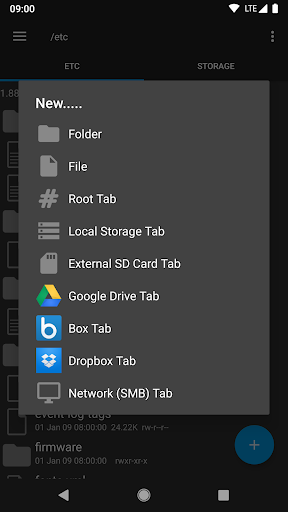
Root Explorer boasts an impressive array of features that enhance file management efficiency. The app supports multiple tabs, allowing seamless navigation between different directories. Integration with cloud services like Google Drive, Box, and Dropbox extends its utility beyond local storage.

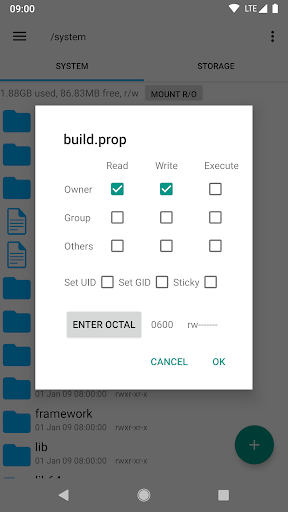
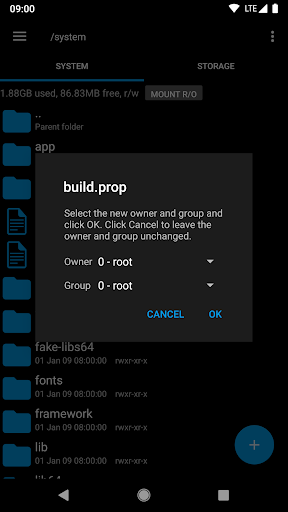
Advanced functionalities include a SQLite database viewer, text editor, and support for various archive formats (ZIP, TAR/GZIP, RAR). Users can execute scripts, search files, remount partitions, and modify permissions with ease. Additional tools like APK binary XML viewer and MD5 checksum generator further solidify its position as a comprehensive file management solution.

Core task management

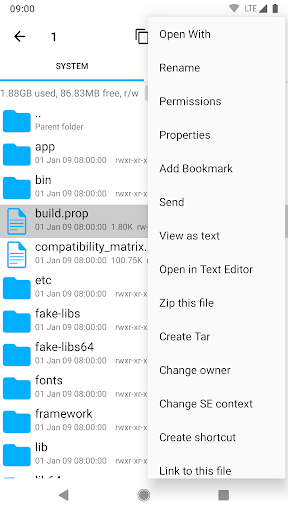
Task management in Root Explorer is a comprehensive feature that allows users to efficiently handle various operations within the file system. As a productivity application designed for root users, it provides multiple tabs which enable seamless navigation and organization of files across different locations. The app supports cloud services like Google Drive, Box, and Dropbox, allowing users to manage their files not only on their local device but also across various cloud platforms. This ensures that users can access and manipulate their data from anywhere, enhancing their productivity. Additionally, the ability to create and extract zip or tar/gzip files, as well as extract rar archives, adds another layer of task management by simplifying file compression and decompression tasks. With multi-select options, users can perform batch operations, saving time and effort. The search functionality helps users quickly locate files, while remount and permission features provide advanced control over file system properties. Bookmarks allow quick access to frequently used folders, streamlining the workflow. Overall, these task management capabilities ensure that users can perform complex file operations with ease, making Root Explorer an indispensable tool for power users who require efficient and effective file management.

Cross-device synchronization reliability

Cross-device synchronization is a critical aspect of Root Explorer that enhances its utility as a productivity tool. The application supports various network protocols including SMB, which facilitates reliable synchronization of files across different devices on a network. This means that users can access their files from multiple devices without worrying about version control issues or data loss. The synchronization process is robust, ensuring that changes made on one device are accurately reflected on others, maintaining consistency across the user's digital ecosystem. Furthermore, the app's integration with cloud services such as Google Drive, Box, and Dropbox extends this synchronization capability beyond local networks to the cloud, providing users with even greater flexibility and reliability. When using these cloud services, no information is passed to the developers over the internet, ensuring privacy and security. Another aspect of cross-device functionality is the 'Add or remove accounts' permission, which is used by the Google Drive SDK to add a new account if desired. This feature does not make any changes to existing accounts and only accesses the account name, preserving user privacy. The 'Find accounts on the device' permission is used to list available accounts for logging into Google Drive, further facilitating synchronization. Lastly, the 'Prevent from sleeping' permission ensures that long operations are not interrupted by the device entering sleep mode, thus maintaining the integrity of the synchronization process. These features collectively contribute to a reliable cross-device experience, empowering users to manage their files seamlessly across multiple platforms.

Props

User-friendly interface

Extensive feature set

Cloud storage integration

Reliable customer support

Refund policy assurance

Cons

Requires root access

Complex for beginners

Premium price point

Occasional bugs reported

Limited appeal to non-root users

Features and Functions

What is this app and what can I use it for?

A versatile file manager for rooted Android devices offering extensive system-level access.

How do I download and install this app on my device?

Visit Google Play Store, search for Root Explorer, and tap Install.

How do I get started after opening the app for the first time?

Launch the app, grant necessary permissions, and start exploring your device's file system.

What are the main features and capabilities of this app?

Multi-tab browsing, cloud storage support, SQLite viewer, script execution, and more.

How can I customize my experience and adjust preferences?

Adjust settings via the Preferences menu to tailor the app to your workflow needs.

How do I save or bookmark my favorite content for later access?

Use the Bookmark feature to save frequently accessed directories for quick retrieval.

How can I share content with friends or on social media?

Select the file, tap Share, and choose your preferred sharing method or social media platform.

How do I access detailed information and explore more content?

Utilize the built-in search function and explore detailed file properties within the app.

What permissions does this app need and how do I manage them?

Permissions requested are essential for core functionalities like network access and account management.

How do I check for updates and keep the app running smoothly?

Enable automatic updates in Google Play Store settings or manually check for updates regularly.
Show more

User Reveiws

{{ comment.reviewer_name }}
{{ comment.review_date_formatted}}
{{ comment.review_content }}
{{ tab.name }}
{{ comment.reviewer_name }}
{{ comment.review_date_formatted}}
{{ comment.review_content }}
No reviews with this rating












