S4U Davos

4.60

Information

Category:

Android Wear

Price:

$ 1.99

Rank:

23

Rating:

4.60

Overview

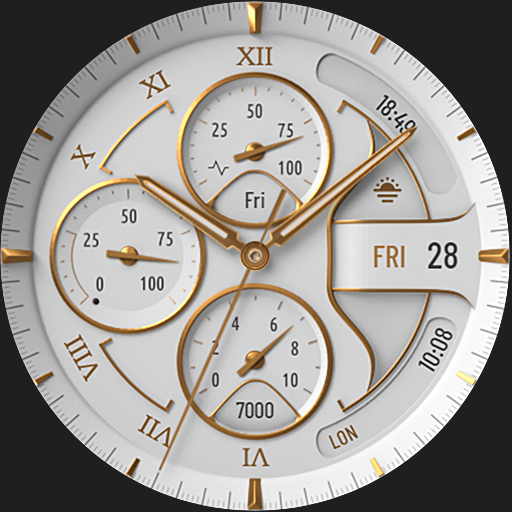
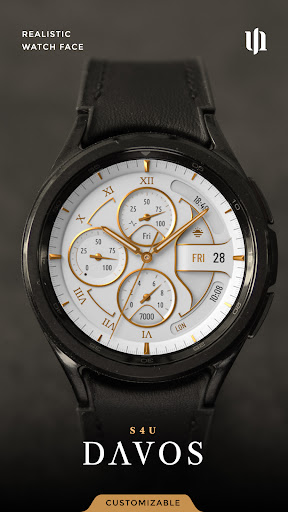
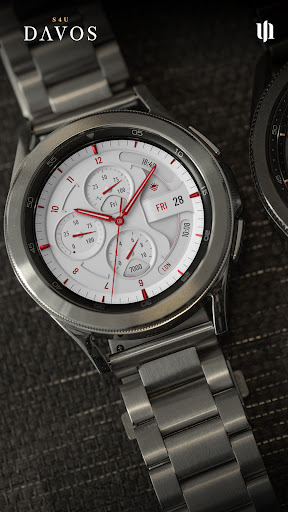
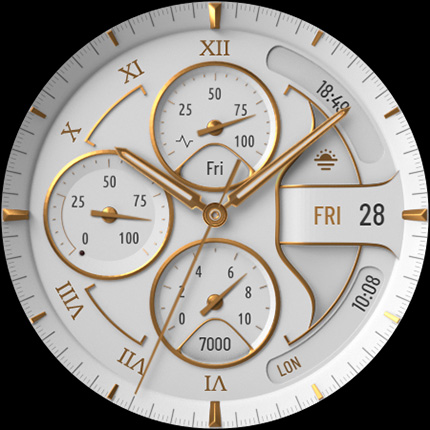
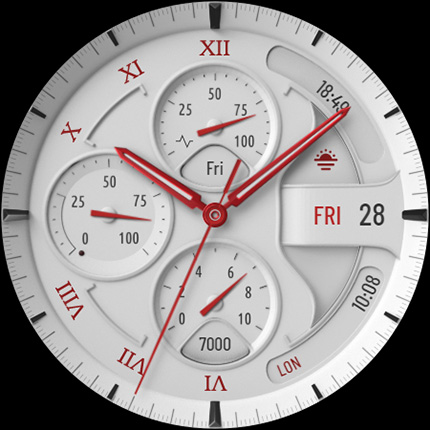
S4U Davos is a premium Wear OS watch face app designed for smartwatches running Wear OS 4 or higher. It combines luxury and functionality, offering users a realistic white analog dial with customizable options to suit individual preferences. Compatible devices include Samsung Galaxy Watches, Google Pixel Watches, and other Wear OS 4+ smartwatches.

With its elegant design and advanced features, S4U Davos enhances the user experience by providing a personalized and efficient way to access essential data. The app supports multiple complications, shortcuts, and an Always-On Display (AOD) feature, ensuring optimal utility while maintaining a stylish appearance.

Features

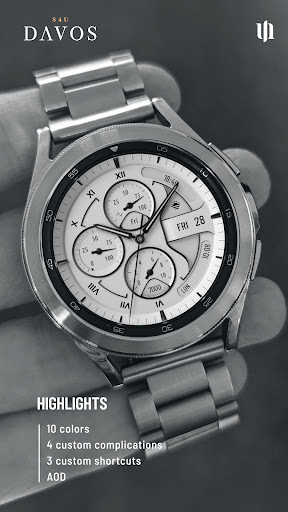
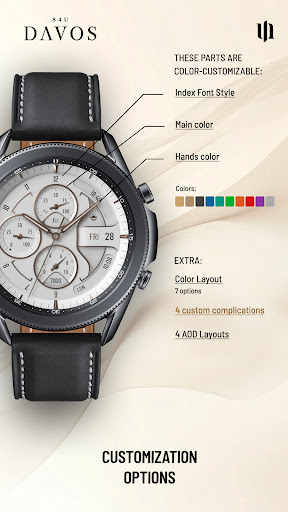
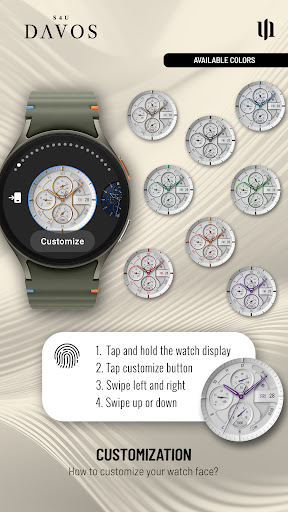
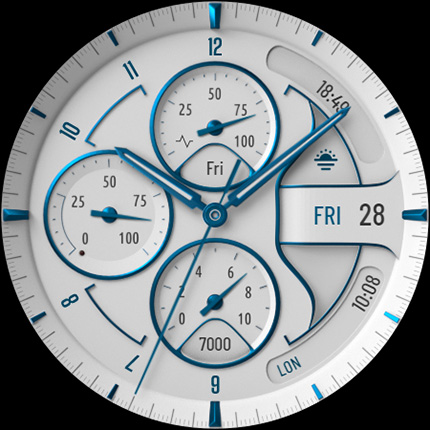
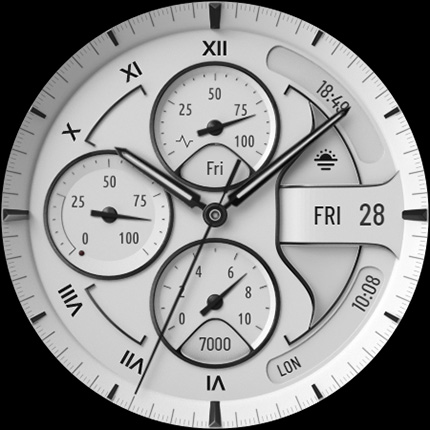
The S4U Davos watch face stands out with its beautifully crafted white analog dial and extensive customization capabilities. Users can personalize their watch faces with multiple color options, including 10 main colors, 10 hand colors, and 9 secondary colors. Additionally, there are 7 color layouts, 5 index font styles, and 4 AOD layout options to choose from.

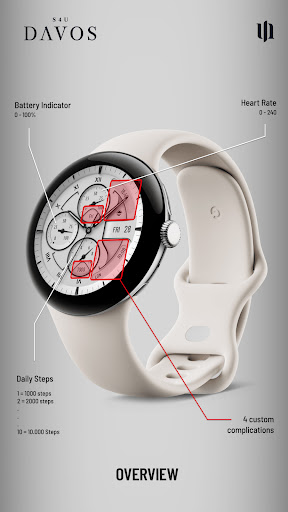
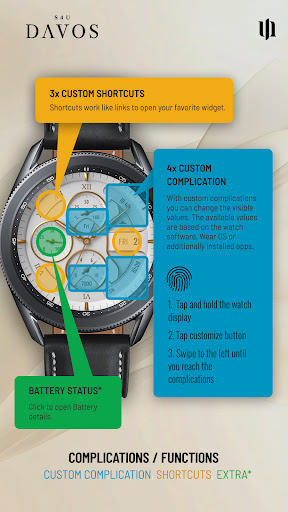
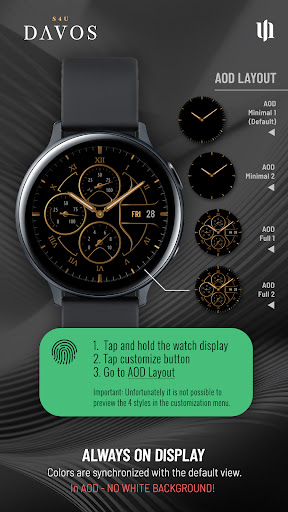
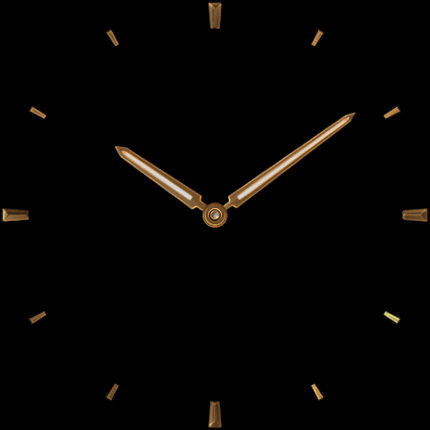
Functionality is further enhanced through 4 editable complications and 3 app shortcuts, allowing users to display user-defined data and quickly access favorite widgets. The Always-On Display feature offers continuous timekeeping with two distinctive layout options, adapting automatically to ambient light conditions for optimal visibility and battery efficiency.

Companion app integration

The S4U Davos watch face demonstrates exceptional companion app integration which is crucial for users seeking a seamless experience between their Wear OS smartwatch and paired mobile device. Companion app integration refers to the ability of a smartwatch application to synchronize data, settings, and functionalities with a corresponding smartphone app. This ensures that users can easily manage and customize their watch face settings directly from their phone, receive timely updates, and troubleshoot any issues that may arise. In the case of S4U Davos, if users encounter installation or downloading problems even on compatible devices such as Samsung Galaxy Watch series or Google Pixel Watch models running Wear OS 4 or higher, they are guided to utilize the companion app provided with their purchase. The companion app offers an Install/Issues section that walks users through necessary steps to resolve potential challenges. This level of integration not only enhances user convenience but also significantly reduces the dependency on direct smartwatch interactions for troubleshooting, which can be cumbersome given the smaller interface of wearable devices. By providing clear instructions within the companion app and offering direct support through email contact wear@s4u-watches.com, S4U Davos ensures that users have multiple avenues to address concerns swiftly. Moreover, customization options including dial colors, complications, shortcuts, and Always-On Display layouts can potentially be managed via the companion app, allowing users to personalize their watch face effortlessly. Such comprehensive integration establishes S4U Davos as a reliable choice for those prioritizing connectivity and ease-of-use in their wearable technology experience.

Wear OS/device compatibility

S4U Davos showcases meticulous attention to Wear OS and device compatibility, ensuring that users with supported smartwatches can enjoy an optimized and trouble-free experience. Compatibility in this context refers to the watch face's ability to function correctly across various devices running Wear OS 4 or higher (Wear OS API 33+). This includes popular models like Samsung Galaxy Watch 4, 5, 6, 7, 7 Ultra, 8, and Google Pixel Watch 1u20133 among other Wear OS 4+ smartwatches. Ensuring broad compatibility is vital as it allows a diverse range of users to access the elegant features of S4U Davos without concern for technical glitches or performance issues. The emphasis on compatibility extends beyond mere operational functionality; it encompasses design optimization for different screen sizes and resolutions, guaranteeing that the realistic white analog dial looks impeccable on all supported devices. Furthermore, by specifying compatibility requirements clearlyu2014such as the need for Wear OS 4 or higheru2014the application sets appropriate user expectations and minimizes potential dissatisfaction stemming from attempting to use the app on unsupported devices. Should compatibility-related issues arise despite meeting stated requirements, S4U Davos provides robust support mechanisms including detailed guidance within the companion app's Install/Issues section and direct email assistance at wear@s4u-watches.com. This dual approach to addressing compatibility concerns underscores the developeru2019s commitment to delivering a polished product while maintaining open channels for user feedback and support. Overall, S4U Davos exemplifies how thorough attention to device compatibility enriches user satisfaction by enabling consistent performance and visual appeal across a wide array of Wear OS devices.

Props

Highly customizable

Stylish design

Advanced complications

Always-On Display

User-friendly interface

Cons

Wear OS 4+ only

Battery consumption

Limited device support

Complex setup

Premium cost

Features and Functions

What is this app and what can I use it for?

A customizable Wear OS watch face for smartwatches

How do I download and install this app on my device?

Visit Google Play Store, search for S4U Davos, and tap Install

How do I get started after opening the app for the first time?

Press and hold the watch face, tap Customize, and adjust settings

What are the main features and capabilities of this app?

Customizable design, complications, shortcuts, and Always-On Display

How can I customize my experience and adjust preferences?

Press and hold the watch face, tap Customize, and explore options

How do I save or bookmark my favorite content for later access?

Use complications to display favorite data on the watch face

How can I share content with friends or on social media?

Share via social media links provided in the app description

How do I access detailed information and explore more content?

Access detailed info through complications and customizable options

What permissions does this app need and how do I manage them?

Requires standard Wear OS permissions managed in device settings

How do I check for updates and keep the app running smoothly?

Check Google Play Store for updates and ensure automatic updates are enabled
Show more

User Reveiws

{{ comment.reviewer_name }}
{{ comment.review_date_formatted}}
{{ comment.review_content }}
{{ tab.name }}
{{ comment.reviewer_name }}
{{ comment.review_date_formatted}}
{{ comment.review_content }}
No reviews with this rating