
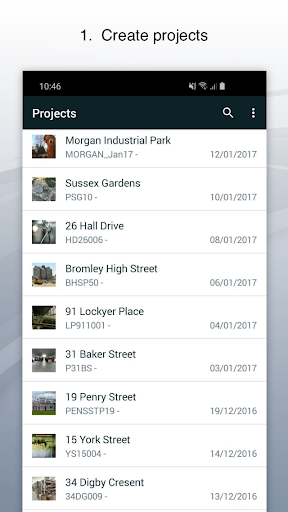
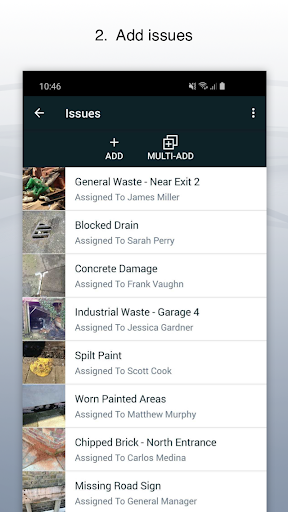
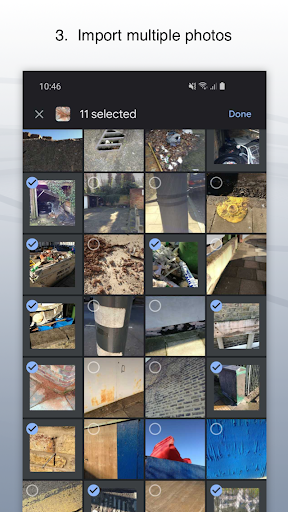
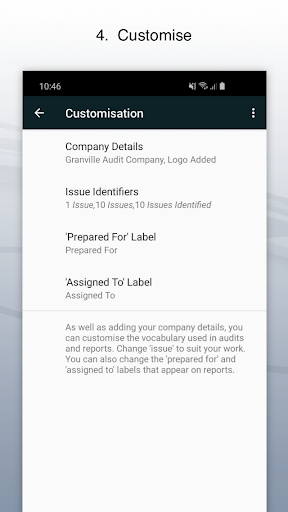
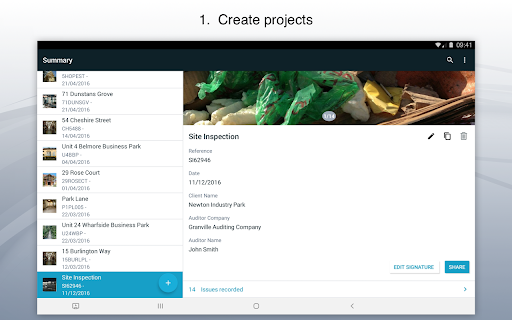
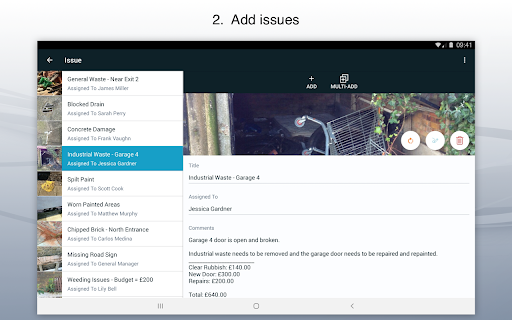


Site Audit Pro is a powerful productivity tool designed to streamline the auditing and inspection process for businesses across various industries. This mobile application allows users to efficiently record issues by capturing photos, annotating them to highlight critical details, and assigning tasks with comments. The app's intuitive interface makes it easy to organize findings into well-structured projects, complete with site and client information.
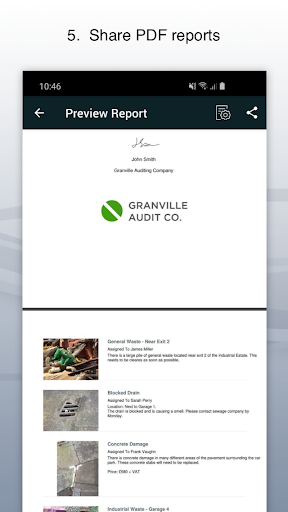
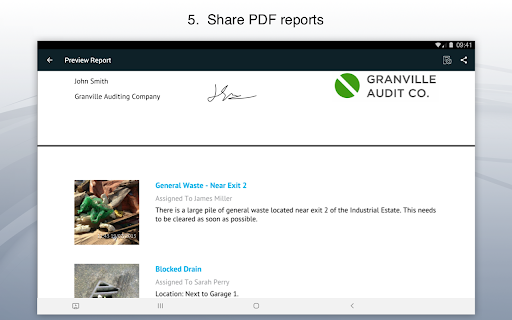
One of Site Audit Pro's standout features is its ability to generate professional, customizable audit reports instantly. Users can share these reports as PDFs via email or cloud services like Dropbox without needing to return to the office. With over 40,000 businesses worldwide already benefiting from its capabilities, this app significantly enhances productivity by simplifying audits, inspections, punch lists, snagging, and more.
Site Audit Pro offers an impressive array of features that cater to diverse auditing needs. The app allows users to document issues using photos, titles, assignees, and comments, ensuring comprehensive data capture. Its photo annotation functionality enables users to emphasize important information directly on images, providing clearer context for each issue recorded.
The app excels in project organization, letting users categorize issues into distinct projects while adding specific site and client details. Sharing capabilities are robust, allowing instant distribution of professional audit reports without the need to leave the field. Additionally, Site Audit Pro provides extensive customization options, enabling businesses to tailor report content and design to their unique requirements, including company branding and industry-specific terminology.
User-friendly interface
Customizable reports
Instant report sharing
Photo annotation tools
Wide industry applicability
Limited free version
Occasional bugs
Subscription costs
Learning curve
Offline limitations

Auto-shutoff Alarm with Sunrise, Sunset & Fixed Options.
 3.50
3.50
Automates browsing any website and notifies you of important changes or events
4.30
We're working to become the best machining app on the market! www.cncdirt.com
4.80
App lock - lock apps with fingerprint, password, pin or pattern, protect privacy
4.70
Make apps & sites with natural language prompts
4.10
Simple and reliable communication between inmates, friends and family
3.20
A simple Whisper AI keyboard for reliable speech transcription and rewording
4.60
To do list widget with a notebook organizer, checklist, simple shopping list
4.60
A Pixel Art watchface inspired by other iconic 90s designs for Wear OS devices!
4.40
8 custom complications. Custom Time Fonts. Beautiful color schemes. A++ Design.
5.00
Understand anything with a personalized AI research assistant
4.80
Absolutely the best CNC machinist speed and feed calculator around. fswizard.com
4.60
App Lock with fingerprint, password: Lock apps & hide photos with lock screens
4.60
All document reader, all in one file viewer read PDF, DOCX, XLS, PPT, TXT files.
4.60
A lightweight JSON & XML files creator, editor and viewer (Premium Version)
4.40
Docker, Kubernetes management over Portainer Mobile
4.40
When you Focus, so will your Bean in this cozy focus timer
4.30
Cloud storage, automatic phone backup, and more.
4.10
The ultimate file manager for rooted devices. The original and still the best.
4.00


User Reveiws