
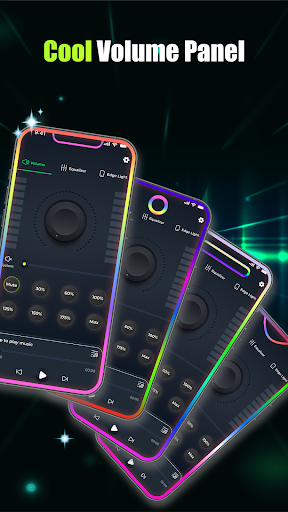
Volume Booster - Music & Sound is a powerful audio enhancement application designed to maximize your listening experience. This app allows users to amplify their device's volume beyond the standard limit, providing louder and clearer sound output for various use cases. Whether you're enjoying music, watching movies, or engaging in voice calls, the app ensures distortion-free audio performance.
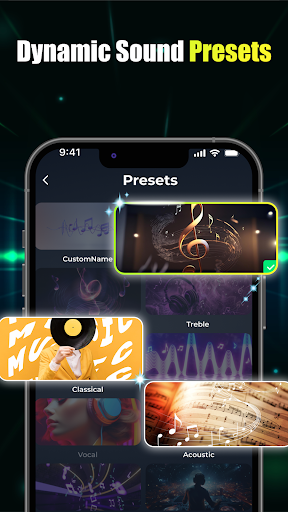
The core functionality includes advanced equalizer controls, bass boost options, and customizable sound presets. Users can fine-tune their audio experience through an intuitive interface that supports precise adjustments. The app also features a built-in music player for managing multiple audio sources, making it an all-in-one solution for audio enthusiasts who demand superior sound quality from their mobile devices.
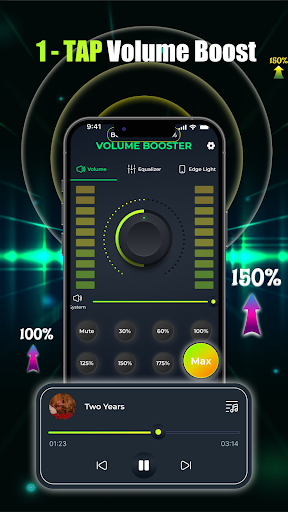
This application stands out with its comprehensive set of audio enhancement tools. The one-tap volume boost feature lets users instantly increase their device's output level, while the slider control provides granular adjustment capabilities. The equalizer module offers both flat and band presets, allowing users to create personalized sound profiles.
Advanced bass boost technology enhances low-frequency sounds, delivering deeper and richer audio experiences. The app's 3D virtualization feature creates studio-quality soundscapes, while custom visual effects add aesthetic value to the listening experience. Integration with various operating systems and seamless compatibility with different playback applications make this tool particularly versatile.
Additional notable features include edge light visual effects, multiple notch customization options, and support for various color schemes. These elements combine to create a unique audio-visual experience that caters to both casual listeners and audio professionals seeking precise control over their sound environment.
Maximum volume boost
Distortion-free audio
Customizable equalizer
Advanced bass control
User-friendly interface
Battery consumption
Premium features cost
Device compatibility
Learning curve
Occasional glitches

Make music anywhere. Turn your device into an instrument.
 4.5
4.5
Over 100 million tracks available for high quality streaming and download
4.60
Powerful beat maker & DJ mixer to remix tracks, make music, & perform DJ mix
3.70
Save hundreds of dollars for a physical strobe tuner and instead use this app.
4.50
Simple & Intuitive Metronome
4.70
Visualize the guitar fretboard, master scales & play through changes like a pro!
4.50
No wifi music app. Mp3 offline. Tuner radio, young radio music. Music downloader
4.20
Manage your Sonos system directly from your home-screen!
4.40
Uninterrupted Tunes, Unmatched Vibes
3.90
Gorgeous UI, Powerful music Search and Equalizer, the great choice for you!
4.70
Taal player that lets you sing any Indian & Western song with Tabla & Tanpura
4.60
Bass Booster & Volume Equalizer Pro improves your music and video sound quality
4.60
Learn the notes on the guitar fretboard fast with this easy and fun app
4.60
DJ Music Mixer - DJ Remix: remix songs, make beat music & record mix of DJ.
4.40
Learn and play 2M+ music tabs & chords on guitar, ukulele, bass, and more
4.30
A High-Precision Audio Spectrum Analysis App
4.20
The alternative folder based music player.
4.20
The only true audiophile music player with Hi-Fi audio rendering and DSP engine
3.90
The ultimate media player for Android devices
3.90


User Reveiws