

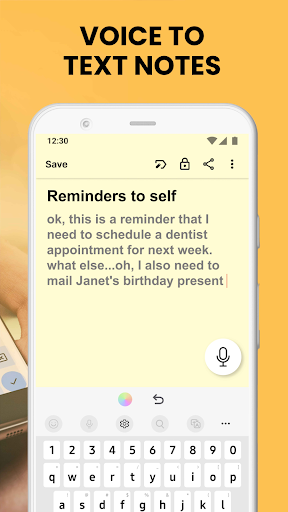
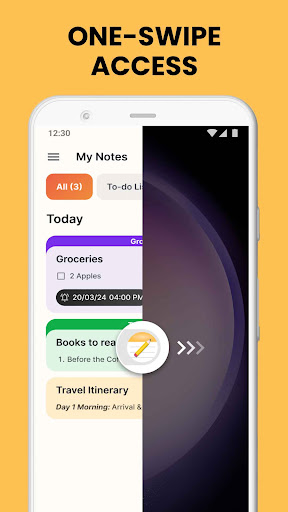

Notes Launcher is a productivity-focused application designed to streamline note-taking and task management. The app allows users to jot down thoughts, create to-do lists, and organize important information with ease. Its intuitive swipe-right feature from the home screen enables instant access to note creation, making it an ideal tool for busy professionals and students alike.
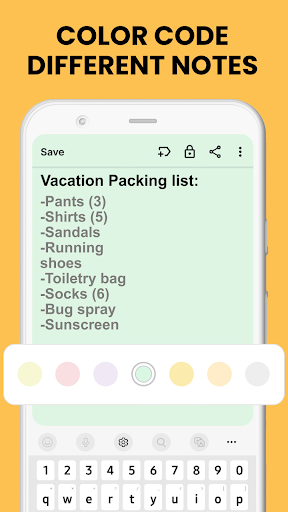
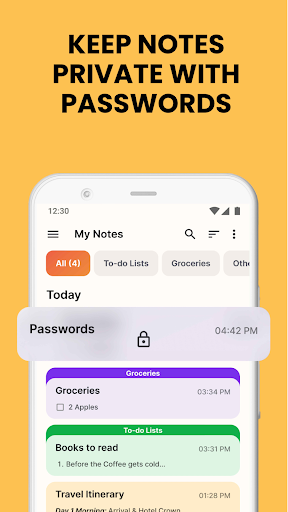
Beyond basic note-taking, Notes Launcher offers advanced features such as text formatting tools, color-coding options, and secure lock functions for sensitive notes. Users can categorize their notes, sort them by date or creation order, and utilize the powerful search function to quickly find specific content. The app also supports sharing capabilities, allowing users to distribute notes through email or social media platforms.
This versatile app transforms the home screen experience by integrating useful widgets that display time, weather, and more. With customizable wallpapers and convenient shortcuts, Notes Launcher creates a personalized and efficient workspace on mobile devices. Whether managing work tasks or personal errands, this app provides a comprehensive solution for staying organized in everyday life.
Notes Launcher distinguishes itself through its comprehensive feature set tailored for productivity enthusiasts. The app's one-swipe access functionality revolutionizes note creation, enabling users to generate quick notes or to-do lists directly from their home screen. This instant accessibility significantly enhances workflow efficiency and encourages consistent note-taking habits.
The application incorporates professional-grade text formatting tools that allow users to customize their notes with various font sizes, styles, and list formats. Its sophisticated organization system includes color-coding options for visual prioritization, category assignment for logical grouping, and multiple sorting methods for optimal information retrieval. The secure lock feature ensures confidential information remains protected while maintaining easy access to regular notes.
Additional productivity-enhancing features include a multi-touchpoint search system powered by Yahoo, customizable home screen widgets displaying essential information, and a diverse selection of themed wallpapers. These elements combine to create a personalized and functional mobile environment that adapts to various user preferences and working styles.
User-friendly interface
Comprehensive feature set
Secure note protection
Efficient organization tools
Customizable home screen
Home screen layout changes
Feature learning curve
External web search dependency
Limited widget customization
Third-party service reliance

Secure, fast, open-source, VNC and SSH Remote Desktop for Windows, Linux and Mac
 4.70
4.70
A customizable calendar for your Wear OS watch
4.20
Android Wallet Password Manager
4.80
Remotely view listen control and record cameras.
3.70
aCalendar+ makes your day, week and month
4.70
A Pixel Art watchface inspired by other iconic 90s designs for Wear OS devices!
4.40
Scientific calculator for Android - looks and operates like the real thing!
4.90
Secure your apps with lock screens, use custom themes and different features.
4.40
Set up, print, and get support—in one place
4.20
Absolutely the best CNC machinist speed and feed calculator around. fswizard.com
4.60
Experience Reading - Night Mode for Documents
4.40
This small app MUST BE INSTALLED after purchase, else license won't work
4.40
Font maker keyboard with your own handwriting
4.10
Create and edit presentations with Google Slides, part of Google Workspace.
4.00
The ultimate file manager for rooted devices. The original and still the best.
4.00
Mega cloud explorer plugin for Solid Explorer
3.80
Smart PDF reader & editor to view, organize and manage PDF documents easily.
3.70
Simple and reliable communication between inmates, friends and family
3.20
The upgraded version of Name Wheel with AI and the power to add your own wheels.
4.2


User Reveiws