
Quickpic Gallery Pro

1.70

Information

Category:

Productivity

Price:

$ 5.99

Rank:

54

Rating:

1.70

Overview

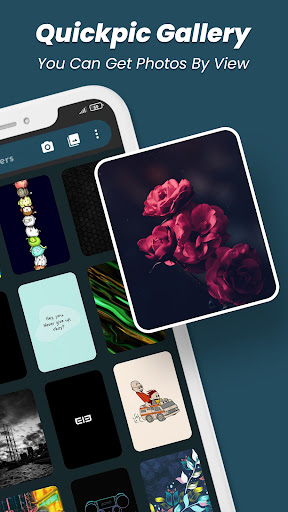
Quickpic Gallery Pro is a premium gallery management application designed to help users efficiently organize, edit, and secure their photos and videos. The app offers advanced features such as customizable UI, support for multiple file formats, and an intuitive photo editor that simplifies tasks like cropping, rotating, and applying filters. Its user-friendly interface allows seamless navigation through media files while providing powerful tools to manage them effectively.

One of the standout features of Quickpic Gallery Pro is its robust security system, which includes PIN, pattern, and fingerprint protection for private media. Additionally, the app provides a recycle bin functionality to recover accidentally deleted files, ensuring users never lose precious memories. Whether you're looking to create albums, hide sensitive content, or share media across platforms, this productivity-focused app delivers a comprehensive solution for all your gallery management needs.

Features

Quickpic Gallery Pro stands out with its extensive feature set tailored for both casual users and professionals. The app supports a wide range of file formats including JPEG, PNG, MP4, RAW, and more, making it versatile for various multimedia needs. Its advanced photo editor allows users to enhance images using intuitive gestures, apply stylish filters, and perform precise edits like cropping and rotating with ease.

Beyond basic gallery functions, Quickpic Gallery Pro offers innovative tools such as a dedicated video player, dark mode for enhanced viewing, and a sleek timeline view for organizing media chronologically. Privacy-conscious users will appreciate the app's security features, including app locking and folder-specific permissions. With additional capabilities like file hiding, renaming, moving, and sorting, this app ensures maximum flexibility in managing your digital assets securely and efficiently.

Core task management

Task management within a productivity app like Quickpic Gallery Pro involves the organization and handling of multimedia files including photos and videos efficiently. This functionality is crucial as it allows users to maintain an orderly digital environment where they can easily access, modify, and manage their media files. Quickpic Gallery Pro excels in this area by providing features such as copying, moving, renaming, and hiding images and videos which are essential for effective file management. The ability to create new files and folders further enhances the user's capacity to organize their content systematically. Additionally, the app facilitates the deletion of files and folders giving users control over their gallery space. With its advanced photo editor, users can crop, flip, rotate, resize pictures, or apply stylish filters making photo editing effortless and enhancing the visual appeal of images. Furthermore, the dedicated video player ensures that users can view their videos seamlessly. The app also includes a recycle bin feature which acts as a safety net for accidentally deleted photos and videos allowing users to recover them if needed. These comprehensive task management capabilities ensure that users can handle their multimedia files with precision and ease significantly improving their productivity when managing digital content.

Cross-device synchronization reliability

Cross-device synchronization is a pivotal feature for any productivity application especially one dealing with multimedia content like Quickpic Gallery Pro. This functionality ensures that users can access their photos and videos across multiple devices without any loss of data or quality. While Quickpic Gallery Pro focuses primarily on local management of media files it still offers reliable ways to share and transfer files across devices. Users can quickly share their multimedia files on various social media platforms or through emails and other official channels directly from the app. Although the app does not explicitly mention cloud-based synchronization it provides robust organizational tools that make manual transfers efficient and straightforward. The app supports a wide array of file types including JPEG PNG MP4 MKV RAW SVG GIF panoramic photos and videos ensuring full flexibility in format choice during file transfers. Moreover the intuitive interface coupled with features like dark mode and timeline view enhances the user experience when organizing and viewing media files. The app's emphasis on security with options for pin pattern or fingerprint protection ensures that shared content remains private and secure during cross-device interactions. Overall while Quickpic Gallery Pro may not offer automatic cloud syncing its powerful set of organizational and sharing tools provide users with reliable methods to manage and synchronize their multimedia content across different devices effectively.

Props

User-friendly interface

Advanced editing tools

Robust security options

Supports multiple formats

Recycle bin for recovery

Cons

Premium version only

No cloud backup

Limited free features

Occasional bugs

Heavy on storage

Features and Functions

What is this app and what can I use it for?

A gallery app to manage photos and videos with editing and privacy features

How do I download and install this app on my device?

Search Quickpic Gallery Pro on Google Play Store and tap Install

How do I get started after opening the app for the first time?

Grant necessary permissions and follow the setup wizard to customize settings

What are the main features and capabilities of this app?

Editing tools, file recovery, privacy locks, and format support are key features

How can I customize my experience and adjust preferences?

Adjust settings via the Preferences menu to personalize your experience

How do I save or bookmark my favorite content for later access?

Use Favorites or Albums to save important photos and videos for later access

How can I share content with friends or on social media?

Tap Share button to post content on social media or send via messaging apps

How do I access detailed information and explore more content?

Browse detailed views in Timeline or access specific folders from the main menu

What permissions does this app need and how do I manage them?

The app requires storage and media permissions managed in device settings

How do I check for updates and keep the app running smoothly?

Enable auto-updates in Google Play Store or manually check for updates regularly
Show more

User Reveiws

{{ comment.reviewer_name }}
{{ comment.review_date_formatted}}
{{ comment.review_content }}
{{ tab.name }}
{{ comment.reviewer_name }}
{{ comment.review_date_formatted}}
{{ comment.review_content }}
No reviews with this rating