Video Maker

4.80

Information

Category:

Video Players & Editors

Price:

Free

Rank:

50

Rating:

4.80

Overview

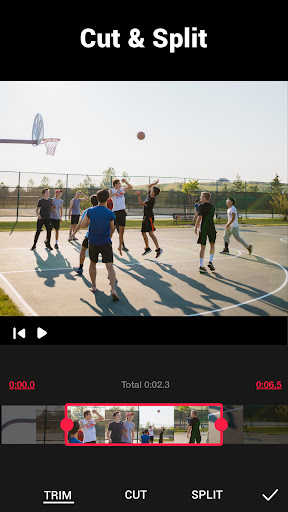
Video Maker is a versatile video editing application designed for both beginners and professionals. This all-in-one video editor offers powerful features such as trimming, cutting, adjusting playback speed, and applying various effects and filters to videos. Users can create high-quality content by adding music, voice-overs, and stylish transitions.

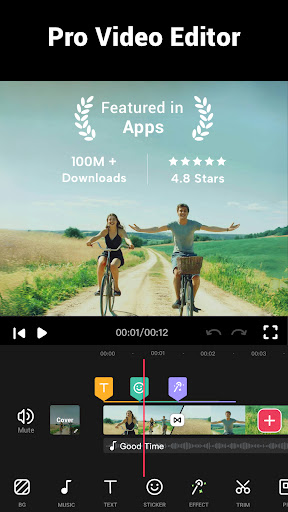
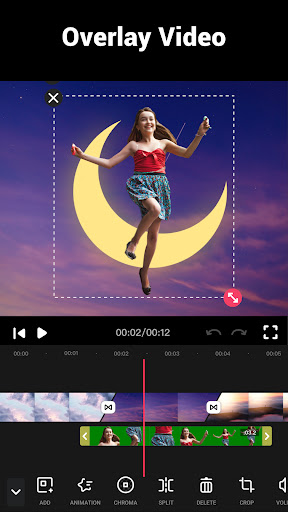
The app stands out with its user-friendly interface and the ability to export 4K videos without watermarks. It supports multi-layer editing, allowing users to combine photos and videos with music seamlessly. With dedicated tools for social media optimization, Video Maker ensures that your creations are ready to impress on platforms like YouTube, Instagram, and TikTok.

Whether you're producing vlogs, short films, or promotional content, Video Maker provides the necessary tools to bring your vision to life. Its comprehensive feature set and intuitive design make it an ideal choice for anyone looking to edit videos on their mobile device.

Features

Video Maker distinguishes itself through a rich set of features tailored for creative video production. The app includes professional-grade tools like multi-layer timeline editing, audio extraction from videos, and customizable video speed adjustments ranging from 0.2x to 100x. These capabilities ensure precise control over every aspect of video creation.

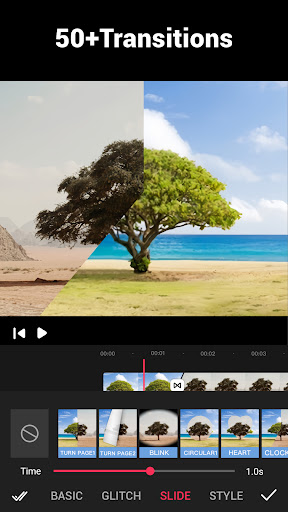
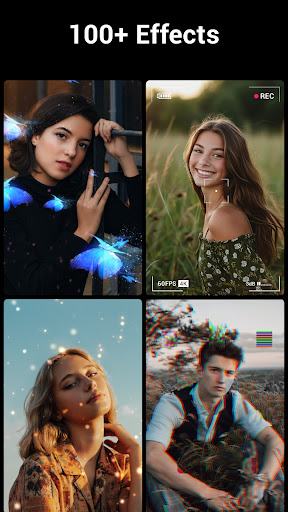
One of the standout features is the extensive library of video transition effects and filters. With over 50 transition effects and numerous filters, users can enhance their videos with cinematic flair. The app also supports advanced functions such as video compression, format conversion, and background customization, including blur effects optimized for social media sharing.

Additionally, Video Maker offers a robust music integration system. Users can choose from dozens of royalty-free tracks or import custom songs from their device. The app's intuitive music editing tools allow for volume adjustments and fade-in/out effects, ensuring that audio complements the visual elements perfectly.

Video format compatibility

Video format compatibility refers to an application's ability to support a wide range of video formats for importing editing and exporting purposes This feature is crucial as it ensures that users can work with their preferred or existing video files without the need for prior conversion Video Maker excels in this area by offering extensive format support which enhances its versatility and user convenience The app allows users to import various formats directly into the editing suite where they can utilize features such as trimming cutting and applying transition effects regardless of the original file type Furthermore Video Maker supports high-quality video saving options including 4K exports without watermarks This means that whether you're creating content for YouTube Instagram or TikTok you can be confident that your final product will meet platform-specific requirements and look professional With its focus on multi-layer editing users can add music voice-overs sound effects and more without worrying about format restrictions Additionally the app provides powerful video editing tools like speed adjustments filters and transitions all while maintaining the original quality of the imported videos The ability to export in different resolutions and qualities also caters to users who want to optimize their videos for different platforms or devices In summary Video Maker stands out in the realm of video format compatibility by ensuring that creators have the freedom to edit and share their work without technical limitations thus empowering them to focus solely on unleashing their creativity

AI-powered editing features

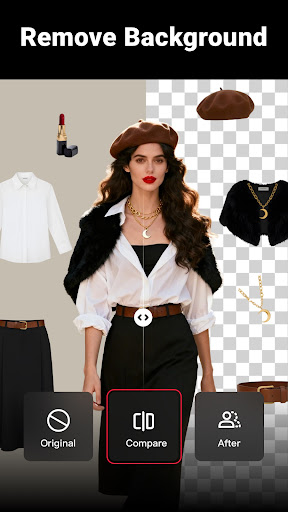
AI-powered editing features represent the integration of artificial intelligence technologies into video editing software to automate and enhance the creative process These intelligent tools assist users in making precise edits generating effects and optimizing video content with minimal manual input Video Maker incorporates several AI-driven functionalities that significantly elevate the editing experience For instance the app offers smart trimming and cutting capabilities that use AI to identify optimal points for splitting or merging video clips based on visual or audio cues This not only saves time but also helps maintain narrative coherence when assembling multiple shots Moreover the application includes advanced AI-based filters and effects that adapt to the content of each scene adjusting parameters like brightness contrast and color balance to achieve visually appealing results Another notable feature is the automatic audio extraction and synchronization tool which intelligently extracts soundtracks from videos and aligns them with new footage or overlays This is particularly useful for creators who wish to remix or reuse audio elements across different projects Additionally Video Maker leverages AI to provide intuitive stabilization options that smooth out shaky recordings without compromising resolution or frame rate The inclusion of AI-assisted background editing further simplifies tasks such as blurring or replacing backgrounds allowing users to focus on foreground subjects By harnessing these sophisticated algorithms the app democratizes access to professional-grade editing techniques making it easier than ever for both beginners and experienced editors to produce polished and engaging video content In essence Video Maker's AI-powered editing features streamline workflows boost productivity and open up new creative possibilities for videographers of all skill levels

Props

User-friendly interface

Export 4K videos

No watermark

Multi-layer editing

Free to use

Cons

Limited advanced features

Occasional bugs

Ads in free version

Heavy app size

Learning curve
Features and Functions

What is this app and what can I use it for?

A versatile video editor for creating high-quality content with music and effects

How do I download and install this app on my device?

Download from Google Play Store and install by following on-screen instructions

How do I get started after opening the app for the first time?

Start by importing media files and exploring the editing tools available

What are the main features and capabilities of this app?

Trimming, cutting, speed adjustment, adding music, effects, and filters

How can I customize my experience and adjust preferences?

Adjust settings via the preferences menu to personalize your editing experience

How do I save or bookmark my favorite content for later access?

Use the save or bookmark feature to store favorite projects for later access

How can I share content with friends or on social media?

Share directly to social media platforms using built-in sharing options

How do I access detailed information and explore more content?

Access detailed information through the help section or explore more features in the toolbar

What permissions does this app need and how do I manage them?

App requires storage and media permissions; manage them in device settings

How do I check for updates and keep the app running smoothly?

Check Google Play Store regularly for updates and enable auto-update in settings
Show more

User Reveiws

{{ comment.reviewer_name }}
{{ comment.review_date_formatted}}
{{ comment.review_content }}
{{ tab.name }}
{{ comment.reviewer_name }}
{{ comment.review_date_formatted}}
{{ comment.review_content }}
No reviews with this rating