

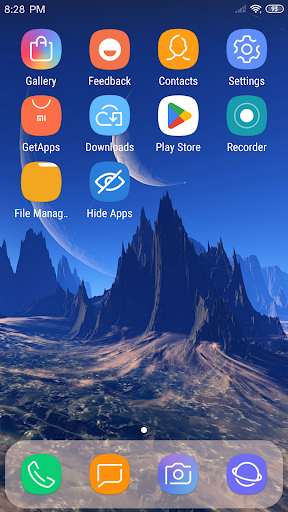
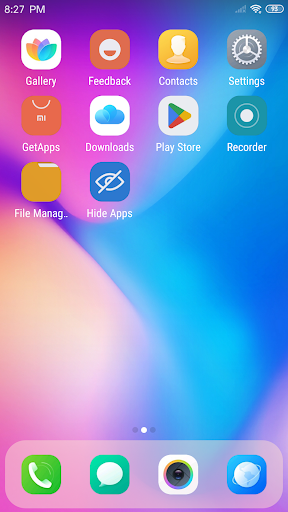
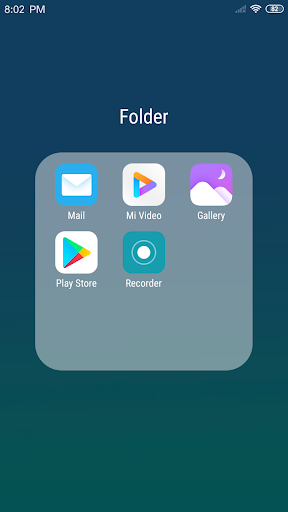
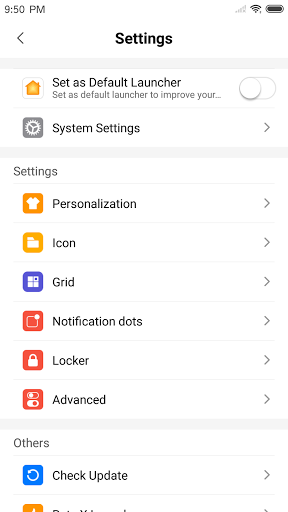
X Launcher Pro is a premium launcher app designed for Android users who appreciate minimalist flat design and customization. This application transforms the entire appearance and functionality of your smartphone, offering an immersive experience without any ads. With its sleek interface and powerful features, X Launcher Pro provides users with tools to manage apps, control device settings, and personalize their home screens effortlessly.
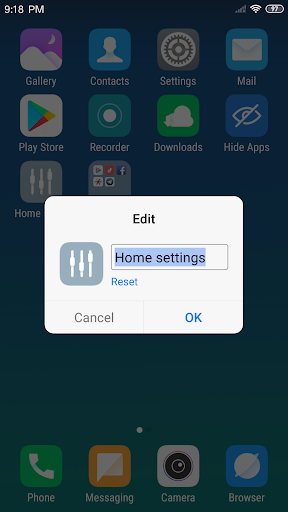
The launcher includes advanced features like App Manager for organizing local apps, Control Center for quick access to essential settings, and a Theme Store offering various design options. Users can also modify app icons and names, adjust grid sizes, and hide unwanted apps. These capabilities make it especially appealing to those who value both aesthetics and functionality in their mobile experience.
X Launcher Pro stands out with its comprehensive feature set tailored for customization enthusiasts. The App Manager allows users to quickly locate and organize their installed applications by simply swiping up. This feature streamlines app management and saves valuable time when arranging your home screen layout.
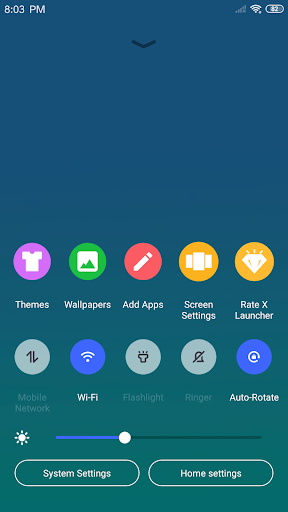
The Control Center provides instant access to critical device settings such as WiFi, brightness, and volume controls. Users can even take photos directly from this panel. Additionally, the launcher's Theme Store offers a wide selection of visually appealing themes that adapt seamlessly to user preferences. With customizable grid sizes, icon modifications, and wallpaper options, X Launcher Pro delivers unparalleled personalization possibilities.
Unique features like Flat Style Folders enable intuitive organization of apps while maintaining the clean aesthetic. The ability to hide specific apps adds an extra layer of privacy and decluttering. These thoughtful design elements demonstrate the app's commitment to both form and function, making it a top choice for users seeking complete control over their device's appearance and operation.
Ad-free experience
Highly customizable interface
Intuitive app management
Comprehensive theme options
Quick access to device controls
Storage permission required
Premium version only
May overwhelm new users
Limited default icon styles
Occasional performance issues

Remove Background, Magic Eraser, Photo Enhancer, Story Templates, Collage Maker
 4.30
4.30
Paint with oils and sketch with natural tools on a realistic virtual canvas.
3.80
See Color, Paint Color
4.90
Digital, Abstract, Classic - all types of color wheels in one app!
4.60
Turn your drawings into flipbook-style animations with simple creative tools
4.60
Image resizer to resize, crop, rotate, flip, change dpi photo or picture in bulk
4.60
Your homescreen as an elegant glass with customized blur, lighting, and visuals.
3.70
Everything you need to create hand drawn animation, anywhere you go!
4.40
Video AI: Revolutionize Your Content Creation with Advanced Video Generation
4.50
Passport size photo maker, create ID photo and visa photo in seconds
4.80
Novices can also easily complete diamond painting masters
4.70
Minecraft & Roblox Clothes
4.70
Painting, drawing, & sketching
4.50
Nano Banana AI Image Generator, Anime Filter, AI Portrait, AI Photo Generator
4.30
Create Logos, Tattoos, AI Art & more with our AI Photo Generator & Design Editor
4.20
Resize photos and print photos in exact size with our powerful photo printer!
3.80
Create trending AI photos & videos with powerful effects and 3D styles.
3.20
Retouch photos. Create or edit images. Endless capabilities.
2.70
Art of Combination Wear OS Watch faces
4.5


User Reveiws