
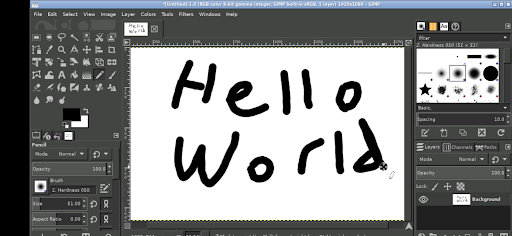
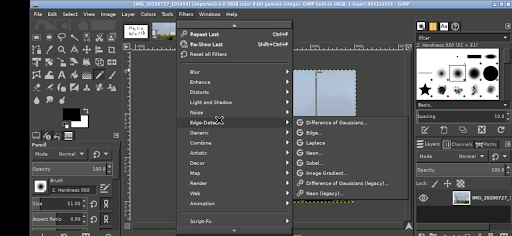
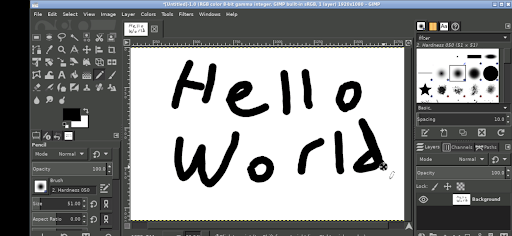
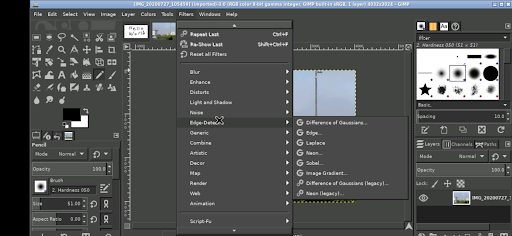

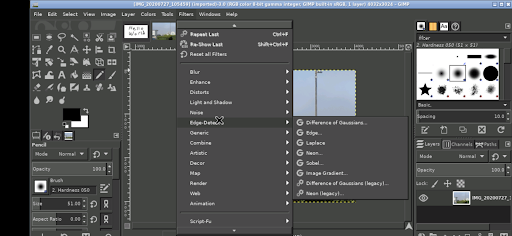
GIMP, the GNU Image Manipulation Program, is a powerful and versatile tool designed for photo editing, image authoring, and graphic design. This Android version brings all the professional features of GIMP to your mobile device, allowing you to perform complex image manipulations on-the-go.
With its comprehensive set of tools, GIMP supports layers, filters, color adjustments, and various file formats. Whether you're a photographer looking to enhance images or a designer working on creative projects, GIMP provides the capabilities needed to produce high-quality work directly from your phone or tablet.
The app's intuitive interface adapts to touch controls, making it accessible even on smaller screens. From basic edits to advanced graphic compositions, GIMP empowers users with professional-grade tools in a portable format.
GIMP stands out with its extensive feature set tailored for both casual users and professionals. The app includes advanced selection tools, customizable brushes, and a wide range of plugins that expand its functionality. These features enable precise photo retouching, detailed digital painting, and intricate graphic design work.
One of GIMP's key strengths is its adaptability to different workflows. Users can customize the interface, assign shortcuts, and configure tool options to suit their specific needs. Additionally, GIMP supports scripting through Python and Scheme, allowing power users to automate repetitive tasks and create custom functionalities.
The Android version maintains these capabilities while optimizing for mobile use. With gesture-based controls like pinch-to-zoom and tap-to-click, GIMP ensures a smooth experience on touch devices. Its integration with Android's file system also enables seamless access to documents and media across applications.
Professional-grade tools
Extensive plugin support
Customizable interface
Powerful scripting capabilities
Cross-platform compatibility
Steep learning curve
Complex interface
High system requirements
Limited mobile optimization
No native cloud integration

Sketch, trace and master AR drawing with awesome anime art!
 3.30
3.30
Digital, Abstract, Classic - all types of color wheels in one app!
4.60
Draw beautiful mandala's very easily
4.60
Nano Banana AI Image Generator, Anime Filter, AI Portrait, AI Photo Generator
4.30
Experience next-gen icons with a modern liquid glass look.
3.60
Just trace a projected picture on paper and color! Draw & Paint with AR drawing
4.40
Draw, make movies & animate cartoons easily with our 2D animation maker app
4.40
How to draw anime step by step for beginner easily by AR drawing sketch & paint.
3.60
Multiplayer Drawing game, Coloring, Painting・Sketch, Handwriting・Paint, draw
4.30
Logo Generator powered by AI: Create stunning logos effortlessly!
4.70
Draw glowing spinners, relax, and spin your creative art
4.60
Draw Trace image sketch by, AR art projector app, Easy to trace any image.
4.50
Video AI: Revolutionize Your Content Creation with Advanced Video Generation
4.50
Kling AI is an image and video generation and editing studio powered by AI.
4.50
Stylish letters, Stylish Keyboard, Symbols, Emojis, Cool nickname
4.40
Create and Design Custom Logos in Seconds with AI-Powered Tools!
4.40
AI Face Swap, Video Effects Editor, Realtime Morph, Funny Video FX,AI Filters
3.70
Your homescreen as an elegant glass with customized blur, lighting, and visuals.
3.70
Art of Combination Wear OS Watch faces
4.4


User Reveiws