
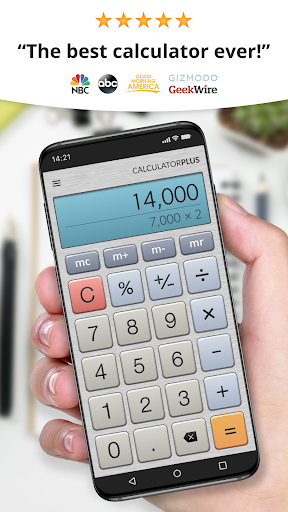

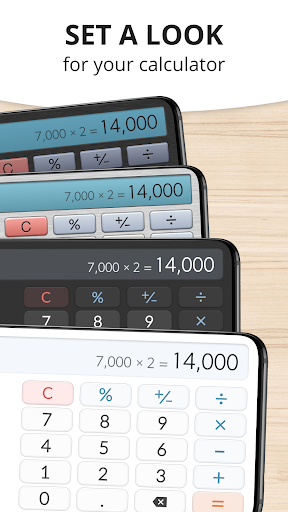
Calculator Plus is a top-tier productivity application designed to replace traditional handheld calculators. It offers an intuitive and visually appealing interface that makes everyday calculations effortless on mobile devices. The app excels in both basic and advanced mathematical operations, providing users with comprehensive functionality.
This calculator app stands out through its elegant design and practical features. It displays calculations in clear, readable type with proper formatting, including commas for better readability. Users can easily track their calculation history, correct mistakes using backspace, and utilize memory functions to maintain running totals. These capabilities make it ideal for various scenarios such as shopping, homework, financial management, and tax preparation.
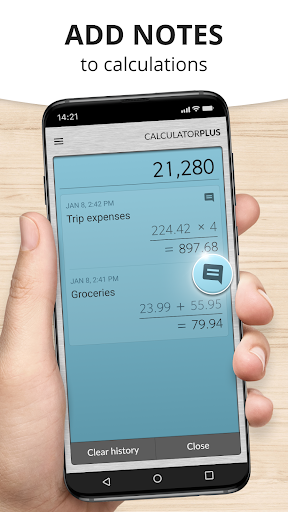
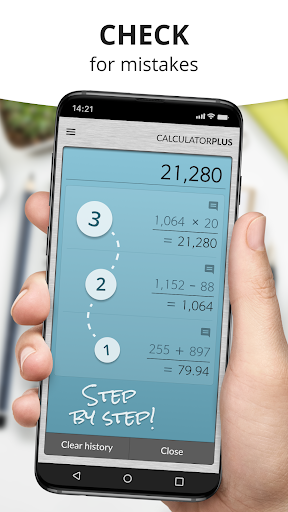
The true value of Calculator Plus lies in its ability to save time and effort. By remembering all calculations, the app allows users to review past entries anytime and pick up where they left off. This feature-rich calculator is perfect for anyone seeking an efficient and reliable solution for their daily computational needs.
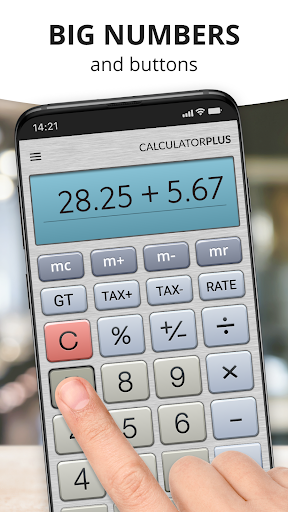
Calculator Plus boasts an array of impressive features that enhance the user experience. One notable characteristic is its elegant typography, which presents calculations in a clear and organized manner. The app automatically formats numbers with appropriate commas, ensuring maximum readability during complex computations.
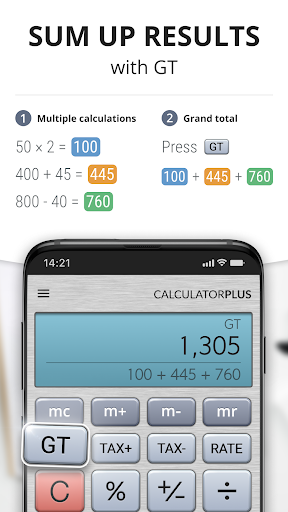
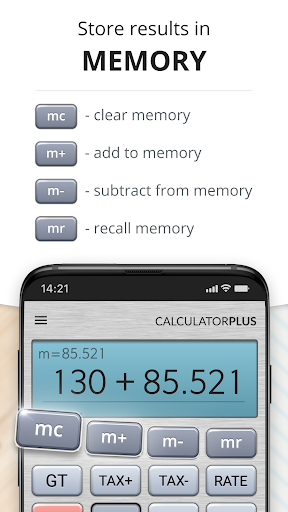
Another standout feature is the comprehensive memory function. Unlike traditional calculators, this app allows users to view and manage their calculation history. The swipe functionality reveals advanced math functions while the percentage key provides transparent results. These innovative elements combine to create a powerful tool that goes beyond basic arithmetic operations.
The app's design focuses on user convenience and productivity. Its intuitive interface enables easy correction of mistakes through backspace functionality, eliminating the need to restart calculations. Additionally, the app's ability to maintain running totals and store previous calculations makes it an indispensable tool for both casual and professional use cases.
User-friendly interface
Clear readable display
Comprehensive memory function
Advanced math capabilities
Automatic formatting features
Limited scientific functions
No graphing capabilities
Premium features locked
Occasional ads display
Large file size

Total remote control for your Android device, PC and cloud services (IFTTT)!
 4.20
4.20
All in one sketching tool. Technical and General drawing. Online Maps support.
3.70
8 custom complications. Custom Time Fonts. Beautiful color schemes. A++ Design.
5.00
Cloud storage, automatic phone backup, and more.
4.10
Calendar 2023 widget for Android. Appointment scheduler, planner, and reminder
4.60
Access, manage and transfer files on Android, PC, Mac, NAS and cloud storages.
4.30
Quickly and easily keep track of your work shifts
4.70
Set up, print, and get support—in one place
4.20
Note taking, handwriting, record audio, PDF annotation, planner & journal
4.20
Use powerful, industry-leading AI tools to generate visual charts from any data
4.80
A simple Whisper AI keyboard for reliable speech transcription and rewording
4.60
PDF scanner & converter for files, photos, lottery, QR codes. One swipe away!
4.50
Pwnagotchi companion app
4.20
Easily read and manage all your PDF files
4.10
Take control of your clipboard with Clipper!
3.90
Simple and reliable communication between inmates, friends and family
3.20
Experience and share your SolidWorks designs on your Android® phone and tablet.
2.50
AI Video AI Image Private LLM AI Browser Llama Gemma Ollama Connect LLM Studio
4.5
A comprehensive suite of tools designed specifically for Lactation Consultants
4.0


User Reveiws