Photos (for Nextcloud)

4.70

Information

Category:

Productivity

Price:

$ 4.99

Rank:

47

Rating:

4.70

Overview

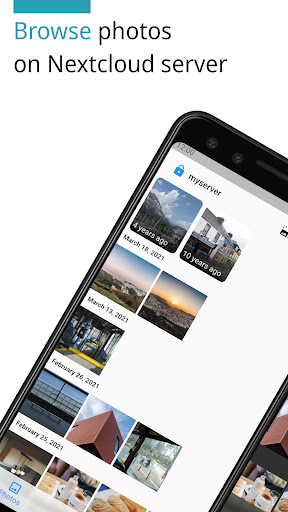
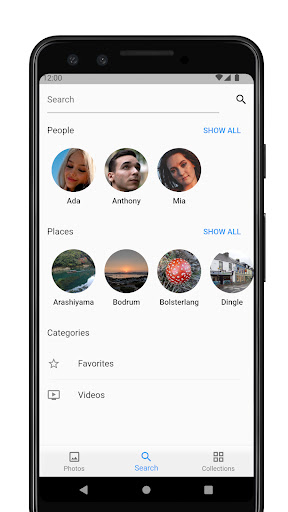
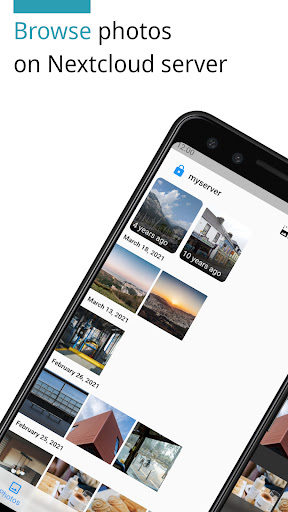
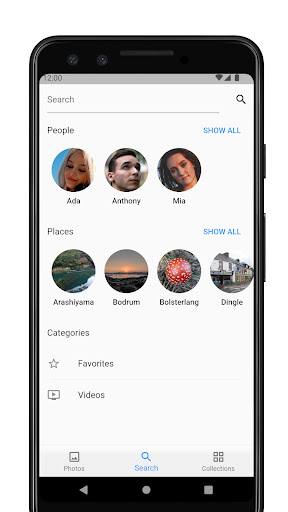
Photos for Nextcloud is a powerful productivity app designed to enhance photo management within the Nextcloud ecosystem. This application supports an extensive range of formats including JPEG XL, HEIC, and MP4, ensuring compatibility across devices. With features like client-side EXIF extraction and reverse geocoding, users can efficiently organize and locate their media files.

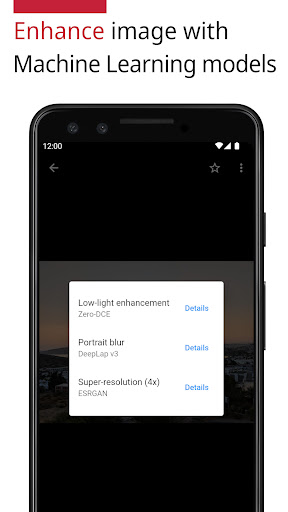
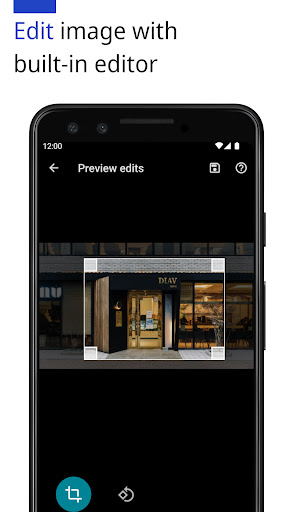
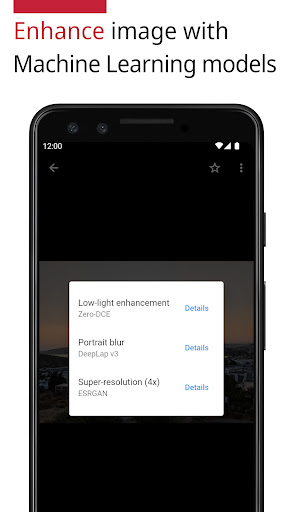
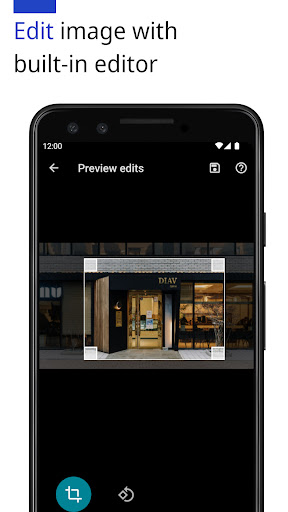
The app integrates machine learning models to enhance photos and includes a built-in editor for quick modifications. It allows signing in to multiple servers and creating shared albums with other users on the same server, although this feature is still experimental. Being open-source, it offers transparency and flexibility for tech-savvy users.

Whether you're managing personal collections or collaborating with teams, Photos for Nextcloud provides a seamless experience that respects user privacy and control, aligning perfectly with the self-hosted nature of Nextcloud.

Features

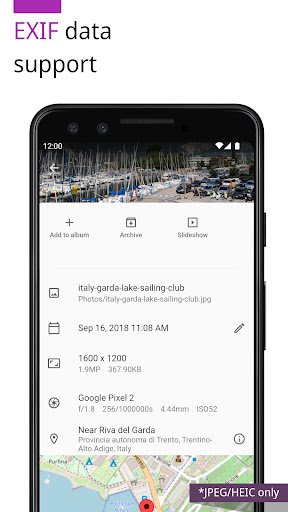
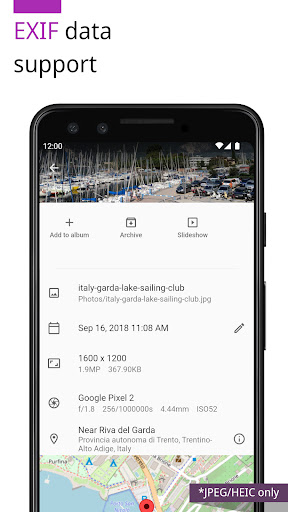
One of the standout features of Photos for Nextcloud is its support for advanced image formats such as JPEG XL and HEIC, alongside common formats like JPEG, PNG, and GIF. The inclusion of client-side EXIF data extraction ensures metadata is preserved even when the server doesn't natively support certain formats.

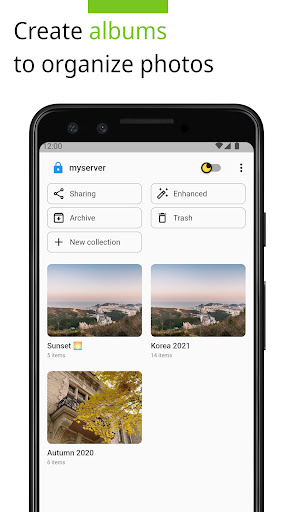
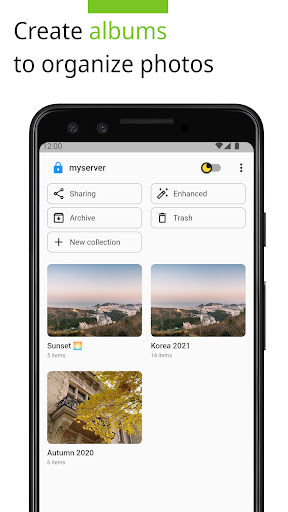
Album management has been significantly improved with more flexible album creation options. Users can also benefit from reverse geocoding which translates GPS data into readable location names. Additionally, the app leverages machine learning to automatically enhance photo quality and provides a built-in editor for manual adjustments.

For those who manage multiple Nextcloud instances, the ability to sign in to different servers from one app is invaluable. Experimental features like shared albums enable collaboration among users on the same server, enhancing team productivity. All these features are wrapped in an open-source framework, promoting community contributions and continuous improvement.

Core task management

Task management in productivity applications refers to the ability to organize and track tasks efficiently ensuring that users can manage their responsibilities effectively The Photos app for Nextcloud demonstrates a unique approach to task management by integrating advanced photo management features which are essential for users who rely on visual content organization One of the standout features is the support for a wide range of image and video formats including JPEG XL HEIC and WebM This extensive format support allows users to handle various types of media without compatibility issues Furthermore the app provides client-side EXIF extraction enhancing metadata handling even for formats not natively supported by the server This ensures accurate organization and retrieval of photos based on detailed metadata Another significant aspect is the integration with the Nextcloud Face Recognition app which supports automated photo categorization through machine learning models This feature simplifies the task of sorting and managing large photo libraries by automatically identifying and grouping images based on facial recognition Users also benefit from more flexible album creation options and reverse geocoding which adds location-based context to photos These features collectively enhance the core task management capabilities of the app by providing powerful tools for organizing and accessing visual content efficiently Additionally the built-in photo editor and support for multiple server sign-ins further streamline the photo management process allowing users to edit and organize their photos across different Nextcloud instances seamlessly The open-source nature of the app also invites community contributions ensuring continuous improvement and adaptation to user needs Overall these task management features make the Photos app for Nextcloud a robust solution for users seeking efficient and versatile photo management capabilities

Cross-device synchronization reliability

Cross-device synchronization is a critical feature in productivity applications enabling users to access their data consistently across multiple devices In the case of the Photos app for Nextcloud this functionality is implemented with a strong emphasis on reliability and performance ensuring that users can seamlessly synchronize their photo libraries across various platforms One of the key aspects of this synchronization is the support for a broad array of file formats including JPEG PNG WebP HEIC GIF JPEG XL MP4 and WebM This comprehensive format compatibility ensures that users can sync diverse types of media without encountering format-related issues Moreover the app leverages Nextclouds robust cloud infrastructure to provide reliable and fast synchronization regardless of the device being used The app also supports advanced features such as client-side EXIF extraction which enhances metadata handling during synchronization This ensures that all relevant photo metadata is preserved and accurately synchronized across devices Another notable feature is the integration with the Nextcloud Face Recognition app which allows for consistent application of machine learning-based photo categorization across devices This means that facial recognition tags and categories are reliably synced providing a uniform experience whether accessing photos from a smartphone tablet or desktop computer Additionally the app offers experimental shared album functionality enabling users on the same server to collaborate and share photo collections with reliable synchronization of updates and changes The ability to sign in to multiple servers further enhances cross-device synchronization by allowing users to manage and sync photos across different Nextcloud instances effortlessly The open-source nature of the app also contributes to its synchronization reliability as it benefits from continuous community-driven improvements and rigorous testing Overall the Photos app for Nextcloud delivers dependable cross-device synchronization making it an excellent choice for users who require consistent and reliable access to their photo libraries across multiple devices

Props

User-friendly interface

Advanced format support

Machine learning enhancements

Multi-server login

Open-source flexibility

Cons

Experimental sharing

Limited codec support

No cloud backup

Paid version only

Complex setup

Features and Functions

What is this app and what can I use it for?

A photo manager for Nextcloud with advanced editing and sharing.

How do I download and install this app on my device?

Search 'Photos for Nextcloud' on Google Play Store and tap install.

How do I get started after opening the app for the first time?

Sign in to your Nextcloud account and grant necessary permissions.

What are the main features and capabilities of this app?

Supports various formats, ML enhancements, multi-server login.

How can I customize my experience and adjust preferences?

Adjust settings via the preferences menu for personalized use.

How do I save or bookmark my favorite content for later access?

Bookmark photos by adding them to custom albums for easy access.

How can I share content with friends or on social media?

Share directly through Nextcloud links or social media platforms.

How do I access detailed information and explore more content?

Explore detailed info using metadata views and sorting options.

What permissions does this app need and how do I manage them?

Requires storage and media permissions managed in settings.

How do I check for updates and keep the app running smoothly?

Enable auto-updates in Google Play Store to keep the app current.
Show more

User Reveiws

{{ comment.reviewer_name }}
{{ comment.review_date_formatted}}
{{ comment.review_content }}
{{ tab.name }}
{{ comment.reviewer_name }}
{{ comment.review_date_formatted}}
{{ comment.review_content }}
No reviews with this rating