
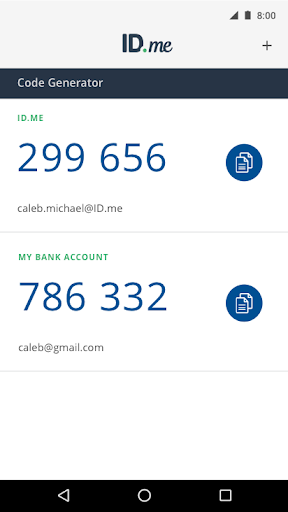
ID.me Authenticator is a productivity-focused application designed to enhance account security through Two Factor Authentication (2FA). This free solution generates 6-digit Time-Based One-Time Passwords (TOTP) and provides PUSH notification-based authentication, ensuring robust protection for online accounts. Suitable for users seeking enhanced security on websites that support 2FA, the app operates seamlessly without requiring network or cellular connections when used as a TOTP generator.
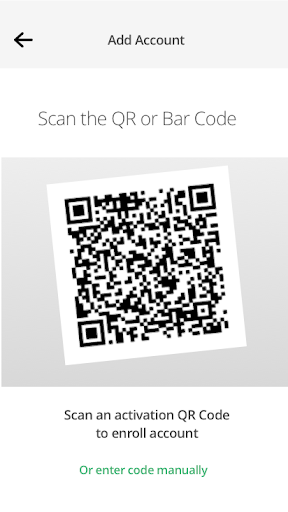
The app's QR code scanning feature simplifies setup by allowing users to easily enroll and connect the authenticator to their accounts. Additionally, its push-notification functionality streamlines the authentication process, making it an efficient tool for maintaining secure access across multiple platforms.
ID.me Authenticator offers several notable features that cater to both security and convenience. As a TOTP Code Generator, it allows users to produce verification codes without needing an active internet connection, providing flexibility and reliability in various scenarios. The app's ability to integrate with ID.me accounts via QR code scanning ensures a straightforward and user-friendly setup process.
For those preferring PUSH-based authentication, the app delivers one-touch approval through push notifications sent directly to the user's device. This dual approach not only strengthens account security but also enhances user experience by offering multiple authentication methods. Such versatility makes ID.me Authenticator a valuable asset for individuals managing numerous online accounts across different platforms.
Enhanced Security
User-Friendly Interface
Free to Use
No Network Required
Multi-Platform Support
Limited to ID.me Accounts
QR Code Setup Only
No Biometric Login
Push Notification Dependency
Requires Device Compatibility

Auto-shutoff Alarm with Sunrise, Sunset & Fixed Options.
 3.50
3.50
Mega cloud explorer plugin for Solid Explorer
3.80
Send files, sync SMS, notifications & clipboard across devices via local network
4.40
A lightweight JSON & XML files creator, editor and viewer (Premium Version)
4.40
Todo reminder
4.10
The AI assistant that thinks with you - write, code, and solve complex tasks
4.60
A simple Whisper AI keyboard for reliable speech transcription and rewording
4.60
Quickly and easily keep track of your work shifts
4.70
Scientific calculator for Android - looks and operates like the real thing!
4.90
Native client for Forgejo and Gitea
5.00
Seamlessly integrate data and reports to build your presentation to impress
4.80
The Pro Version of Android's tiniest Notepad app. Just 0.3MB but feature-packed!
4.60
Functional QR scanner and barcode reader that requires little storage space.
4.60
All document reader, all in one file viewer read PDF, DOCX, XLS, PPT, TXT files.
4.60
Planet Free VPN - The best Fast Unlimited and Secure VPN Without Logs
4.50
A customizable calendar for your Wear OS watch
4.20
Unlock AutoNotification
4.00
Access your phone's notifications, calls, apps, photos & texts on your PC
3.90
Create study competitions, track your hours, and stay consistent with friends
4.1


User Reveiws