
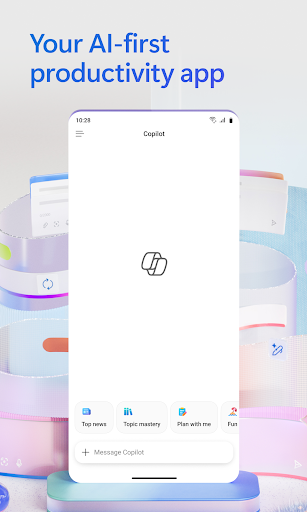

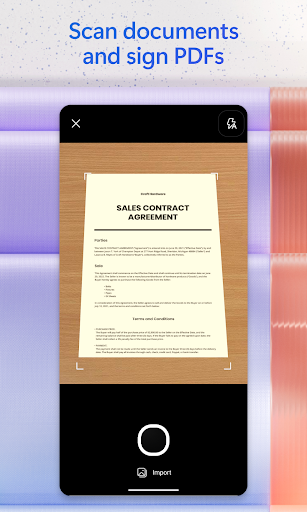
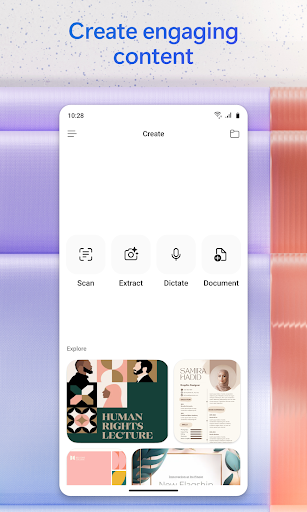
Microsoft 365 Copilot is an AI-powered productivity application designed to streamline tasks both at work and home. The app serves as a centralized platform for interacting with an AI assistant, creating and editing content, scanning documents, managing projects, and swiftly locating files on the go. With seamless integration across Word, Excel, PowerPoint, and PDFs, it enables users to efficiently handle various document types within a single interface.
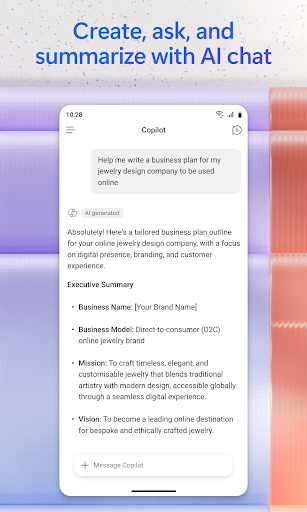
The application's core strength lies in its AI capabilities. Users can engage in natural language conversations with the AI assistant to summarize documents, draft emails, or analyze spreadsheets. Voice interaction further enhances accessibility, allowing hands-free operation for daily preparation, brainstorming, and obtaining quick answers. Additionally, the app facilitates rapid content creation through easy-to-use templates and simplifies project management with Copilot Notebooks.
Microsoft 365 Copilot proves particularly beneficial for professionals needing quick access to critical information and tools while traveling or working remotely. By consolidating essential productivity features into one app, it empowers users to accomplish more without switching between multiple applications, ultimately boosting efficiency and streamlining workflows.
Microsoft 365 Copilot distinguishes itself through a comprehensive set of innovative features tailored for productivity enhancement. One standout capability is its advanced AI assistant, which supports natural language processing for tasks such as document summarization, email drafting, and spreadsheet analysis. This functionality significantly reduces manual effort and time spent on routine tasks, enabling users to focus on higher-value activities.
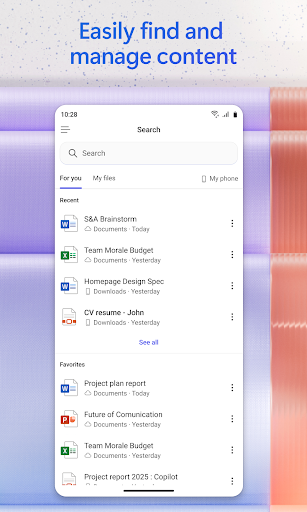
Voice interaction represents another key feature, offering hands-free convenience for busy professionals. Whether preparing for meetings, generating ideas, or retrieving information, users can simply speak their requests. The app also includes powerful search functionality that helps locate specific files, images, or documents quickly, regardless of where they are stored. Furthermore, built-in AI agents like Researcher and Analyst provide expert insights by generating research reports and analyzing complex datasets.
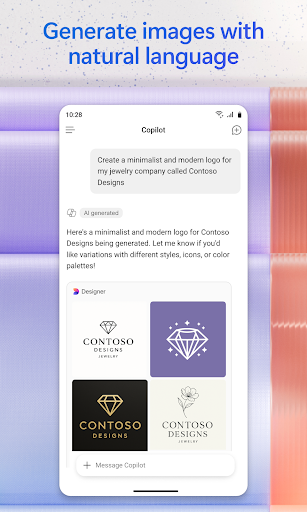
Content creation is simplified through intuitive templates for designing images, posters, banners, videos, and surveys. Document scanning adds practicality, allowing users to digitize physical notes and files effortlessly. Project management becomes more cohesive with Copilot Notebooks, which organize ideas, documents, and links while providing contextual summaries. These robust features collectively position Microsoft 365 Copilot as a versatile tool for modern productivity needs.
AI-powered assistance
Voice command support
Multi-format compatibility
Advanced search options
Integrated project tools
Limited free features
Requires subscription
Occasional bugs
Learning curve
Device compatibility

A customizable calendar for your Wear OS watch
 4.20
4.20
CalenGoo is a very flexible and feature-rich calendar app
4.40
Cloud storage, automatic phone backup, and more.
4.10
Enjoy classic gameplay with customizable features and retro-style graphics.
4.30
Best Tool for the professionals Electrician, Electrical contractors, etc.
4.90
Ultimate Virtual AI Character for immersive Roleplay Chat. Perfect Companion
3.90
Use powerful, industry-leading AI tools to generate visual charts from any data
4.80
Seamlessly read, manage, and organize all your PDF files solution in one place
4.40
QuickEdit is a fast, stable and full featured text and code editor.
4.20
8 custom complications. Custom Time Fonts. Beautiful color schemes. A++ Design.
5.00
Mind Map and brainstorm, note taking and idea collection
4.80
Absolutely the best CNC machinist speed and feed calculator around. fswizard.com
4.60
Secure, fast, open-source, Remote Desktop Client for Windows and Linux with SSH
4.60
Functional QR scanner and barcode reader that requires little storage space.
4.60
This small app MUST BE INSTALLED after purchase, else license won't work
4.40
Activate Two Factor Authentication (2FA or Multi OTP), Password manager and more
4.10
Find and delete junk files & block unwanted notifications & manage files
3.70
Experience and share your SolidWorks designs on your Android® phone and tablet.
2.50
Easiest event planning, volunteer signups & parent teacher conference scheduling
2.20


User Reveiws