
Duo Mobile

4.50

Information

Category:

Android Wear

Price:

Free

Rank:

14

Rating:

4.50

Overview

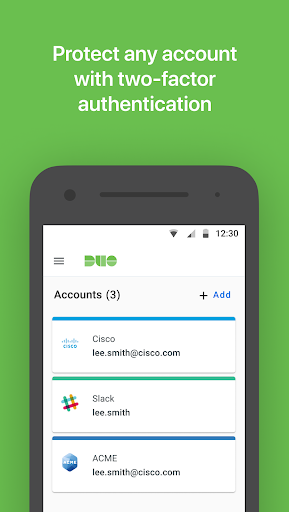
Duo Mobile is a robust two-factor authentication app designed to enhance login security for both individual and enterprise users. The application generates time-based passcodes and supports push notifications, enabling easy, one-tap authentication. It integrates seamlessly with Duo Security's trusted service while also supporting third-party applications that utilize two-factor authentication.

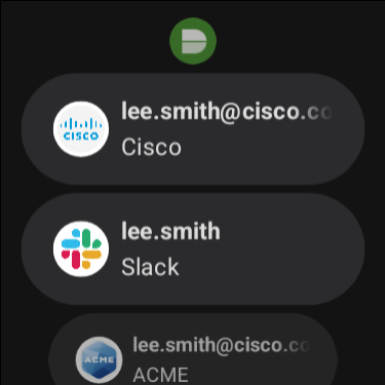
One of the standout features of Duo Mobile is its companion app, Duo Wear, which extends secure authentication capabilities to Android Wear smartwatches. This makes it even more convenient for users who prefer accessing their authentication methods directly from their wrist. Whether you're securing your personal accounts or managing multiple enterprise logins, Duo Mobile provides an essential layer of protection against unauthorized access.

Features

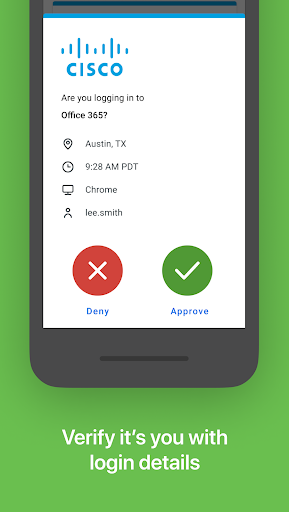
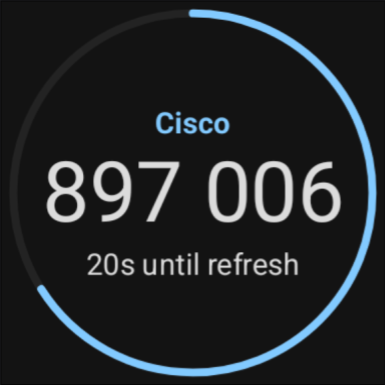
Duo Mobile offers several key features that make it a versatile and reliable choice for two-factor authentication. First, the app generates TOTP (Time-based One-Time Password) codes that refresh every 30 seconds, ensuring that each login attempt is unique and secure. Additionally, users can opt for push notifications, allowing them to approve login requests with a single tap on their device.

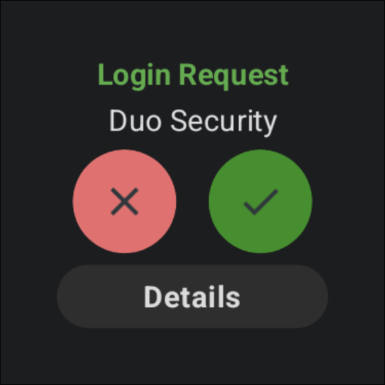
The integration with Android Wear through the Duo Wear companion app is another significant advantage. This feature enables users to receive authentication requests directly on their smartwatches, streamlining the login process without needing to take out their phones. Furthermore, the app allows manual activation via QR codes or alternative methods, providing flexibility in account setup. These features collectively ensure that Duo Mobile delivers both convenience and enhanced security for all types of digital accounts.

Companion app integration

Companion app integration refers to the seamless connection and data sharing between a primary application and its auxiliary counterpart typically designed for wearable devices In the case of Duo Mobile this functionality is extended through Duo Wear a dedicated app for Wear OS devices This integration allows users to maintain their two factor authentication capabilities directly from their smartwatches without needing to access their smartphones The implementation of this feature in Duo Mobile ensures that all passcodes generated or push notifications received on the phone are simultaneously available on the paired smartwatch This provides users with enhanced convenience as they can authenticate their identity swiftly regardless of whether they have immediate access to their mobile device Furthermore the synchronization between Duo Mobile and Duo Wear is designed to be reliable and fast ensuring that time sensitive authentication requests are delivered promptly Users benefit from this integration by experiencing a more streamlined and accessible security process which enhances both usability and protection By extending two factor authentication to wearable devices Duo Mobile effectively addresses modern users need for both security and convenience in their daily digital interactions

Wear OS/device compatibility

Wear OS device compatibility ensures that an application functions optimally across various smartwatches running on Googles wearable operating system For Duo Mobile this means the app has been specifically tailored to work seamlessly with Wear OS devices providing users with a consistent and reliable authentication experience The compatibility encompasses not only basic operational support but also extends to maintaining full feature functionality such as generating timed passcodes and receiving push notifications directly on the smartwatch Duo Mobile achieves this by adhering to Wear OS design guidelines and technical specifications ensuring optimal performance and battery efficiency Additionally the app undergoes regular updates to maintain compatibility with the latest Wear OS versions and device models This commitment to compatibility benefits users by allowing them to choose from a wide range of Wear OS devices without compromising the integrity of their two factor authentication setup Moreover it guarantees that users receive timely security prompts regardless of their location or situation enhancing overall account protection while maintaining user convenience

Props

Enhanced security

User-friendly interface

Push notifications

Android Wear support

Flexible account activation

Cons

Requires activation

QR code dependency

Limited offline use

No standalone functionality

Third-party reliance

Features and Functions

What is this app and what can I use it for?

Duo Mobile is a two-factor authentication app that generates passcodes and sends push notifications for secure logins.

How do I download and install this app on my device?

Download Duo Mobile from Google Play Store and install it by following the on-screen instructions on your Android device.

How do I get started after opening the app for the first time?

After opening Duo Mobile, follow the enrollment process by activating your account through the provided link or QR code.

What are the main features and capabilities of this app?

The app generates TOTP codes, supports push notifications, and works with Android Wear devices for secure authentication.

How can I customize my experience and adjust preferences?

You can customize your experience by adding multiple accounts and choosing between passcodes or push notifications.

How do I save or bookmark my favorite content for later access?

Save favorite accounts by adding them within the app for quick access during login attempts.

How can I share content with friends or on social media?

Share authentication details securely by scanning QR codes or sending invites through supported platforms.

How do I access detailed information and explore more content?

Access detailed information about your accounts and explore settings within the app's main interface.

What permissions does this app need and how do I manage them?

Duo Mobile requires camera access for QR code scanning but can be used without it if needed.

How do I check for updates and keep the app running smoothly?

Check for updates regularly in the Google Play Store to ensure smooth operation and enhanced security.
Show more

User Reveiws

{{ comment.reviewer_name }}
{{ comment.review_date_formatted}}
{{ comment.review_content }}
{{ tab.name }}
{{ comment.reviewer_name }}
{{ comment.review_date_formatted}}
{{ comment.review_content }}
No reviews with this rating