
Xfinity

3.50

Information

Category:

Productivity

Price:

Free

Rank:

13

Rating:

3.50

Overview

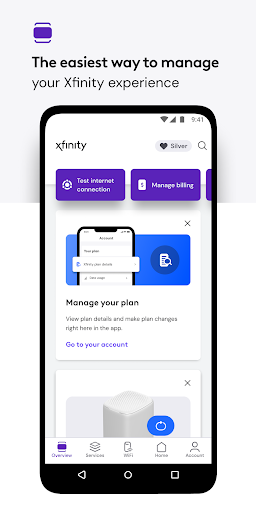
Xfinity is a productivity app that enhances your Xfinity experience by providing comprehensive service management in one place. The app introduces NOW, a new way to get internet and mobile with all-in monthly pricing. It offers 24/7 real-time support, tools for equipment activation and internet speed testing, and exclusive rewards for being a customer.

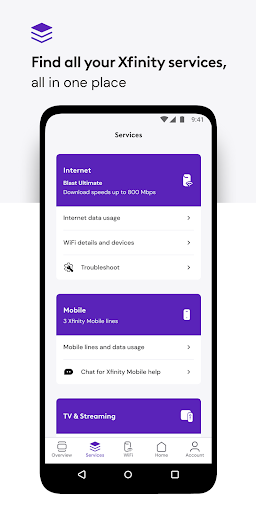
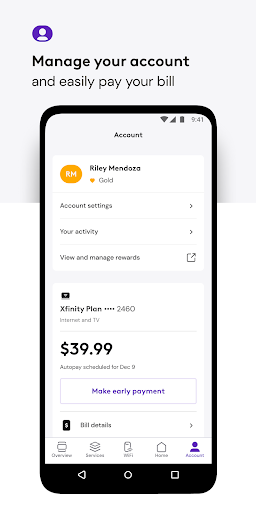
For customers renting equipment, the app provides account management features such as bill payment, plan details viewing, and service changes. It also includes personalized WiFi performance tips, advanced security features both at home and on the go, parental controls, and ultimate control over WiFi settings and connected devices.

Features

The Xfinity app boasts an array of features designed to streamline your digital home management. With 24/7 real-time support, users can resolve issues anytime. The app allows for seamless equipment activation and internet speed testing, ensuring optimal performance.

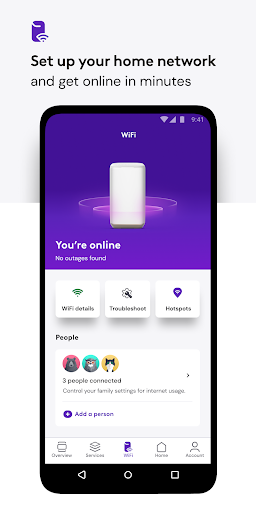
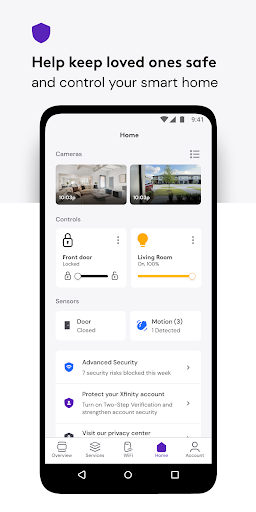
Advanced Security features protect your devices from online threats and offer data protection when connected to unsecured networks away from home. Parental controls enable family-safe browsing and the ability to pause WiFi access to any device. Additionally, the app provides tools for setting up WiFi, assigning user profiles, and enhancing the performance of connected devices.

Core task management

Task management in the Xfinity app is designed to provide users with a comprehensive and efficient way to handle all their services in one place. This functionality allows customers to pay bills, view plan details, change or upgrade services, and more, all from within the app. The importance of this feature lies in its ability to streamline the user's interaction with their Xfinity services, making it easier and faster to manage their accounts. The app achieves this by offering personalized tools and tips to improve WiFi performance, advanced security features for device protection, parental controls for family-safe browsing, and ultimate control over WiFi settings and connected devices. Users benefit from having everything they need to manage their account in one place, which saves time and reduces the complexity often associated with managing multiple services. The value of this feature is evident in its ability to enhance the overall customer experience by providing seamless access to essential account management functions, thus improving customer satisfaction and loyalty.

Cross-device synchronization reliability

Cross-device synchronization reliability is crucial for users who require consistent access to their Xfinity services across multiple devices. This feature ensures that any changes made on one device are accurately and promptly reflected on all other devices connected to the same account. The significance of reliable synchronization cannot be overstated, as it directly impacts the user's ability to manage their services effectively, regardless of the device they are using. The Xfinity app accomplishes this by leveraging robust cloud-based technologies that facilitate real-time updates and data sharing between devices. As a result, users can enjoy uninterrupted access to their account information, service details, and personalized settings, ensuring a cohesive and synchronized experience. This level of reliability not only enhances user convenience but also reinforces trust in the app's capabilities, knowing that their data is always up-to-date and accessible wherever they go. By prioritizing cross-device synchronization, the Xfinity app demonstrates its commitment to delivering a seamless and dependable user experience, which is essential for maintaining high levels of customer engagement and satisfaction.

Props

User-friendly interface

Comprehensive service management

Advanced security features

Personalized WiFi tips

Exclusive customer rewards

Cons

Requires Xfinity ID

Limited to Xfinity customers

Some features need rented equipment

VPN service permission required

Occasional connectivity issues

Features and Functions

What is this app and what can I use it for?

Xfinity app manages services, provides support, and enhances connectivity.

How do I download and install this app on my device?

Download Xfinity app from Google Play Store on your Android device.

How do I get started after opening the app for the first time?

Sign in with your Xfinity ID and password to start using the app.

What are the main features and capabilities of this app?

Main features include service management, security, and personalized WiFi tools.

How can I customize my experience and adjust preferences?

Customize preferences through account settings and personalized tools.

How do I save or bookmark my favorite content for later access?

Save favorite content using bookmarks or personalized user profiles.

How can I share content with friends or on social media?

Share content via social media directly through the app's sharing options.

How do I access detailed information and explore more content?

Access detailed info in account settings and explore more features.

What permissions does this app need and how do I manage them?

App needs permissions for security features and managing network settings.

How do I check for updates and keep the app running smoothly?

Check updates in Google Play Store and enable auto-update for smooth operation.
Show more

User Reveiws

{{ comment.reviewer_name }}
{{ comment.review_date_formatted}}
{{ comment.review_content }}
{{ tab.name }}
{{ comment.reviewer_name }}
{{ comment.review_date_formatted}}
{{ comment.review_content }}
No reviews with this rating















