
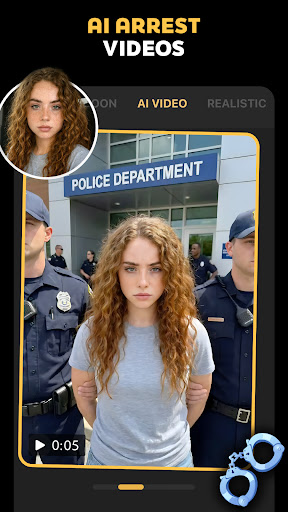
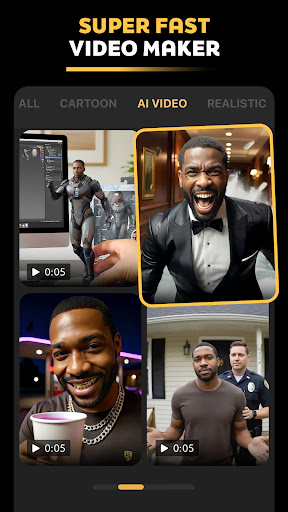
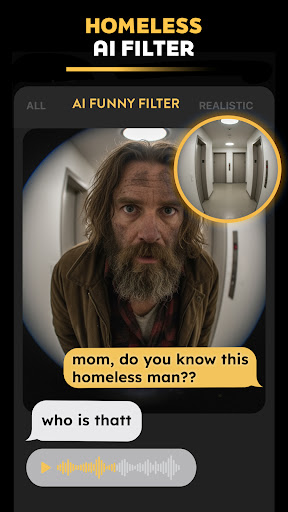

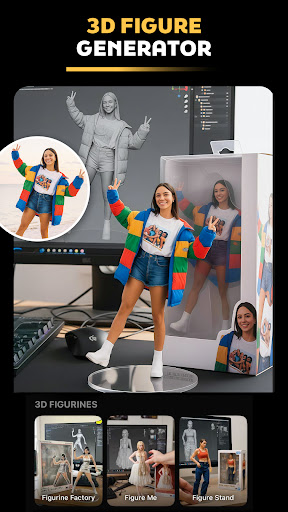
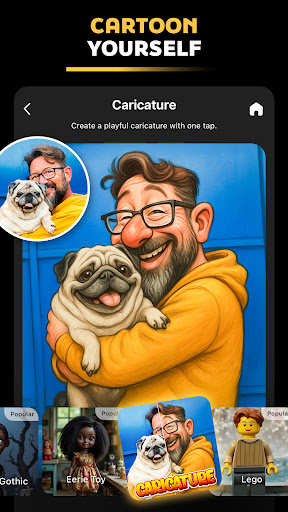
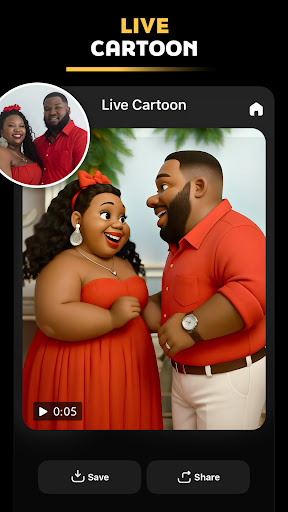
Pose is an innovative AI-powered photo and video editor designed to transform your images and videos with trending effects. This app allows users to create stunning visuals using advanced AI filters such as the viral Polaroid AI filter, AI snow video effect, and professional styles like birthday photo shoots. With Pose, you can unleash your creativity by generating realistic AI boyfriend/girlfriend videos, y2k portrait aesthetics, and even 3D action figures from your selfies.
The application's versatility extends beyond just photos, offering tools to create short viral videos perfect for platforms like TikTok and Instagram. Whether you're looking to add cinematic rain effects, create hyper-realistic AI transformations, or produce engaging AI-generated content, Pose provides all the necessary features in one comprehensive package. Its powerful AI capabilities ensure high-quality results that are optimized for social media sharing.
Designed for both casual users and professionals, Pose helps elevate your social media presence by enabling the creation of polished, high-quality content. From AI business headshots for LinkedIn to fun prank videos for TikTok, this app caters to various needs. The intuitive interface and diverse feature set make it easy to produce content that stands out, helping users gain more visibility and engagement on their social media platforms.
Pose offers a rich array of features that cater to diverse creative needs. One standout feature is the AI Birthday Photo Shoot, which transforms ordinary photos into luxurious birthday shoots, adding a touch of elegance to your celebrations. Another remarkable tool is the Rain & Snow AI Photo Remake, allowing users to convert everyday images into seasonal masterpieces complete with realistic weather effects.
The Viral Polaroid AI Filter brings vintage charm to modern photography, letting users reimagine their shots with a retro aesthetic. For those interested in edgy content, the Ghostface Y2K Portrait Vibes provide an iconic masked character look, blending creepy and trendy elements. Additionally, the AI Video Generator turns static images into dynamic videos, including caricatures, cartoons, and viral prank scenarios.
For users seeking unique personalization, the AI Action Figure Maker creates 3D figurines from selfies, while the AI Mermaid Filter transforms portraits into enchanting mermaid princesses. These features collectively enable users to produce highly engaging and personalized content, ensuring their social media posts stand out. Each tool within Pose is crafted to offer both innovation and ease of use, empowering users to explore new creative horizons effortlessly.
User-friendly interface
High-quality AI effects
Versatile content creation
Wide range of filters
Social media optimization
May require paid subscription
Some features complex for beginners
Occasional processing delays
Limited free export options
Resource-intensive on devices

[3DSteroid Pro] is a stereoscopic application for Android.
 4.30
4.30
Natural Beauty, Selfie Retouch
4.30
Create collages easily! Nice pic collage maker & background eraser for Instagram
4.50
Photo editor: AI filters, photo enhancer, pic collage maker, AI art generator.
4.80
Photo Exif Editor allows to view, add and modify EXIF data of multiple photos
4.50
A must-have app for landscape photographers
4.60
Luminar: Photo Editor - easy picture editing with AI
4.20
A unique animation app. Powerful, easy to use, and lots of fun.
4.30
Solocator stamps photos you take with GPS location, Compass Direction, Date/Time
3.80
Unblur, enhance & restore photos with powerful AI photo enhancer tools.
4.60
Easily create custom gifts, cards, photo books & more on the Shutterfly app!
4.60
Smart, light, and fast photo and video gallery
4.30
What celebrity do you look like? Celebs will find your celebrity match!
4.10
All-in-One Editor & AI Photo Enhancer, Collage, Cartoonify, Funny Stickers & BGS
4.10
Application for remote controlling DSLR
3.00
An interval timer to automate photo taking process for timelapse
2.90
Professional video recording application with manual controls for filmmakers!
2.80
HD Photo gallery and photo manager to edit, hide private photos, videos & albums
4.2
Snap photos remotely using your Garmin watch as the camera trigger
4.2


User Reveiws