QuickBend

4.30

Information

Category:

Productivity

Price:

$ 6.99

Rank:

3

Rating:

4.30

Overview

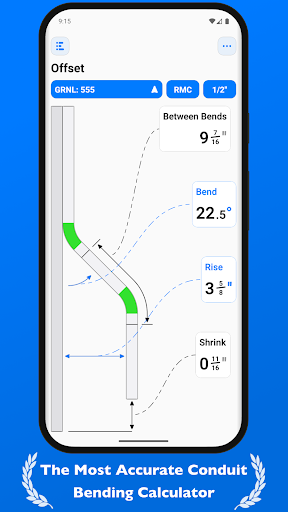
QuickBend is a cutting-edge conduit bending calculator app designed for precision and ease of use. It stands out by offering the most accurate measurements, accounting for the radius of the shoe and bender, conduit type, and size diameter. The app employs a centerline radius algorithm to ensure rigorous and field-tested calculations.

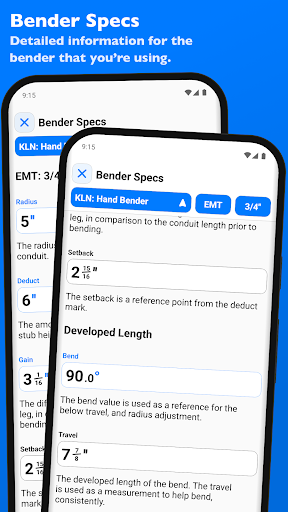
Built with electricians in mind, QuickBend caters to professionals, novices, and DIY enthusiasts alike. Its intuitive interface helps avoid common mistakes, saving both time and money. Users can access detailed information on individual bends, enhancing their understanding and execution.

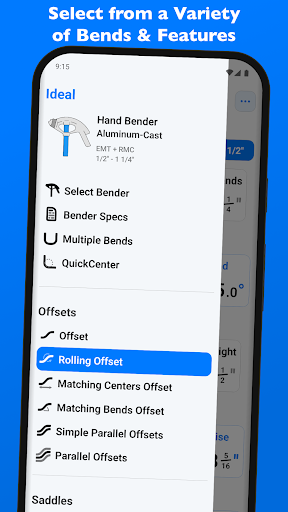
The app supports various bend types and allows users to toggle between inches and centimeters. With features like QuickCheck, it provides visual cues for bend feasibility, ensuring convenience and practicality in every project.

Features

QuickBend offers an innovative approach to conduit bending with its precise measurement capabilities. The app's standout feature is its centerline radius algorithm, which ensures accuracy by considering multiple factors such as shoe and bender radius, conduit type, and size diameter.

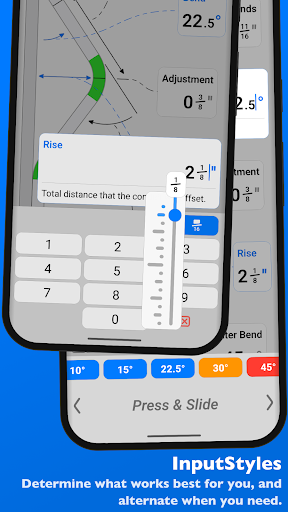
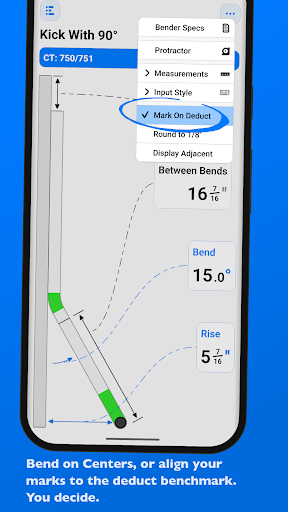
One of the key functionalities is the ability to switch between different input styles, including a number pad or slider bar, catering to user preference and task complexity. This flexibility extends to measurement units, supporting both inches and centimeters.

Additionally, QuickBend includes QuickCheck, a feature that visually indicates the feasibility of a bend through color-coded text. This proactive approach helps users determine potential issues before finalizing calculations, streamlining the entire bending process.

Core task management

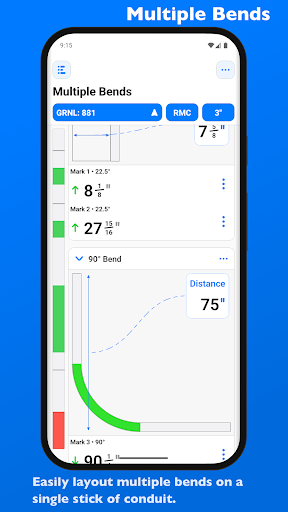
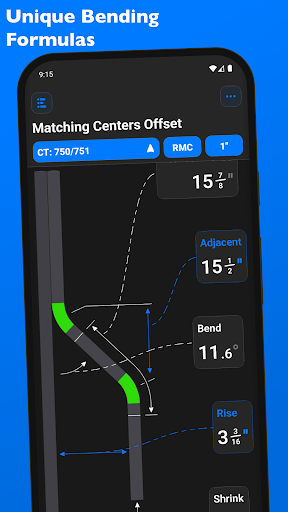
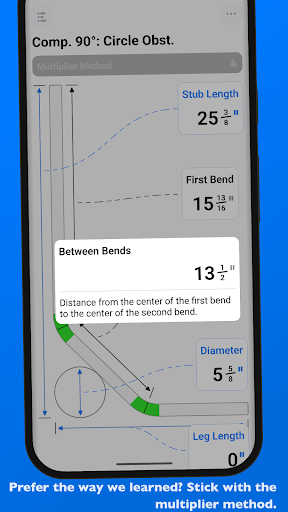
Task management in QuickBend is designed to streamline the conduit bending process for electricians and DIY enthusiasts alike. At its core, this feature allows users to efficiently organize and execute multiple bends on a single conduit with precision. The app supports a comprehensive range of bend types including offsets, rolling offsets, three-point saddles, and compound 90u00b0 bends around various obstructions. Each bend type can be meticulously planned and adjusted within the app, providing accurate measurements that take into account the radius of the shoe and bender, plus the conduit type and size diameter. This ensures every calculated measurement aligns with real-world applications. Users benefit from an intuitive interface where they can toggle between inches and centimeters, switch input styles such as number pad or slider bar, and even preview potential issues through color-coded warnings before finalizing their calculations. With these capabilities, QuickBend not only saves time but also reduces material waste by avoiding simple mistakes during the planning phase. The ability to layout multiple bends on a single conduit while getting each measurement for marks enhances productivity significantly. Additionally, users have access to detailed information about individual bends which aids in both learning and executing complex tasks accurately. Overall, QuickBend's task management system empowers professionals to focus more on their work rather than worrying about manual calculations.

Cross-device synchronization reliability

Cross-device synchronization in QuickBend ensures that all your project data remains consistent across different devices you might use throughout your day. For electricians who often move between job sites or need to share specifications with colleagues, this feature provides peace of mind knowing that every detail entered into one device will seamlessly transfer over to another without loss or corruption. QuickBend achieves reliable synchronization by leveraging cloud technology which securely stores user data including customized benders' specifications, pinned benders, and saved projects. When switching between smartphones or tablets running QuickBend, users experience no interruption in workflow thanks to automatic updates triggered whenever changes occur. This means whether itu2019s adjusting existing plans at home or reviewing them onsite via tablet, everything stays current regardless of location or device used last. Furthermore, having centralized storage facilitates collaboration among team members working together on large installations since everyone accesses identical up-to-date information simultaneously. Beyond convenience, cross-device sync also plays a crucial role in safeguarding against accidental data loss due to hardware failure or theftu2014a common risk faced by field workers carrying valuable tools daily. By maintaining backups online, QuickBend guarantees business continuity under unforeseen circumstances while offering flexibility unmatched by traditional paper-based methods. Thus, robust synchronization capabilities make QuickBend indispensable for modern electrical contractors seeking efficiency gains alongside enhanced reliability.

Props

Highly accurate calculations

User-friendly interface

Supports multiple bend types

Intuitive input methods

Comprehensive documentation

Cons

Premium version required

Complex for beginners

Limited free features

Occasional bugs

Heavy on resources

Features and Functions

What is this app and what can I use it for?

QuickBend is a conduit bending calculator app providing precise measurements for various bend types.

How do I download and install this app on my device?

Download QuickBend from Google Play Store and install it by following the on-screen instructions.

How do I get started after opening the app for the first time?

Upon opening QuickBend, select your preferred settings and input style to begin calculating bends.

What are the main features and capabilities of this app?

Key features include accurate measurements, multiple input styles, and support for various bend types.

How can I customize my experience and adjust preferences?

Customize QuickBend by toggling measurement units and selecting preferred input methods in settings.

How do I save or bookmark my favorite content for later access?

Save favorite bends by pinning them for quick access in future projects within QuickBend.

How can I share content with friends or on social media?

Share bend details via QuickBend's export function to collaborate with peers or on social media.

How do I access detailed information and explore more content?

Access detailed bend information and explore more content through QuickBend's comprehensive documentation.

What permissions does this app need and how do I manage them?

QuickBend requires permissions for data storage and device information to function optimally.

How do I check for updates and keep the app running smoothly?

Check for updates in the app store to ensure QuickBend runs smoothly with the latest features.
Show more

User Reveiws

{{ comment.reviewer_name }}
{{ comment.review_date_formatted}}
{{ comment.review_content }}
{{ tab.name }}
{{ comment.reviewer_name }}
{{ comment.review_date_formatted}}
{{ comment.review_content }}
No reviews with this rating